Custom Corporate Event App: How to Choose & 7 Options Compared
July 29, 2026 · Wout Criekemans · 24 minute read
Table of Contents
- What should you look for in a custom corporate event app platform?
- 7 Custom Corporate Event Apps Platforms Compared
- 1. LineUpr: Best for small teams that need a branded app attendees can access quickly
- 2. Eventee: For branded mobile app with web access
- 3. Guidebook: For recurring branded programmes
- 4. Yapp: For simple internal events where attendees can install the app
- 5. Whova: For networking-heavy corporate conferences
- 6. EventMobi: One platform for app, registration and onsite operations
- 7. Nunify: For branded web and mobile apps with event operations
- Which custom corporate event app should you choose?
- FAQs
If you're comparing options to build custom apps for corporate events, you've probably run into one or more of these problems:
You ask for a bespoke build and it comes back priced like a software project: five figures, on a timeline that outlasts the event; making it hard to justify for something that runs once.
You try a full event-management suite and end up paying for registration, badging, and exhibitor tools you'll never switch on. In the end you can’t really tell what you're actually buying for the app itself.
You pick a tool that looks right on paper, then watch attendees skip the app-store download, making it hard to get the adoption that justified building the app in the first place.
The core problem is that "custom," for a corporate event app, has to cover a lot at once. And that pulls the decision in three directions:
How custom does it really need to be? A branded look, or a fully bespoke app? And what does that cost you in how easily attendees can get in?
Who needs to own it day to day? Can your team set it up and update it live, or are you dependent on a developer or vendor every time something changes?
Are you buying an app for your attendees, or a full event platform you'll only ever half-use?
To answer those questions and help you make the right call, this guide puts seven platforms through one consistent set of buying criteria, so you can match the right one to your event. Let's begin with what a custom corporate event app actually includes.
What should you look for in a custom corporate event app platform?
The right platform is the one that fits your event and the team running it, which is rarely the one with the longest feature list. The three questions from the top of this guide are what actually decide the fit. Here's how to answer each one, and what to hold every platform against.
How custom does it need to be, and what does that cost attendees?
Brand depth and easy access tend to pull against each other: the deeper and more native the branding, the more likely you are to add a download step. So decide how much brand your event really needs before you trade away how easily people get in.
Brand control: can you change the logo, colours, content sections, and, if it matters to you, use your own event URL instead of the vendor's? A private client dinner may only need a clean, on-brand agenda; an external customer day may need the app to feel unmistakably yours. A generic, vendor-branded listing quietly undercuts the professional impression the event exists to make.
Access model: do attendees open the app from a link or QR code, or install it from an app store first? Every download step costs you attendees, and external guests (clients, partners, distributors) rarely install a supplier's app for a single event. A native app can look impressive and still sit unopened on the day.
Who owns it day to day?
Corporate event details change late, and a small comms, marketing, or events team can't route every change through someone else.
Setup control: can your team build and edit the app themselves, or does every change go through a developer or the vendor? When you can't make changes yourself, a room swap or a dropped speaker becomes a support ticket instead of a quick edit you make in the moment.
Live updates: can you change sessions, rooms, speakers, or sponsor content mid-event and have attendees see it at once? Without that, you're chasing people down or sending another email nobody opens while the session's already moving.
An attendee app, or a full event platform?
Bigger isn't better if you only ever switch on a fraction of it.
Scope and cost fit: are you buying a focused attendee app, or a full suite with registration, check-in, badge printing, and exhibitor tools? A larger enterprise event may genuinely need those; a training day or internal conference where registration is already handled is paying for weight it won't use. Match the pricing model (per event, recurring, or annual) to how often you actually run events.
Engagement fit: does your event need polls, Q&A, surveys, or networking, or is agenda access enough? A hospitality evening rarely needs live polling; an internal conference where people are meant to connect and give feedback does. Paying for engagement you won't touch, or lacking it when the event depends on it, both cost you.
Reporting: can you see whether attendees actually opened and used the app? A custom app only earns its budget if people use it, and without usage data, you can't prove it worked or defend running it again next year.
With those three questions answered, you can hold every platform to the same standard. Here's how seven of them compare.
7 Custom Corporate Event Apps Platforms Compared
Platform | Best fit | Custom route | Access model |
LineUpr | Small teams that need a branded app they can launch and update themselves | Configurable branded app with optional white-label domain | Browser app via link or QR code |
Eventee | Teams that want a polished mobile app with web access | Branded event app with white-label add-on | Mobile app with web access |
Guidebook | Recurring programmes that need a more managed app setup | Branded app options and event guides | Mobile app with web companion |
Yapp | Simple internal events where attendees can install an app | No-code branded mobile app | Mobile app download |
Whova | Conferences where networking is the main app value | Branded event experience inside Whova | Mobile-first app |
EventMobi | Larger events that need an app, registration, and onsite tools together | Branded app as part of a wider event suite | Mobile and web app |
Nunify | Corporate events that need branded web and mobile access with deeper engagement tools | Branded event app with white-label options | Web, iOS, and Android app |
1. LineUpr: Best for small teams that need a branded app attendees can access quickly
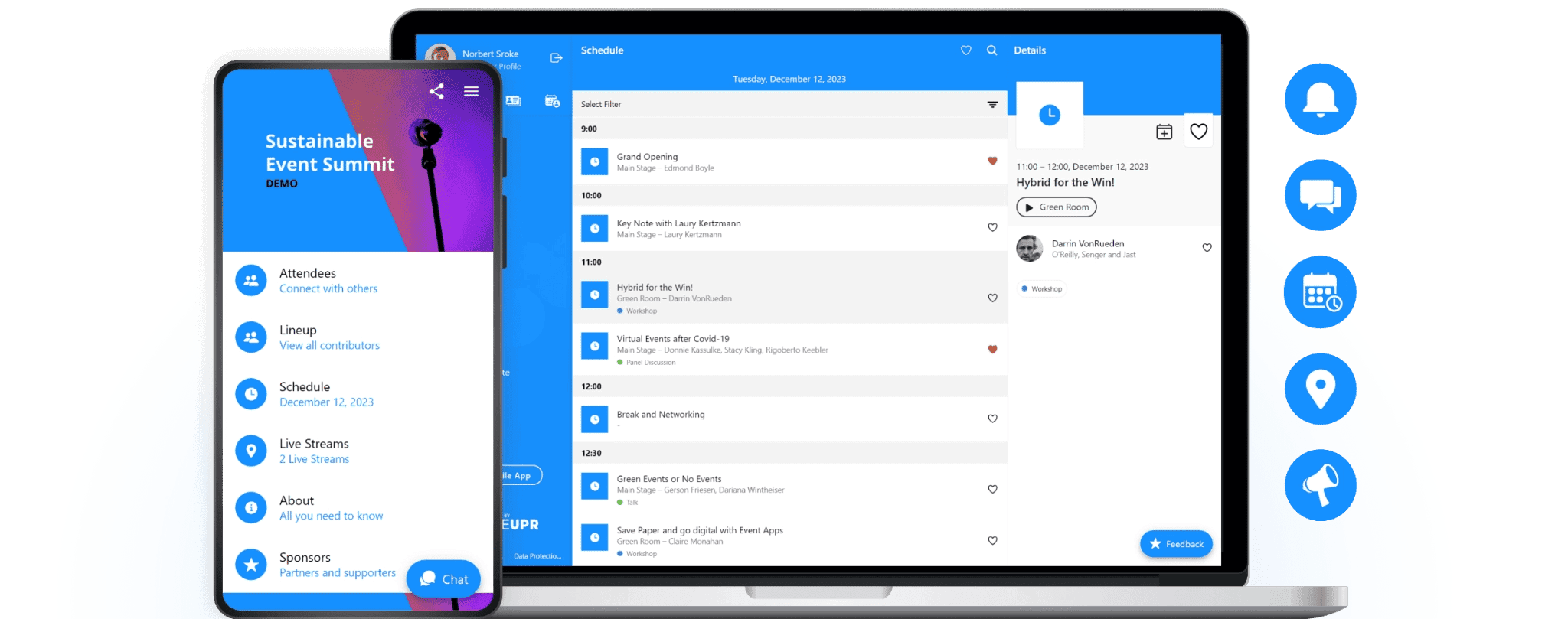
Most small corporate teams looking for a custom event app want the same two things at once: an app that looks like their organisation, and one their attendees will actually open. The problem is that the routes that promise real branding usually make adoption harder.
A bespoke build needs a developer and weeks of lead time. An app-store builder gets you a branded app but sends every attendee to a download first, and external guests rarely install a supplier's app for a single event.
LineUpr solves that problem through a self-service event app builder that helps corporate teams build branded event apps without hiring a developer or waiting on a custom app build. It uses PWA (progressive web app) technology, which enables you to share your app as a simple link or QR code that attendees open instantly in their browser, with no app-store download standing between them and your event.
That way, LineUpr is a suitable option for small and mid-sized corporate teams that need a branded app quickly and whose events depend on attendees actually opening it: customer days, internal programmes, training events, leadership meetings, and smaller conferences where registration is already handled elsewhere.
Build and brand the app without a developer
For a lean comms, marketing, or events team, the blocker to a branded app is usually the build itself. It normally means briefing a developer or an agency, then waiting on them for every change.
With LineUpr's App Manager, your team builds the app directly in a few steps. The visual no-code builder edits on the left and previews on the right, so you see the attendee's view as you go.
Add your event content: programme, speakers, sponsors, venue details, and maps, entered by your team without code.
Apply your brand: add your logo, colours, images, content sections, and an optional white-label domain so the app runs on your own event URL.
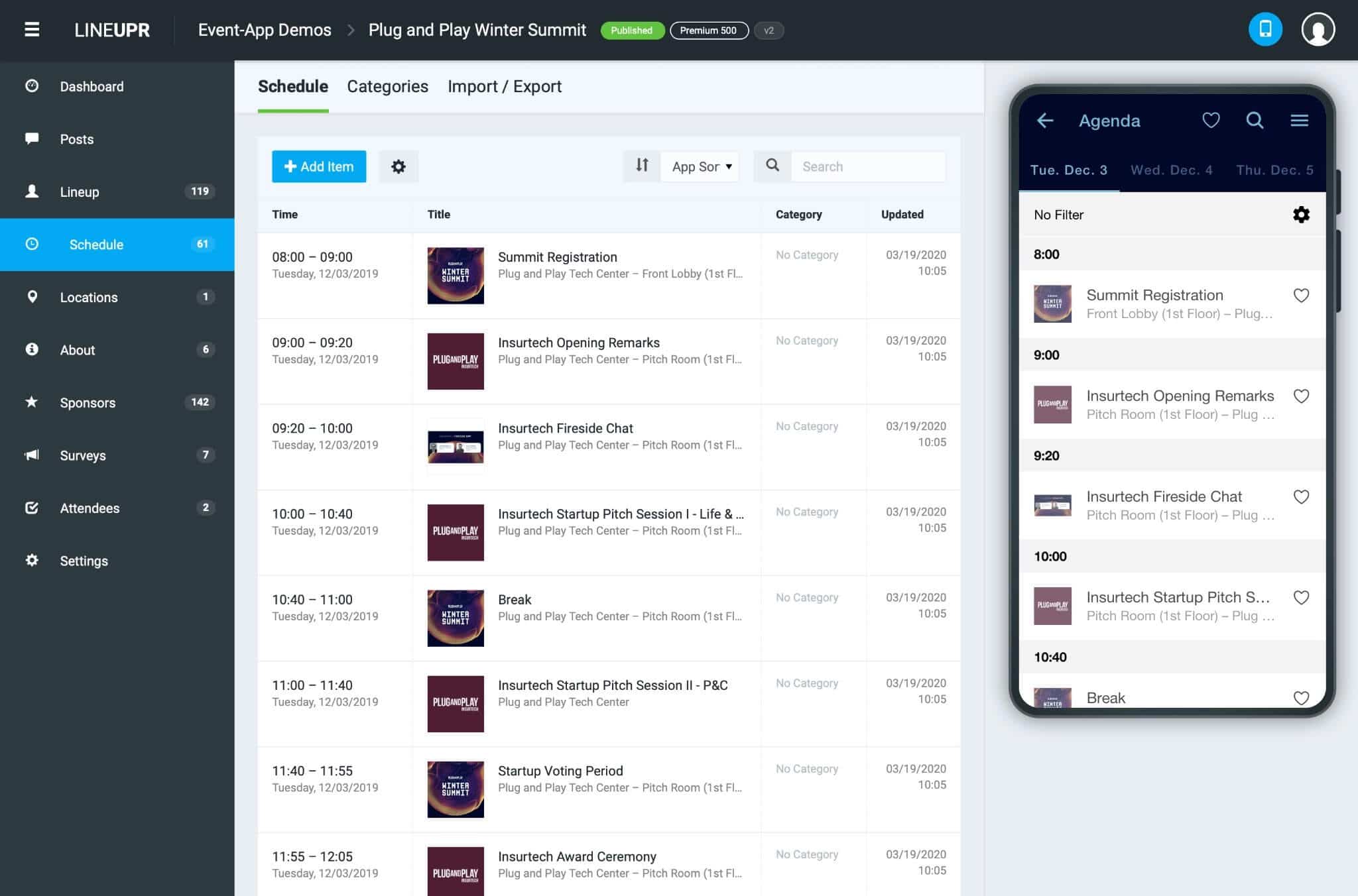
That way, you get a brand-consistent app that looks like your organisation, live without a custom software project or an app-store submission. You can preview a LineUpr app on your phone or browse event app examples from previous users before you commit.
Get attendees in without an app-store download
The most expensive failure for a custom event app is the one nobody plans for: attendees never open it. This is where the access model quietly decides whether the app was worth building.
A download is where most of that loss happens. Internal colleagues might install an app if you ask them, but external attendees, like clients, partners, and distributors, won't add a supplier's app to their phone for one event.
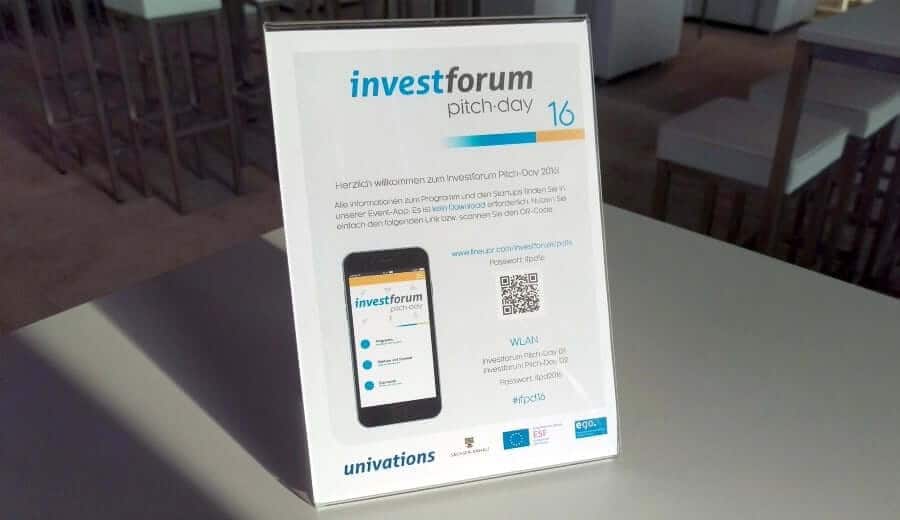
Since LineUpr runs in the browser, that whole group is in with a tap, which is the difference between an app a fraction of the room installed and one most of the room used. Once the app is ready, attendees can open it from a link or QR code. They don’t need to find an app-store listing before they can see the event content and interact with the app.
That access model is the main reason LineUpr is a good fit for small corporate teams. It reduces the work needed to get attendees into your event app, especially for one-off events where people may not want to install another app.
Update the app when the event changes
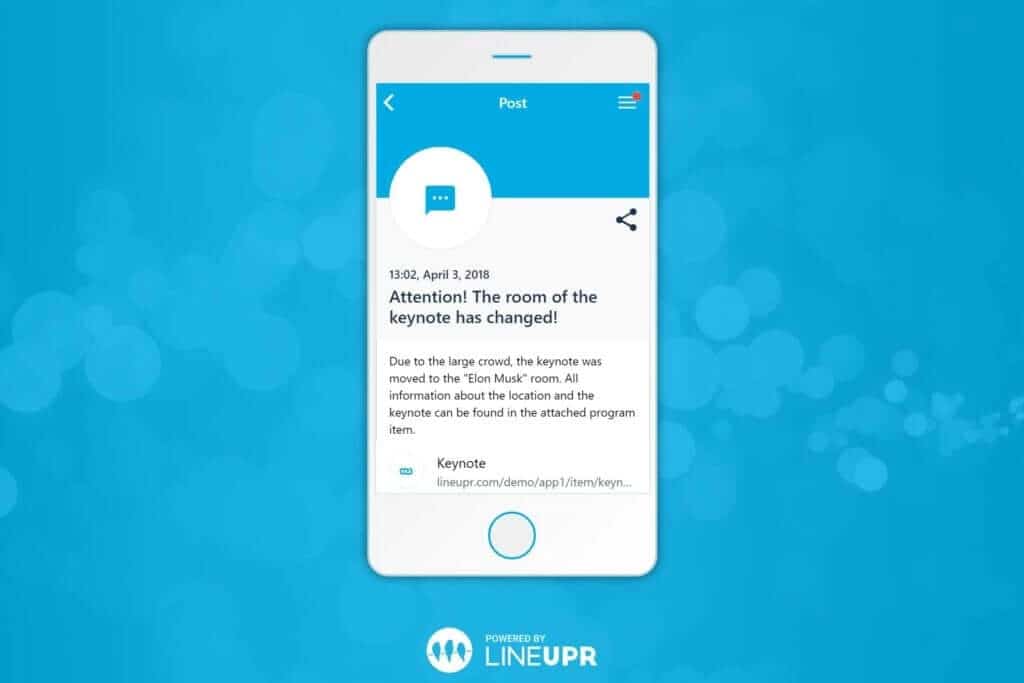
Corporate event details often change late. A speaker can cancel their next session at the last minute or you need to change the room for a specific session. You must be able to communicate all these without writing another email or running across the event centre to tell your attendees.
With LineUpr, your team can update the app directly instead of waiting on a developer. That makes it a stronger fit for lean comms, marketing, and events teams that need that sort of control during the event.
Check whether attendees used your event app
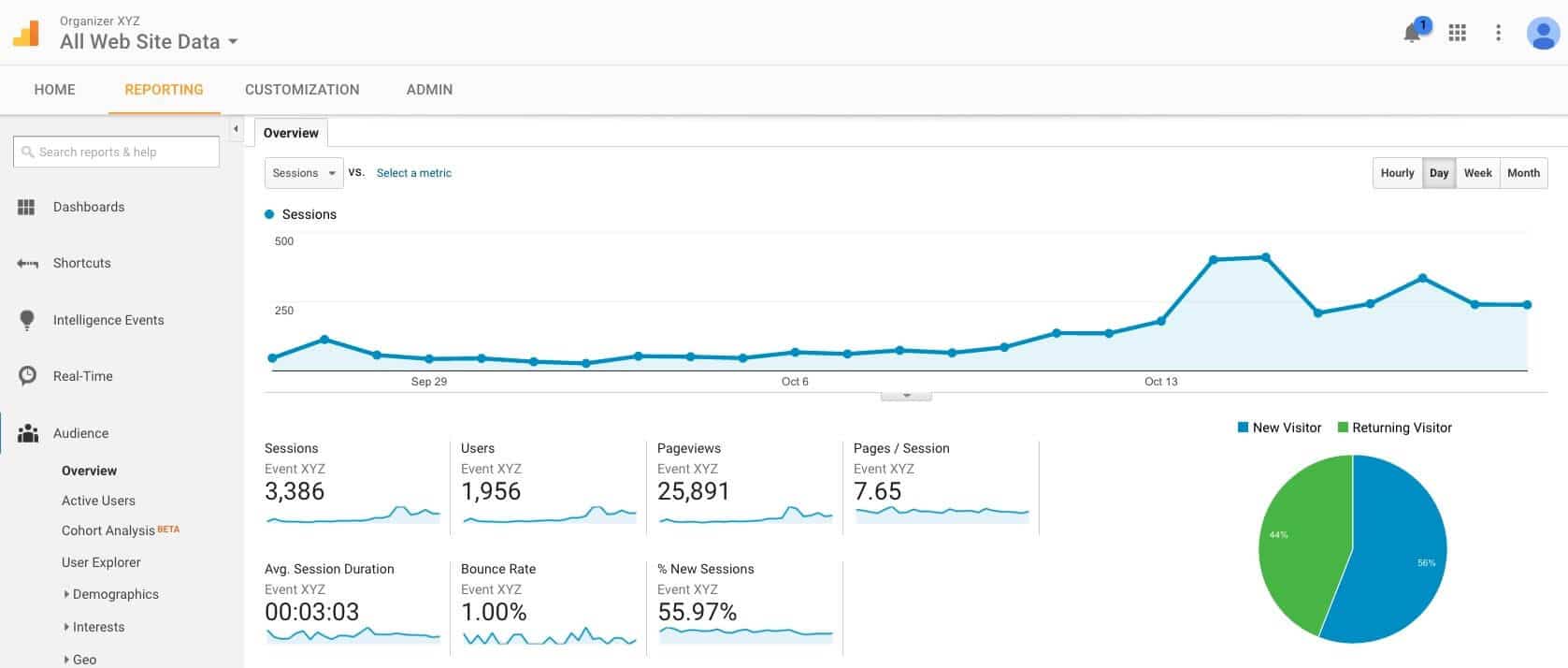
LineUpr also helps teams review app usage after launch. That matters because a custom corporate event app only earns its place if attendees actually use it.
You can track your event app usage and sync with Google Analytics or Matomo. This helps you see average session duration, page views, and even bounce rate so you can improve your event where possible.
Bottom line: Brands like BMW Foundation Herbert Quandt moved from a heavily programmed app to LineUpr because the earlier process took too much developer communication and gave the team limited control over structure and design.
Marketing Club Dresden also created its event content, participants, and surveys in about four hours, which points to the real value of LineUpr. LineUpr is for small corporate teams who want to create a branded app, share it quickly, update it themselves, and still report on whether attendees used it.
LineUpr Key Features
Browser-based event access: Attendees open the app from a link or QR code, so your team doesn’t depend on app-store downloads.
Self-service app builder: Your team can build the app, add content, and make changes without a developer.
Brand controls: Add your logo, colours, images, content sections, and optional white-label domain.
Live programme updates: Update sessions, speakers, rooms, sponsors, or event details when necessary.
Engagement tools: You can add polls, Q&A, surveys, and networking when the event needs more than agenda access.
Event reporting: Review app usage and engagement data after the event.
Pros
Attendees can access the app without downloading anything.
Small teams can build and update the app themselves.
The app can feel branded without becoming a custom development project.
Per-event pricing works well for teams that don’t run events every month.
The free tier lets you build and preview the app before paying.
Cons
No native app-store publication.
No built-in registration or ticketing.
No badge printing or lead capture.
Advanced networking features require a higher tier.
Pricing
LineUpr offers single-event pricing and Flex Subscription pricing for recurring events. For 300 attendees, pricing is:
Plus: $463/event
Premium: $772/event
Platinum: $1,392/event
Flex Subscription: available for teams running multiple events, with up to 60% discount from per event pricing.
2. Eventee: For branded mobile app with web access
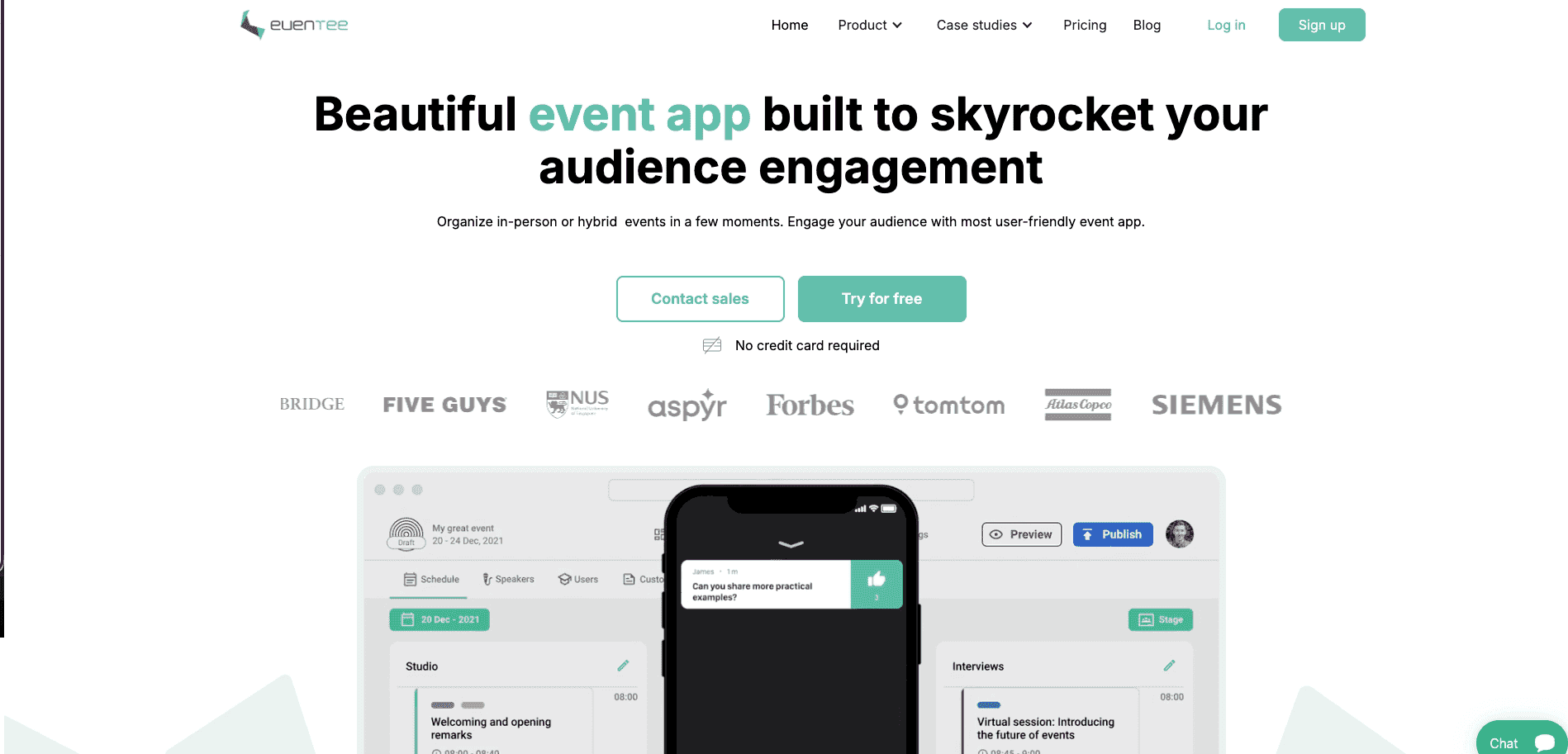
Eventee is a good fit when your corporate event needs a polished mobile app, but you still want a browser route for attendees who don’t install it.
It provides web and mobile app access, and also offers a white-labeling option published on the App Store and Google Play for deeper brand control. These features make Eventee stronger for corporate professional events than for simple hospitality events. Think conferences, training days, and hybrid programmes where attendees need to see the agenda, network with others, and engage via polls or Q&A.
Eventee Key Features
Brand control: Custom branding over colours, logo, and event visuals + white-labeling option for the app stores.
Access model: Attendees can use the web app in a browser, although Eventee recommends mobile app for better attendee experience.
Setup control: Your team can create the event content and customise the app appearance inside Eventee.
Engagement features: Networking, live questions, live polls, gamification, and social wall features make it useful for interactive corporate programmes.
Scope fit: Eventee works best when the app experience matters more than heavy onsite operations.
Pros
Good fit when you want a polished native app with a web fallback.
White-label option supports stronger brand presence than a shared event listing.
Engagement tools suit conferences, training days, and hybrid corporate events.
Transparent pricing makes it easier to compare other tools.
Cons
The best smartphone experience still requires attendees to download the Eventee app.
White-label publication costs $2,000/event and can also take time to be approved.
The entry plan caps attendance at 200, so mid-sized events move up a tier.
Pricing
Single event: $1,499 (up to 200 attendees) to $3,499 (up to 1,000).
Annual/multiple events: $2,999 (three events of 500 attendees each) to $4,999 (six events of 1,000 attendees/event).
White-label app add-on: $2,000/event.
3. Guidebook: For recurring branded programmes
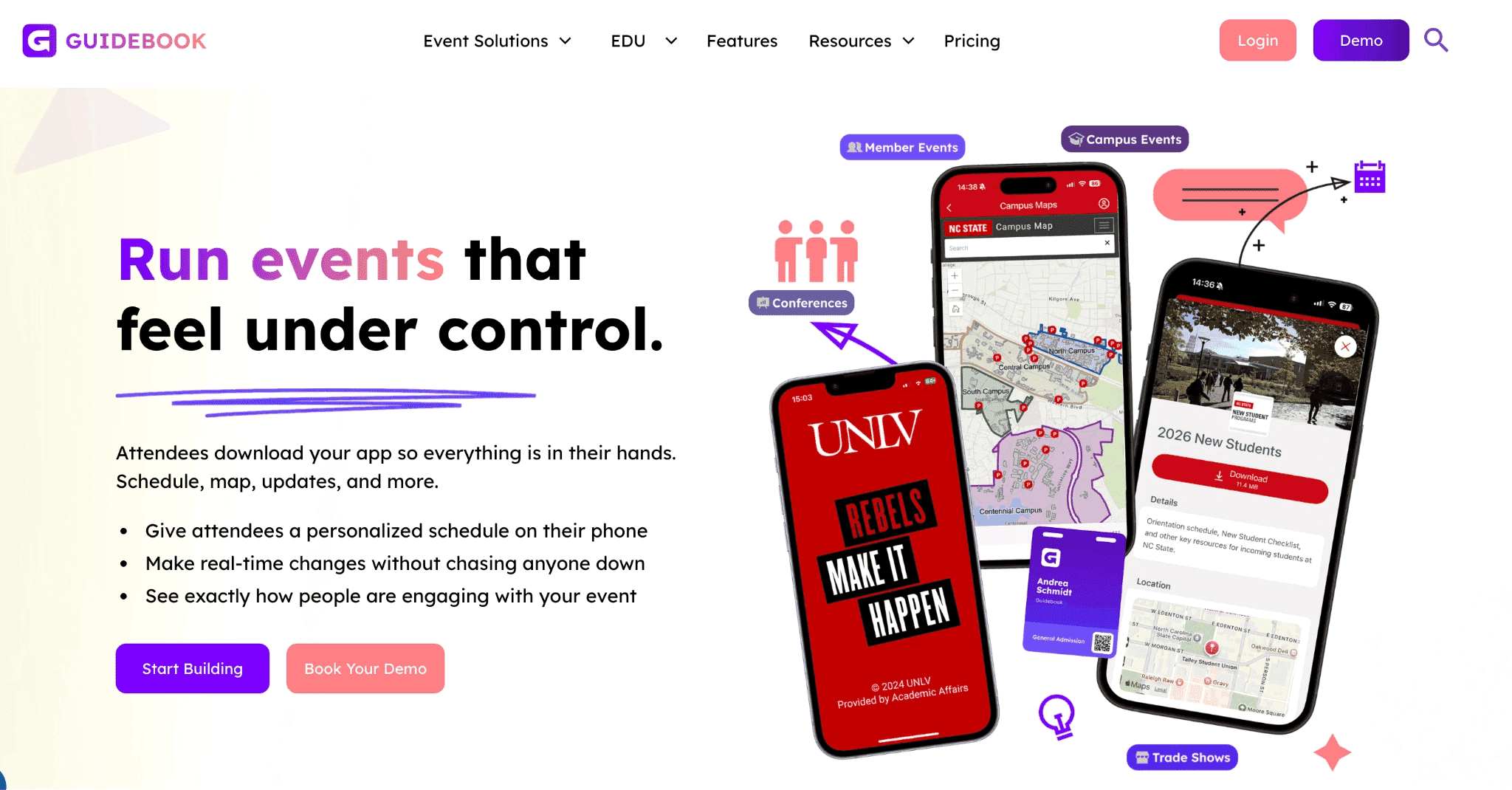
Guidebook app is a digital event platform that’s best for teams running recurring corporate programmes and wants a more managed branded app setup.
It gives you three main routes for customisation:
A guide inside the Guidebook app
A Branded Space (your company’s branded area) inside the Guidebook app, or
A standalone Branded App published in the app stores.
These make it useful when your corporate event programme needs stronger brand control than a basic event listing, but you don’t want to build an app from scratch.
Guidebook also works well when the app needs to replace printed materials. You can add your multi-track schedules, maps, custom lists, messaging tools, links, and event content and attendees will be able to sort through them all.
The main trade-off is access. Your attendees will most likely need to download an app for the best experience, even if they don’t want to. But if you'd rather attendees access your event via their browser, consider LineUpr for your B2B events or read Guidebook alternatives to check other options.
Key Features of Guidebook
Brand control: Use a Branded Space for a branded hub inside Guidebook, or a Branded App for your own app-store presence.
Access model: Attendees usually use the mobile app, with Guidebook Web available for selected web access.
Setup control: Teams can build with a drag-and-drop interface and manage event content without code.
Engagement fit: Best for events that need schedules, maps, push notifications, messaging, and interactive content.
Scope fit: Stronger for recurring programmes than one-off events where fast access matters most.
Pros
Useful when your team needs a branded app across several events.
Branded Space gives more control without launching a standalone app, so attendees will open Guidebook app, but they’ll see a space with your logo, colours, and guides/events.
Branded App supports deeper app-store brand presence.
Good fit for replacing printed programmes with a mobile guide.
Cons
Full branded app-store publication adds more process than a browser-first app.
Web access may not include the same features as the mobile app.
Can be more set-up than a small corporate event needs.
Attendees need the mobile app for chat and full networking experience.
A standalone app under your company’s name requires the pricier Branded App plan.
G2 reviewers flag cost for smaller events; one planner calls its cost "prohibitive", so it can get really expensive.
Pricing
Custom pricing for single events, multi-events, and a white-label app.
4. Yapp: For simple internal events where attendees can install the app
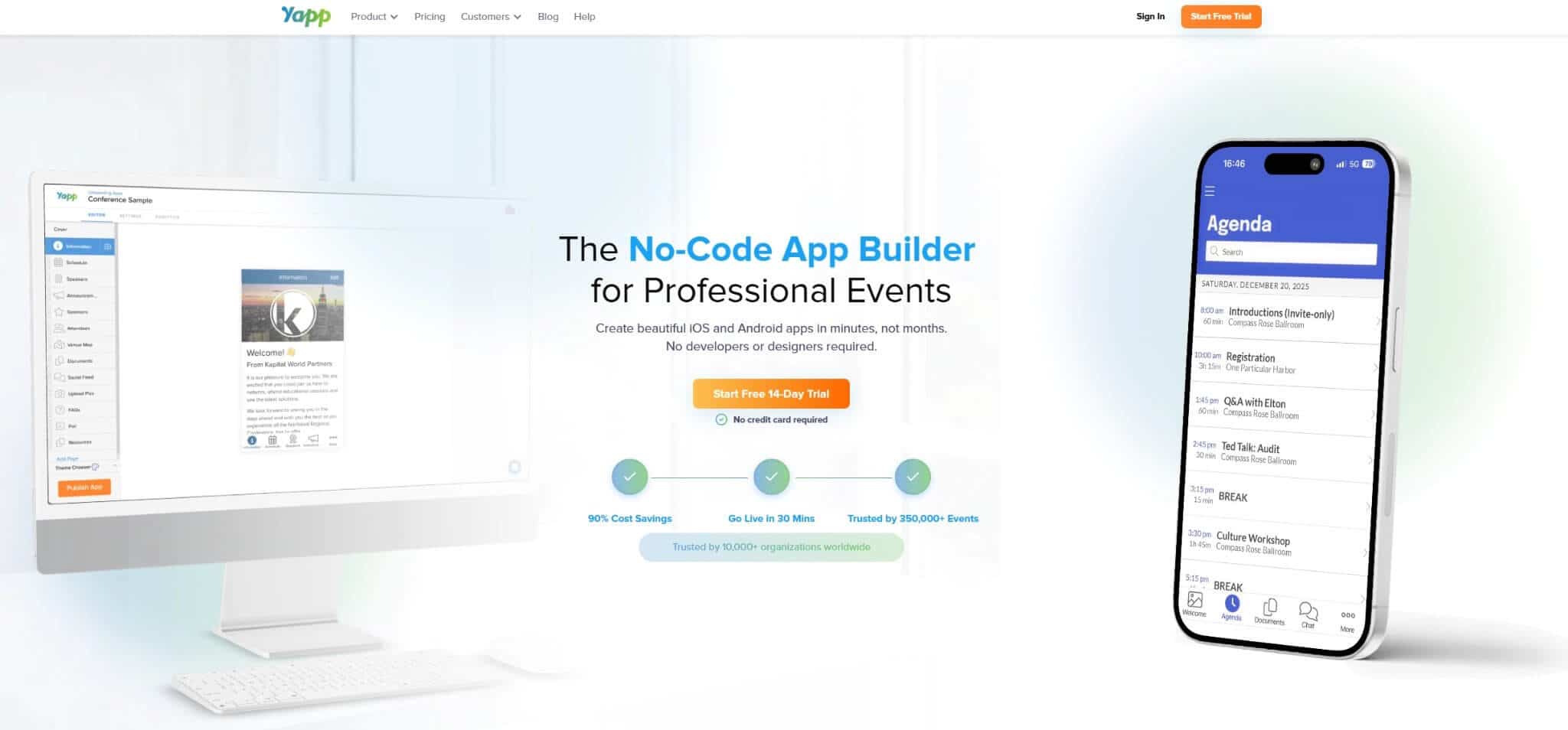
Yapp is a no-code mobile app builder for conferences, training events, and internal programmes.
It works best when your audience is known and easy to brief before the event. For example, an internal training day or company meeting where attendees can be told to download the Yapp app in advance.
Yapp is strong on simplicity. You can build a mobile app quickly, add schedules, speaker or people pages, sponsors, polls, photo walls, and allow push notifications. Attendees then access the event through Yapp’s iOS or Android app.
The only trade-off here is brand depth and access. Yapp lets you customise colours, cover images, and app content, but the attendee still needs to use Yapp’s mobile app rather than your own standalone branded app.
For more context, read our deep dive into Yapp vs Whova for custom corporate events.
Key Features of Yapp
Brand control: Add brand colours, cover images, logo-style visuals, content pages, schedules, and sponsors.
Access model: Attendees download the Yapp app on iOS or Android.
Setup control: Build and publish without code, with instant publishing and unlimited updates.
Engagement fit: Useful for polls, photo sharing, social feed, documents, push notifications, and simple internal engagement.
Scope fit: Better for simple internal apps than external corporate events where the attendee access path needs to feel more branded.
Pros
Good fit when attendees can be told to install the app before the event.
Simple enough for small internal teams to build without a developer.
Useful for replacing printed agendas, documents, and event booklets.
Unlimited device installations.
Cons
Attendees must download the Yapp app, which can reduce adoption rate.
The app experience carries Yapp’s container rather than your brand’s.
No session Q&A and no attendee messaging feature at any tier.
Only attendees who download the app can vote in polls, even when the browser path is the one more attendees choose, according to Allison C, on G2.
Each app has its annual subscription, so the more events you have, the more bills to pay.
You need at least the Core plan to import content from CSV, so Basic users must enter schedules, people, and sponsor content manually.
Pricing
Basic: $399/year/app/event type
Core: $649/year/app
Team: $799/year/app
If Yapp is on your shortlist, you can also see our Yapp alternatives guide.
5. Whova: For networking-heavy corporate conferences
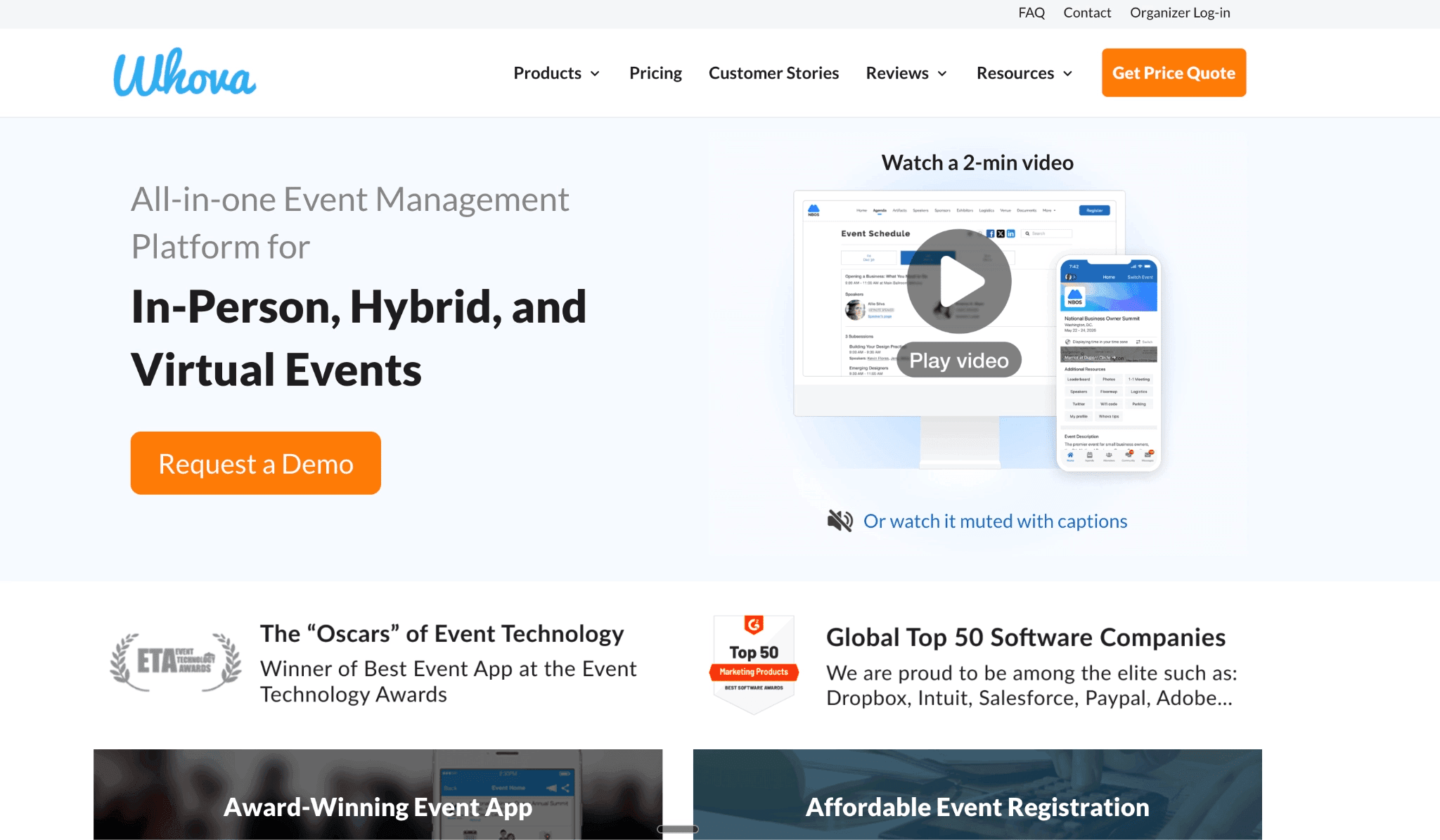
Whova is a mobile-first event app and event management platform for conferences, summits, and networking-led corporate events.
It’s a good fit for corporate events where the app’s main job is to help attendees meet people, join discussions, build personal agendas, and stay active before and during the event. Whova’s event app includes attendee profiles, matchmaking features, sponsor tools, and lead-generation features.
You can brand the entire experience, but attendees still need to use the Whova account flow rather than a standalone app built around your organisation. Whova also provides web portal access, but for maximum experience, the app version is preferred.
Key Features of Whova
Brand control: You can customise the event experience with your brand, sponsors, agenda, and event content.
Access model: Attendees use the Whova mobile app or web portal, but the networking feature is better in the mobile app.
Setup control: Your team can manage agenda, speakers, registration, announcements, and attendee content inside Whova.
Engagement fit: Strong for matchmaking, messaging, community boards, polls, and sponsor engagement.
Scope fit: Better for larger conferences than simple hospitality events or small internal programmes.
Pros
Strong fit when attendee networking is the main event outcome.
Good for conferences that need community boards, matchmaking, and sponsor visibility.
Combines the attendee app with registration, check-in, agenda, and engagement tools.
Useful when your event needs more than a branded agenda.
Cons
Attendees need the Whova app for the full experience.
Web access doesn’t support every attendee feature.
Your brand sits inside Whova, so the app isn’t your own.
Pricing
Event app: Custom quote based on event size and selected features. According to research, it can be more than $2,000.
Online registration: 3% + $0.99 per paid ticket, with no fee for free tickets.
6. EventMobi: One platform for app, registration and onsite operations
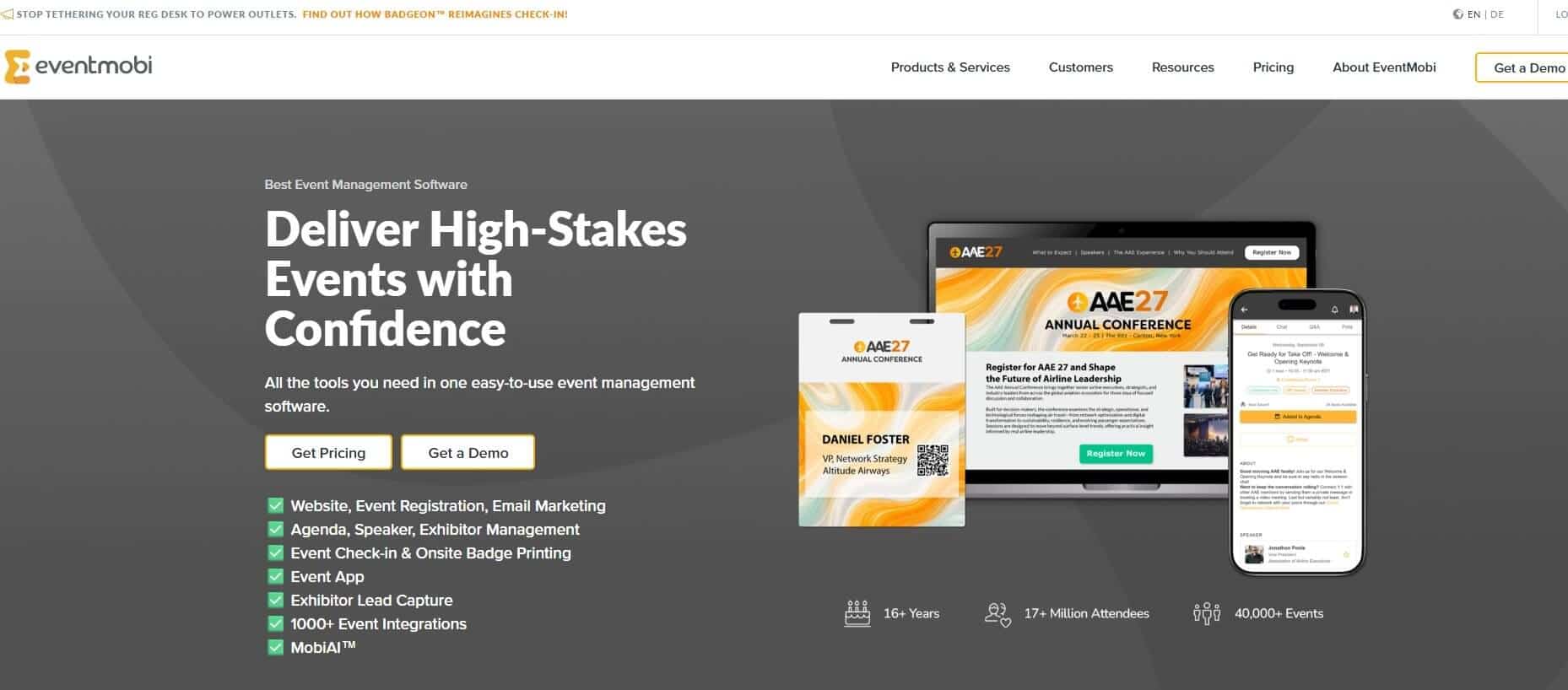
EventMobi is an end-to-end, modular event management software to help you register attendees, check them in, and also provide badge printing, engagement, and reporting features. These help your team create a branded event app, manage event content, support networking, and connect the app to wider event operations.
For customisation, attendees can access your EventMobi-event app via the web, EventMobi app, or a custom branded app depending on your choice. Each event also has a unique event app URL, so attendees can access it through the web as well as mobile routes.
The trade-off is the scope. EventMobi makes sense when you need a wider platform to register, check-in, promote the event, etc. If you only need an app to provide access to the agenda, allow attendees to receive updates and polls/Q&A features, it may be more than your team needs.
Key Features of EventMobi
Brand control: Build a branded app experience, with custom branded app options.
Access model: Attendees can use a web app, the EventMobi app, or a white-label app.
Setup control: Organisers build, manage, and update events through a web-based platform.
Engagement fit: Useful for agendas, networking, live polls, Q&A, surveys, gamification, and attendee messaging.
Scope fit: Stronger when the app needs to connect with registration, badging, check-in, and event analytics.
Pros
Good fit when the app is part of a larger corporate conference operation.
Web and mobile access give attendees more than one route into the event.
Stronger scope than focused app builders if you need registration, check-in, and badge printing.
Custom branded app options support deeper brand control for larger teams.
Cons
Push notifications need the mobile or branded app, so browser-only attendees miss urgent updates.
The branded-app can take four to eight weeks, which can affect how soon your event app is usable.
The shared app carries EventMobi branding unless you buy the branded-app route, so full white-labelling costs more.
It’s an overkill for small events of 200-500 attendees.
Pricing
Per event: from $3,500, scaling by attendee count.
Per year: from $7,900 for unlimited events.
7. Nunify: For branded web and mobile apps with event operations
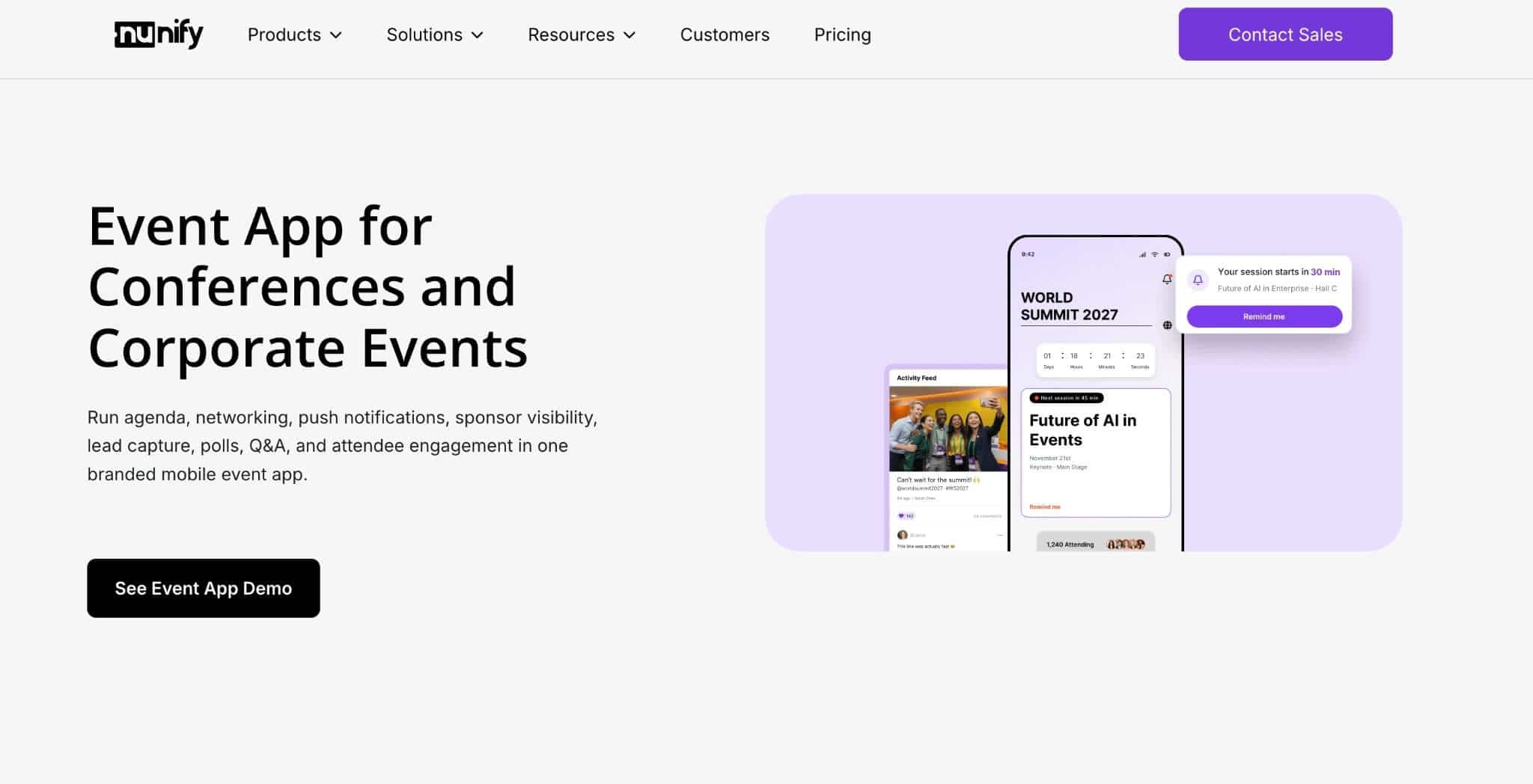
Nunify is a good fit when your corporate event needs a branded app across web, iOS, and Android, plus tools for registration, check-in, sponsors, and exhibitors.
Nunify goes beyond a focused attendee app, allows access to exhibitor tools, and lets you register and check attendees in on event day.
Your team can customise the look and feel, upload event content, adjust the layout, and launch the app across web and mobile. For deeper brand control, Nunify offers a white-label upgrade. By default, attendees use Nunify’s app and web domain. With white labelling, you can brand your app, website, web app, and event communications.
Nunify Key Features
Brand control: Customise colours, images, logo, theme, navigation, and layout.
Access model: Launch through web, iOS, Android, or Nunify’s app container.
White label: Use a branded mobile app and web experience with a paid upgrade.
Setup control: Upload agenda, attendee, speaker, and exhibitor content manually, by Excel, or through API.
Engagement fit: Supports networking, polls, Q&A, notifications, sponsors, and exhibitors.
Scope fit: Best when the event app needs to connect with registration, check-in, or exhibitor workflows.
Pros
Strong fit when you need web and mobile app access.
White-label options support deeper brand control.
Useful when the app needs to support sponsors or exhibitors.
Covers more of the event workflow than a simple app builder.
Cons
White labelling adds cost and setup work.
The default route still uses Nunify’s app and web domain.
Teams may need time to configure the wider event tools.
Live polls, networking, and the event app features are locked behind the Engage plan — the Essential and Elevate tiers cover registration and check-in only.
The Engage plan explicitly excludes Elevate features: if you need badge printing and the full event app, you’d have to pay for add-ons.
Pricing
Billed annually: Essential at $24/month, Elevate from $49/month, and Engage from $99/month
Billed quarterly: Essential at $50/month, Elevate from $100/month, and Engage from $200/month
Pricing scales with attendee count. Engage at 500 attendees per event runs $295/month on annual billing, or $3,540 per year.
Which custom corporate event app should you choose?
Start with the kind of “custom” you need.
If you need a fully unique product with proprietary functionality, you may need a custom app build. That gives you the most control, but it also means more cost, more time, and more dependence on developers.
If you need your own app-store presence, choose a platform with a branded native app option, such as Eventee, Guidebook, EventMobi, or Nunify. This makes sense when the app will support a larger event programme and attendees are likely to install it.
If you need a branded app your team can launch quickly, a configurable platform is usually the better fit. This is where LineUpr is the best fit. Your team can build the app, add your event content, share it by link or QR code, update it during the event, and review usage afterwards.
For simpler internal events, Yapp can work well if attendees can be told to download the app in advance. But for networking-heavy conferences, Whova is a stronger fit because its value comes from attendee profiles, matchmaking, community boards, and messaging.
For most small corporate teams, the key question is simple: do you need a full event platform, or do you need a branded attendee app people can access quickly?
If you already handle registration elsewhere and need the second option, LineUpr is the clearest fit.
Try LineUpr for free. Build your event app now and preview the full experience before committing. No credit card, no sales call. Just see if it works for your event.
FAQs
Should you build a custom event app from scratch?
Only if you need proprietary functionality that an event app platform cannot support. A custom build gives more control, but it usually takes longer and depends more on developers. For most small corporate teams, a configurable white-label event app is faster and easier to manage.
Do attendees need to download a custom corporate event app?
It depends on the platform. Some tools require a native app download. Others like LineUpr let attendees open the app from a link or QR code. For one-off corporate events, a browser-based event app can reduce the steps between the attendee and the agenda.
What should a custom corporate event app include?
At minimum, it should include your branding, agenda, speaker details, venue information, sponsor content, and live updates. Depending on the event, you may also need polls, Q&A, feedback, networking, and post-event reporting.
Which custom corporate event app is best for small teams?
LineUpr is a strong fit for small teams that need a branded event app they can build, share, update, and measure without a developer. It works best when you already handle registration elsewhere and need a focused attendee app for the event experience.