8 Best Enterprise Event App Software Platforms in 2026
September 11, 2026 · Wout Criekemans · 34 minute read
Table of Contents
- Key takeaways
- Disclosure and methodology
- Enterprise Event App Software Comparison Overview
- Enterprise Event App Software Evaluation Scorecard
- 1. LineUpr: Best for Internal and B2B Enterprise Events That Need a Branded No-Download App
- 2. Cvent: Best for Full Enterprise Event Operations
- 3. Eventbase: Best for flagship enterprise conferences and premium branded event apps
- 4. Bizzabo: Best for B2B Conferences with Onsite Operations and Sponsor Workflows
- 5. Swapcard: Best for Trade Shows, Exhibitors, and Networking-led Events
- 6. SpotMe: Best for Enterprise Engagement Programmes with CRM-connected Data
- Key features
- 7. EventMobi: Best for Teams That Need an Event App With Registration and Onsite Tools
- 8. Sched: Best for Academic and Multi-Track Events
- How to Choose the Right Enterprise Event App Software
- 1. Test the attendee journey to know what their experience will be like
- 2. Make sure your team can own the changes that happen during the event
- 3. Confirm the total cost based on the features (add-ons) you need for your events
- 4. Check what attendees need to do before they can participate
- 5. Confirm what happens to your event data afterward
- FAQs
- Related content
- Build an Enterprise Event App Your Attendees Will Use
Key takeaways
Choose LineUpr if you’re a non-technical organiser that needs a fully branded attendee app that opens without an app-store download.
Choose Cvent, Bizzabo, or Eventbase if you need registration, check-in, onsite operations, and large-scale event infrastructure.
Choose Swapcard or SpotMe if networking, sponsor engagement, exhibitor ROI, and enterprise engagement data are central to the event.
Disclosure and methodology
This guide is published by LineUpr. We included LineUpr alongside other enterprise event app software platforms and evaluated each option based on public product information, pricing pages where available, product pages, and fit for specific enterprise event needs as of 2026.
LineUpr was assessed by the same criteria as every other platform: attendee access, setup effort, branding, engagement features, event operations depth, pricing model, enterprise readiness, and honest limitations.
Choosing enterprise event app software is messy when your shortlist is mixed with completely different tools. You’ll find options for a full event management platform with registration, check-in, badge printing, CRM sync, and sponsor workflows, while others might be focused attendee apps for agendas, updates, Q&A, polls, maps, and event content.
If your event is only a few weeks away, you need to choose between these two types of enterprise event apps that’s exactly what your event needs fast.
And since the event app is often the live source of truth during the event, attendees must be able to use it to check where to go next, follow schedule changes, submit questions, answer polls, and find speaker or session information.
If the app is hard to access or too complex for your team to manage and update in real time, people will fall back to printed agendas and old email threads, which brings the friction an event app is supposed to help you avoid.
This guide compares enterprise event app software by what they’re best at. We look at attendee access, setup ease, branding, engagement features, event operations, and important limitations, so you can choose the tool that matches your event type instead of overbuying or underbuying.
LineUpr: Best for internal and enterprise B2B events that need a branded attendee app for agendas, updates, engagement, and event communication without app-store download friction.
Cvent (Attendee Hub): Best for large enterprises already using Cvent for registration, onsite operations and reporting.
Eventbase: Best for flagship enterprise conferences, roadshows, and premium branded event apps that need on-site support.
Bizzabo: Best for B2B conferences that need event marketing, onsite operations, sponsor workflows, lead capture, and event data.
Swapcard: Best for trade shows and exhibitor-led conferences built around networking and lead generation.
SpotMe: Best for regulated enterprise programmes that need engagement, compliance-conscious workflows and CRM follow-up.
EventMobi: Best for associations and conferences that need flexible event app, registration, badge printing, and annual event packages.
Sched: Best for agenda-led events that need simple scheduling, speaker/session management, and mobile access.
Enterprise Event App Software Comparison Overview
Platform | Best fit | Access model | Strongest enterprise use case | Pricing | Main limitation |
LineUpr | Enterprise internal and B2B events that need a branded no-download attendee app | Browser-based event app via link or QR code | Internal conferences and B2B external events like seminars, partner events & other invite-only events | From $215/event; annual Flex plans available | Doesn’t have registration, badge printing, exhibitor features |
Cvent (Attendee Hub) | Enterprises already using Cvent’s wider event-management stack | Web and mobile app | Large event programmes that need registration, onsite tools, engagement and reporting together | Custom; according to research, median price is $19,550/year | Heavier than needed when an attendee-focused app is what you need |
Eventbase | Flagship enterprise events and large event portfolios | Native mobile app-led experience | Premium conferences, large internal events and recurring enterprise programmes | Custom; according to research, median price is $54,660/year | Better suited to high-budget, app-led event operations |
Bizzabo | Event marketing teams that need app, onsite and attendee data together | Mobile app and web experience | Conferences where event marketing, CRM data and lead capture matter | From $499/user/m or $17,999/user/year | Broader than required for simple internal event app needs |
Swapcard | Exhibitor, sponsor and community-led events | Mobile and web event platform | Trade shows and networking-heavy conferences | From $610/year for the platform alone; actual pricing is custom | More platform than many internal event teams need |
SpotMe | Regulated enterprise engagement programmes | Enterprise event platform with app experience | Life sciences, finance and enterprise programmes with engagement and CRM needs | Quote-based/custom pricing | Better fit for managed enterprise programmes than lightweight app-only deployment |
EventMobi | Teams that want event app plus broader event tools | Mobile and web app | Mid-to-large events needing app, registration and hybrid options | From $3,500/event or $7,900/year | Pricing and setup may be more than smaller teams need |
Sched | Agenda-first conferences and session-heavy events | Responsive web schedule and native app options | Multi-track academic events where schedule browsing is the core need | Less suitable when enterprise branding, privacy and engagement depth are priorities |
Enterprise Event App Software Evaluation Scorecard
This scorecard compares the dimensions that usually decide whether enterprise teams need a focused attendee app or a broader event platform.
Tool | Attendee access and adoption | Agenda and content control | Branding and privacy fit | Engagement and networking | Event operations depth |
LineUpr | 5/5 — The browser-based access removes the download friction; makes it easier for attendees to open and use the event app. | 5/5 — A non-technical organiser can add and update agendas, speakers, links and event information directly. | 4/5 — Strong branding options and EU GDPR compliant for privacy-conscious events. | 4/5 — Polls, Q&A, surveys, feedback, networking and chat cover practical enterprise engagement. | 2.5/5 — Focused on the attendee app layer, not full registration or onsite operations. |
Cvent Attendee Hub | 3.5/5 — Works in Cvent’s event app, which can impose download friction for attendees on managed devices that block third-party apps. | 4/5 — Strong event content and attendee engagement tools. | 4/5 — Enterprise-grade platform with broad governance and implementation support. | 4/5 — Covers polls, Q&A, appointments, sponsors and attendee engagement. | 5/5 — Strong fit for registration, onsite, reporting and CRM-connected operations. |
Eventbase | 3/5 — Premium native app setup can require more planning and implementation. | 4/5 — Strong app experience for complex event programmes. | 5/5 — Built for flagship enterprise and high-scale branded events. | 4/5 — Strong attendee experience for premium events. | 4/5 — Better for large event portfolios than lightweight app-only needs. |
Bizzabo | 3.5/5 — Strong when the app connects to a broader event-marketing workflow. | 4/5 — Supports content, attendee experience and onsite data. | 4/5 — Good fit for branded event marketing programmes. | 4/5 — Strong engagement and event-marketing data features. | 5/5 — Strong fit for registration, onsite, CRM attribution and reporting. |
Swapcard | 4/5 — Strong for exhibitor, sponsor and attendee communities. | 3/5 — Content control supports events, but networking is the main strength. | 3/5 — Fit depends on the event’s data, branding and community requirements. | 5/5 — Strong for networking, exhibitors, sponsors and lead generation. | 4/5 — Broader platform fit for trade shows and exhibitions. |
SpotMe | 4/5 — Strong enterprise rollout support for managed programmes. | 4/5 — Good fit for enterprise content and engagement workflows. | 5/5 — Strong fit for regulated and compliance-conscious industries. | 4/5 — Strong engagement, CRM follow-up and attendee interaction. | 4/5 — Broader than an app builder, but not always a full event operations suite. |
EventMobi | 4/5 — Flexible event app and platform options for varied event sizes. | 4/5 — Strong app and event content management. | 3/5 — Branding and privacy fit depend on preffered package and setup. | 4/5 — Covers common event engagement needs. | 4/5 — Can support broader event operations depending on the selected package. |
Sched | 4/5 — Responsive web schedule and app options make agenda access straightforward. | 5/5 — Best fit for schedule-heavy event publishing like academic or association events. | 3/5 — Useful branding options, but not the deepest enterprise privacy fit. | 2/5 — Engagement is lighter than networking-led platforms. | 2/5 — Agenda-first tool, not a full enterprise event platform. |
8 Best Enterprise Event App Software by Use Case
The scorecard shows where each platform is a strong fit based on what you’ll need. Now, let’s look at how each tool works for specific enterprise event needs, from branded attendee apps to full event operations and networking-led conferences.
1. LineUpr: Best for Internal and B2B Enterprise Events That Need a Branded No-Download App
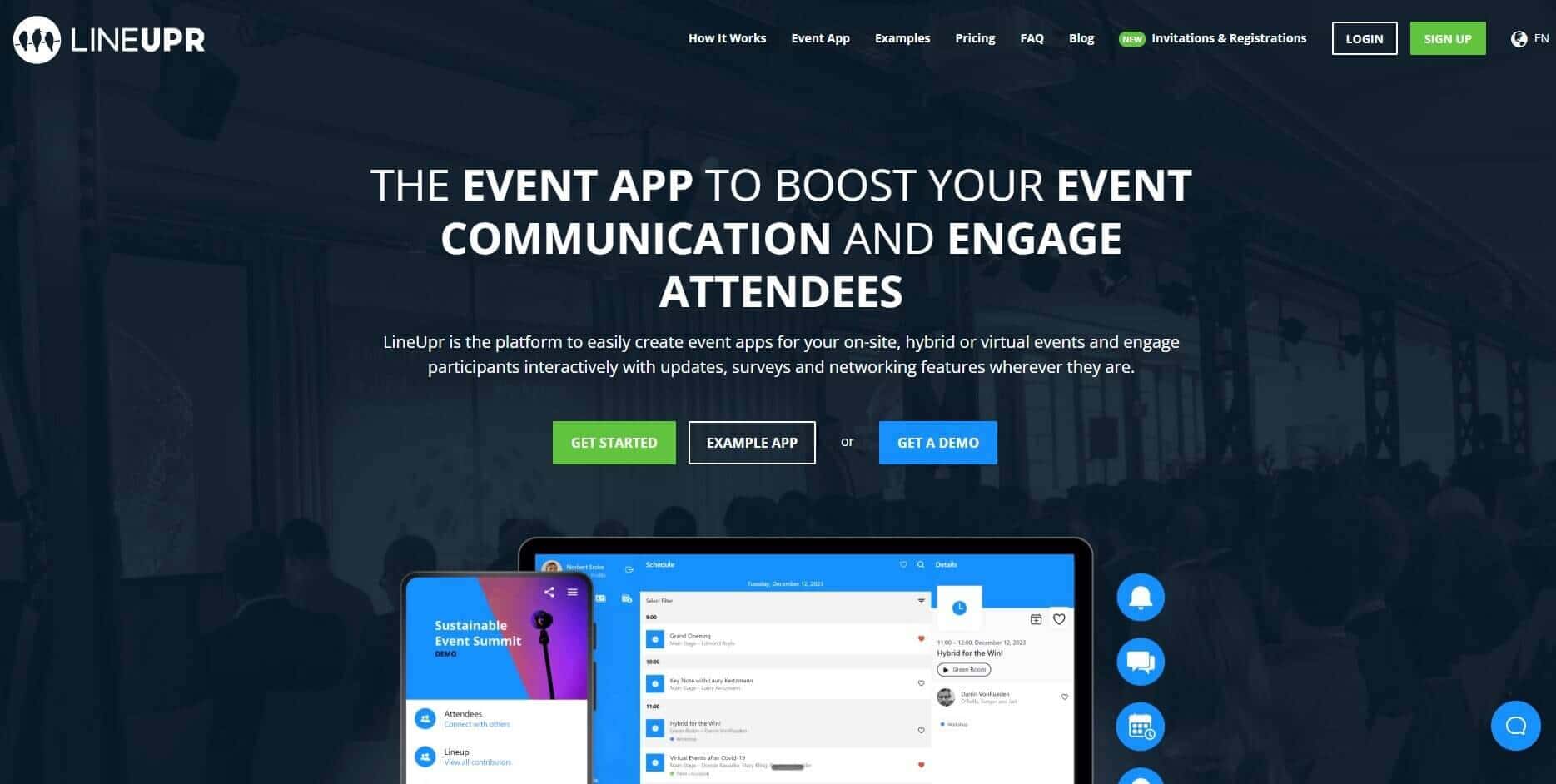
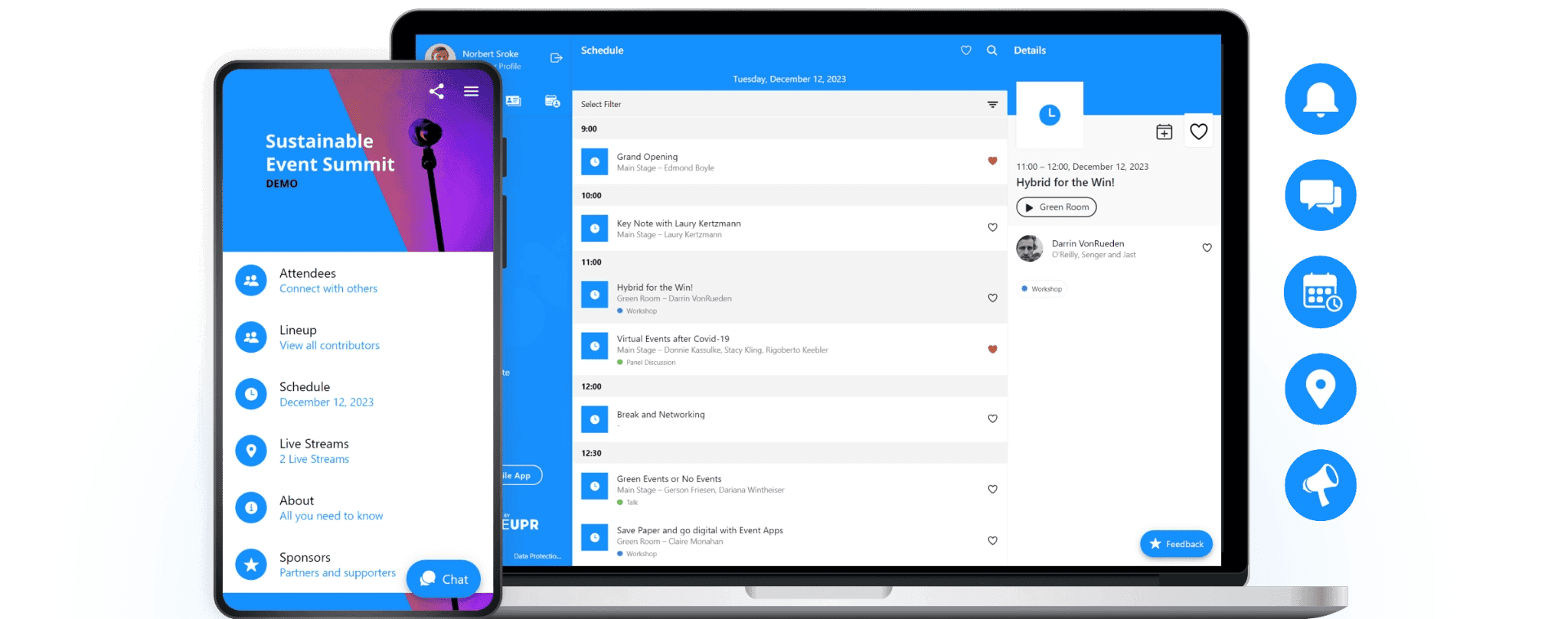
LineUpr is a self-service event app builder that makes it easy for enterprise event teams to launch a branded attendee app for agendas, updates, engagement, and event communication, without forcing guests through an app-store download. You won’t need to buy a full event-management suite with features you don’t need too. That way, you’re able to give attendees one reliable place to check the programme, follow real time updates, read speaker details, answer polls, submit questions, and receive event messages from any smartphone, tablet, or laptop.
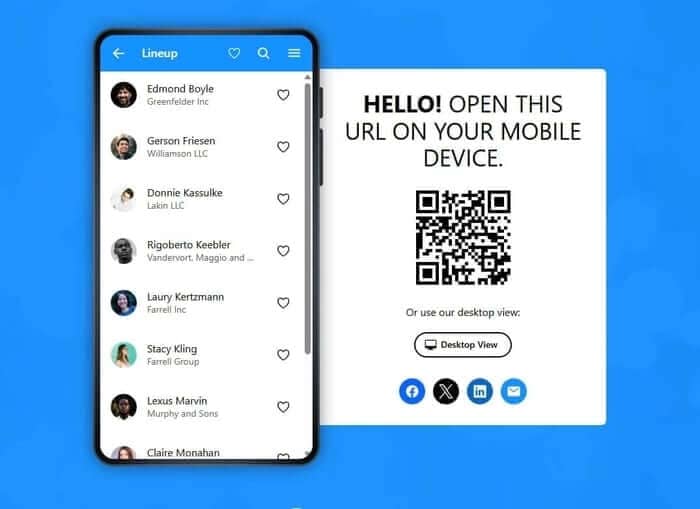
You’re also able to build the app in our self-service manager, add your branding, publish it, and share the event URL through emails, QR codes, flyers, or venue signage. Attendees simply open the app in their browser and experience your event digitally.
Wondering what this looks like? Take a look at this event app before you build yours.
Sign up to create a LineUpr event app.
Key features
Here are some of the most important features of LineUpr for your events:
1. Get attendees into the event app without requiring a downloaded app
An enterprise event app only works when attendees can gain easy access when they need it. For an internal or external conference, that could be when they receive the agenda and want to check it out before the event. It can also be when guests arrive at your event and need to be able to scan a QR code at the venue to know what the structure is.
Browser-based access ensures that attendees don’t have to stall at the app download step, which can improve app usage, since 72% of smartphone users feel mildly annoyed “because they were required to” download an app, not because they need the app.
LineUpr gives attendees easy access into your event app through a URL or QR codes. They simply open the app in their browser and check the programme without searching an app store or installing a one-time event app.
2. Build a branded attendee app without turning the event into a software project
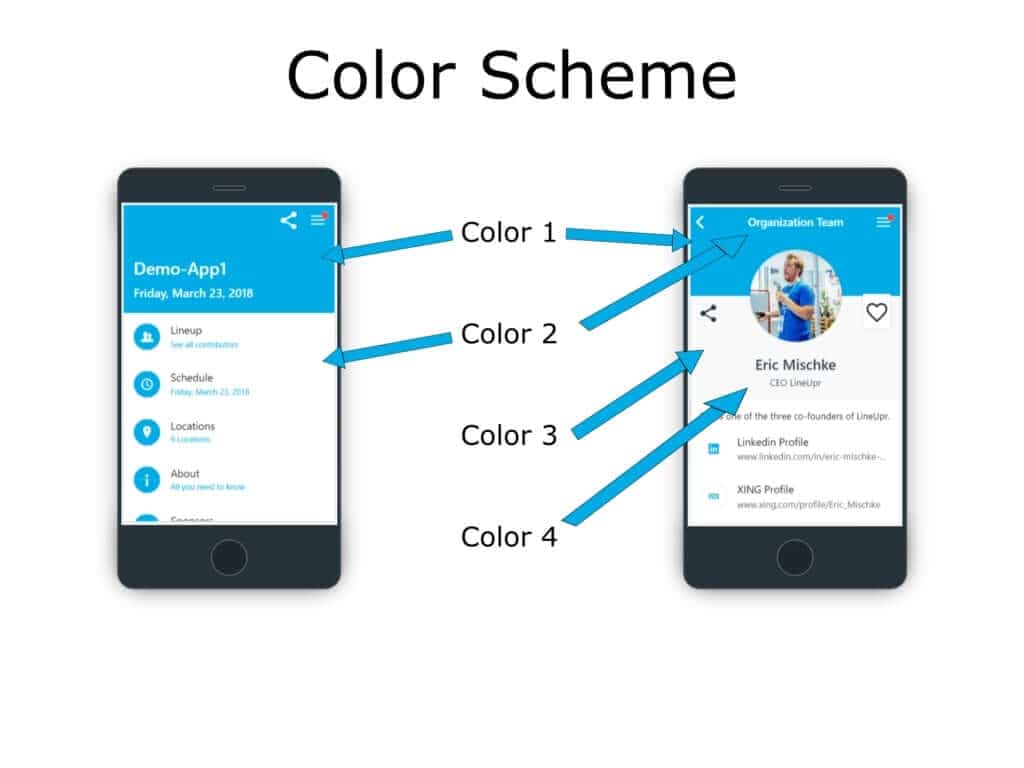
You want a fully branded app, but you also need every event to look and feel different so they have specific nuance in their branding.
With LineUpr, you can change the colour scheme, add teaser images, custom titles, and even change the app icon. LineUpr gives you total brand control and depending on the plan or setup, you can use the white-label domain option for a more unique experience.
See example below: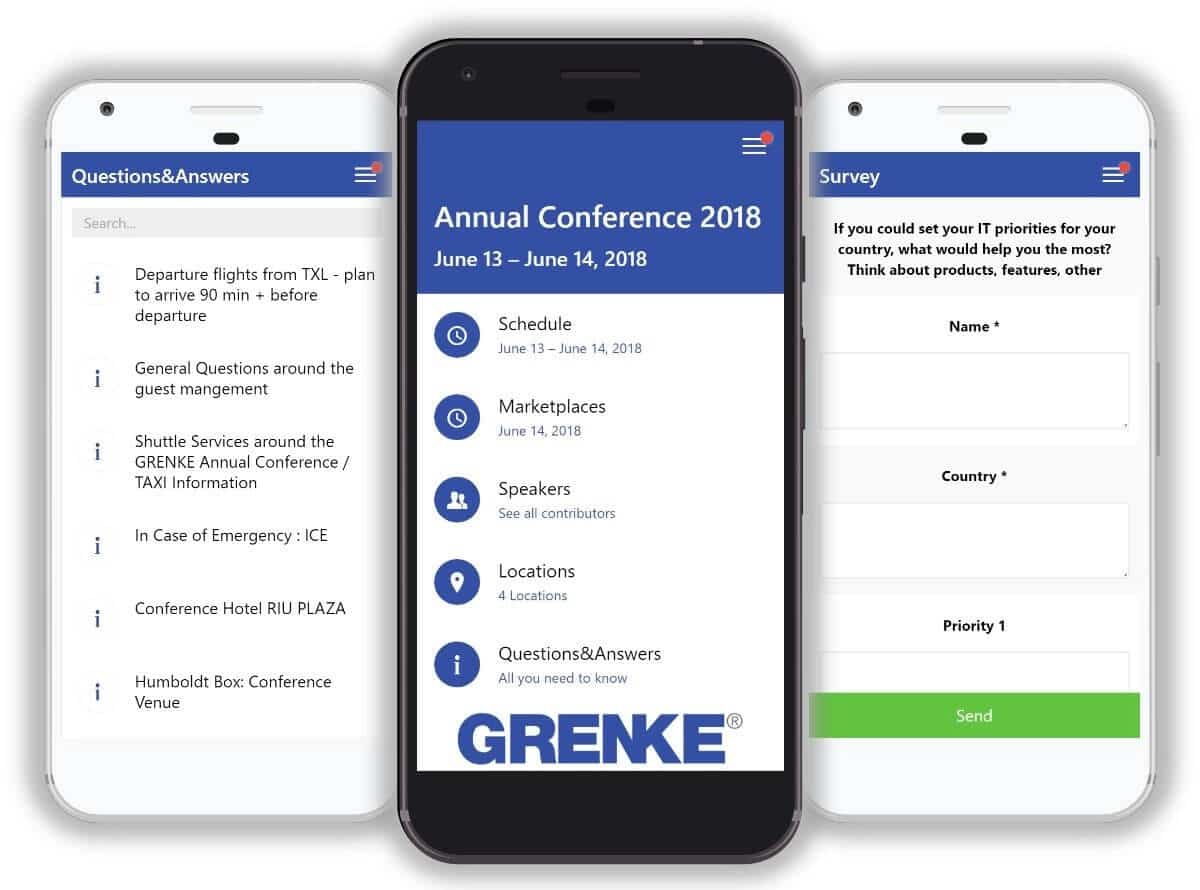
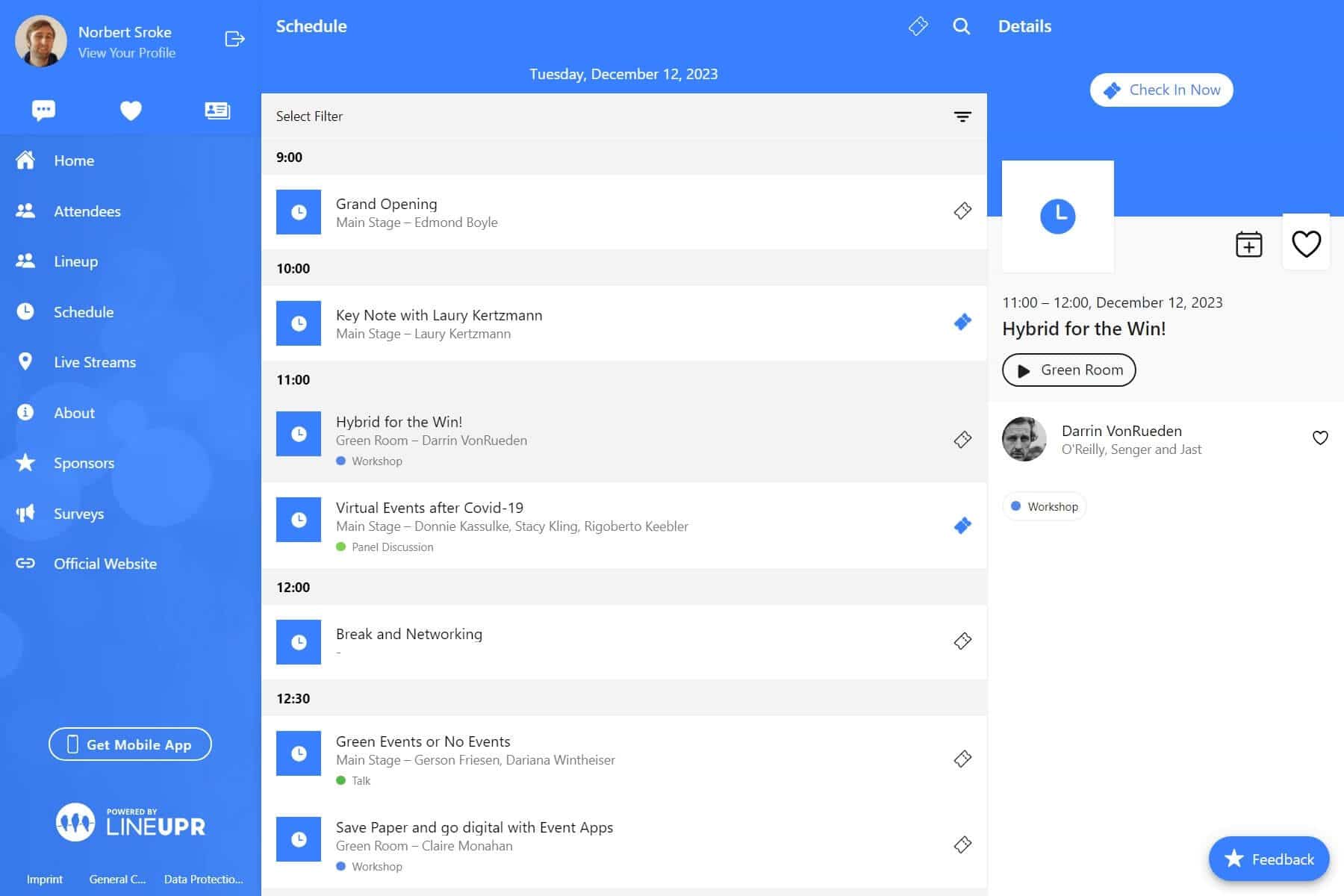
You’re also able to update the app in real time, which leads us to the next feature.
3. Update the event in real time and send notifications to attendees
One thing we can all agree on is that things change fast during events. A speaker may reschedule their time and you may need to announce room changes for some sessions. The app has to stay accurate across these different moments because attendees use it to decide where to go next.
LineUpr lets you update the app from the same self-service manager used to build it, where you can basically configure on the left and preview it on the right.
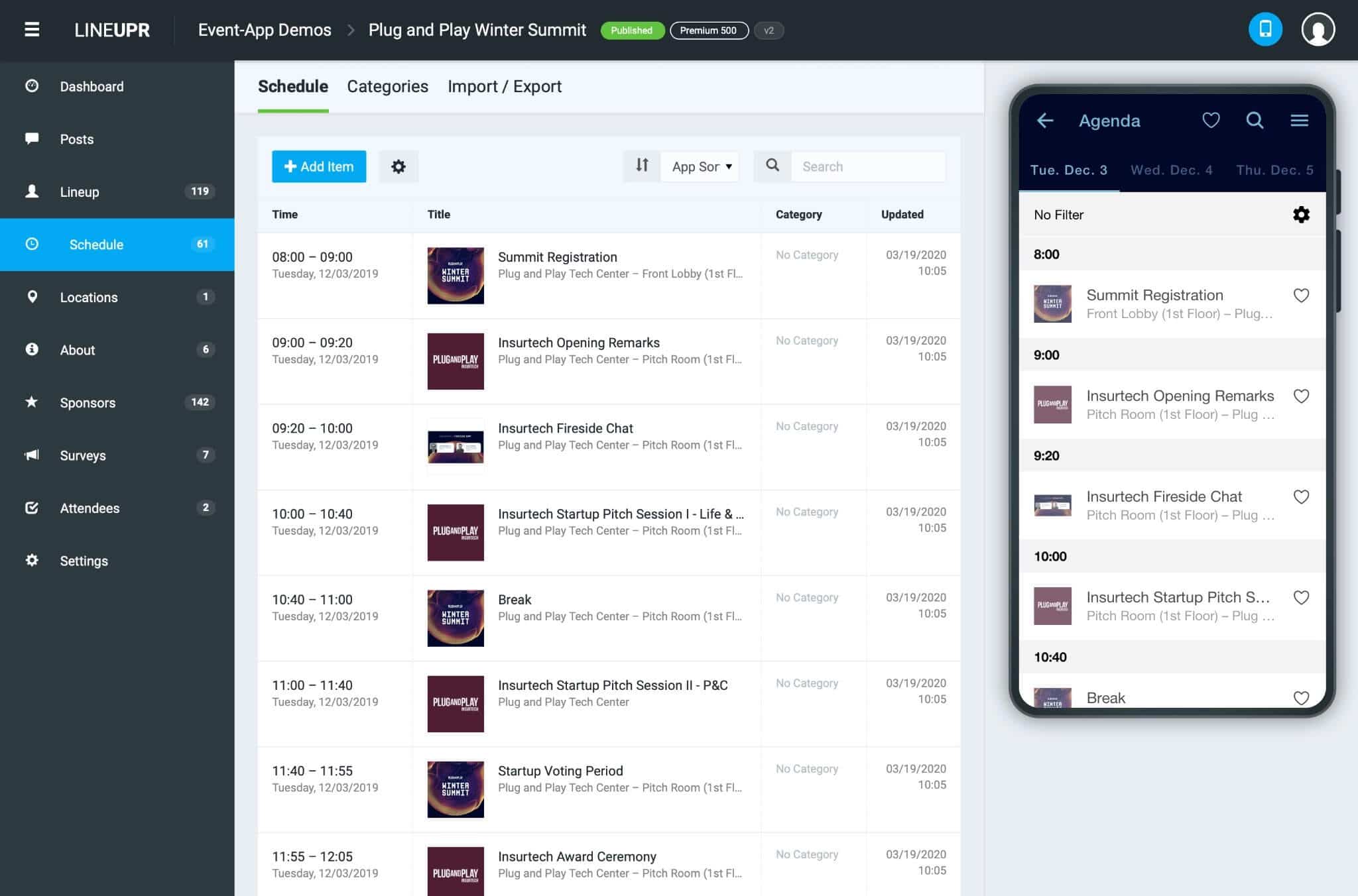
You can edit sessions, speaker details, and change the schedule, as seen below, without a developer or vendor in the loop to help you out. Once updated, attendees are notified of changes, which keeps them informed.
This helps lean marketing and enterprise event teams manage communications during the event without hassle. For example, GRENKE AG, who used LineUpr for their annual conference of approximately 120-130 participants, says they were able to send participants quick reminders like 'Speaker A starts 5 minutes late' or 'Shuttle bus doesn't leave until 6:10 PM,'" which can come in handy when you’re hosting a lot of people for your event.
4. Keep polls and Q&A inside the attendee’s event view
An enterprise event app should also help attendees participate at the right moment. With LineUpr, you can add Q&A and polls in your event app so attendees can fill in their questions during the session, upvote another attendee’s question so they’re prioritised, or answer a poll without leaving the event app.
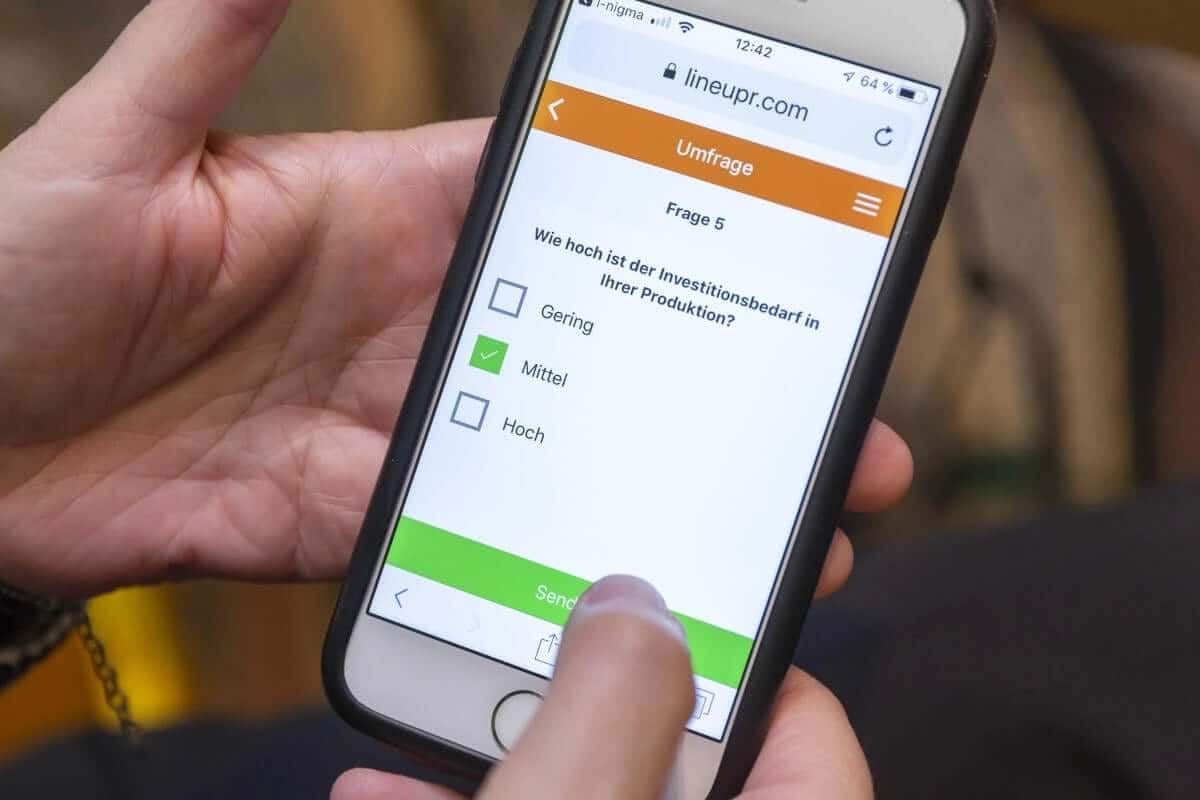
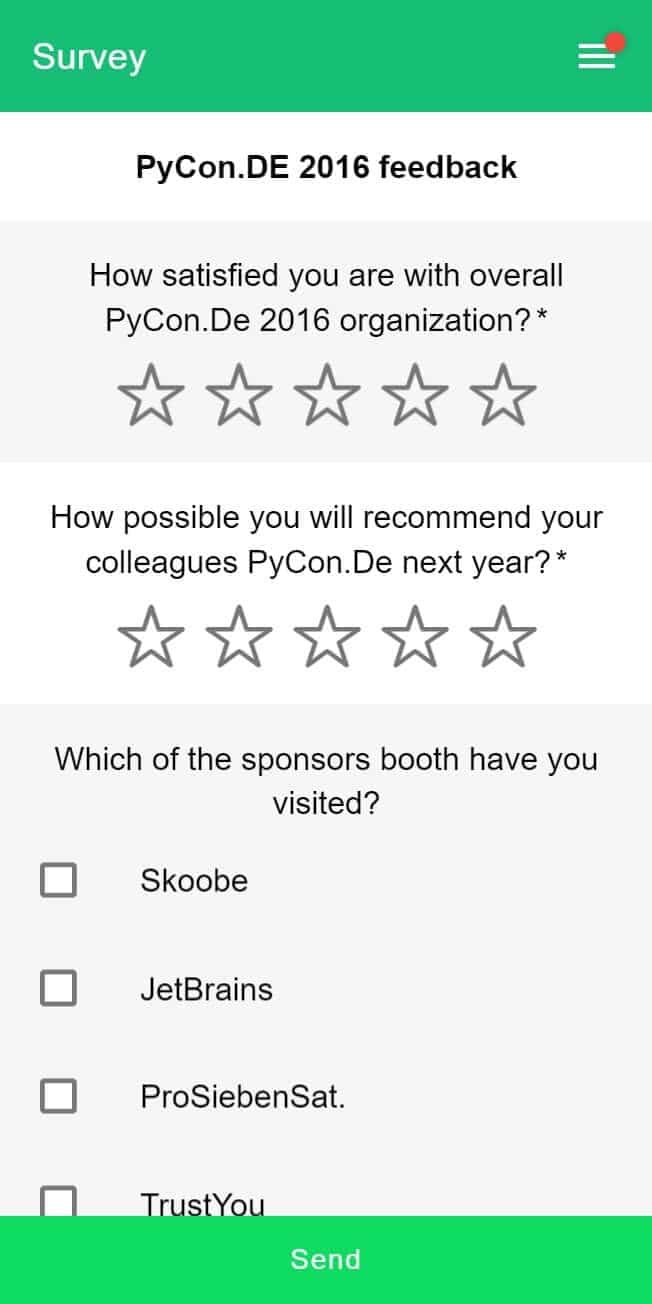
For training events and internal programmes, you can also use surveys to collect feedback during the session to understand attendee sentiments.
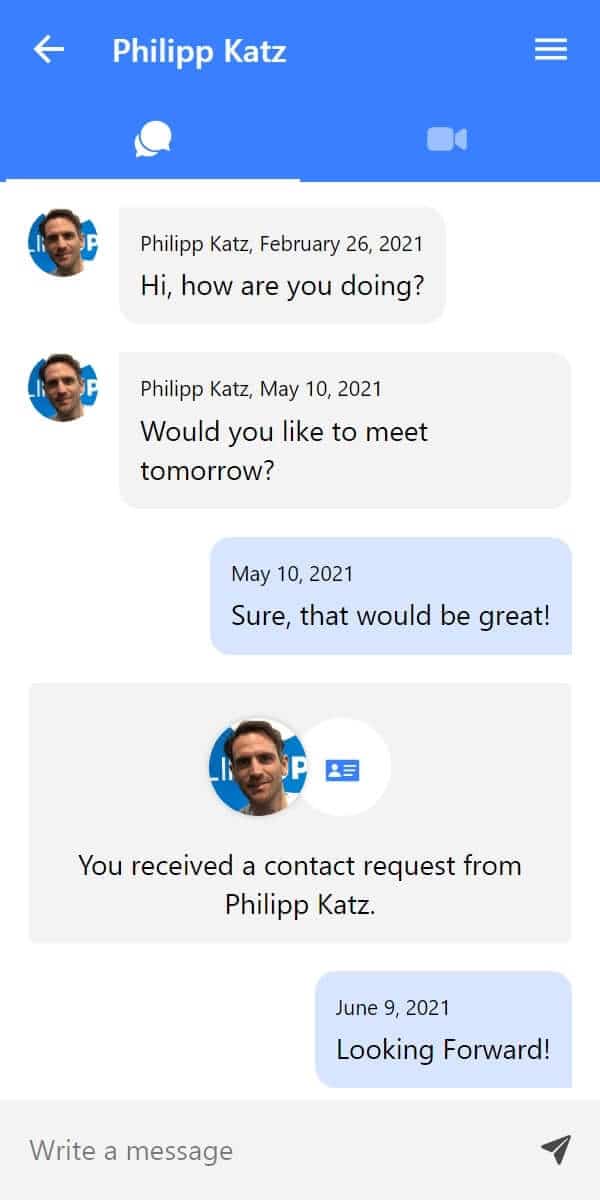
And if your events includes some form of networking, LineUpr allows you to optimise attendee profiles through CSV (or give attendees options to configure it themselves) to increase the potential of meeting new people during and after the event:
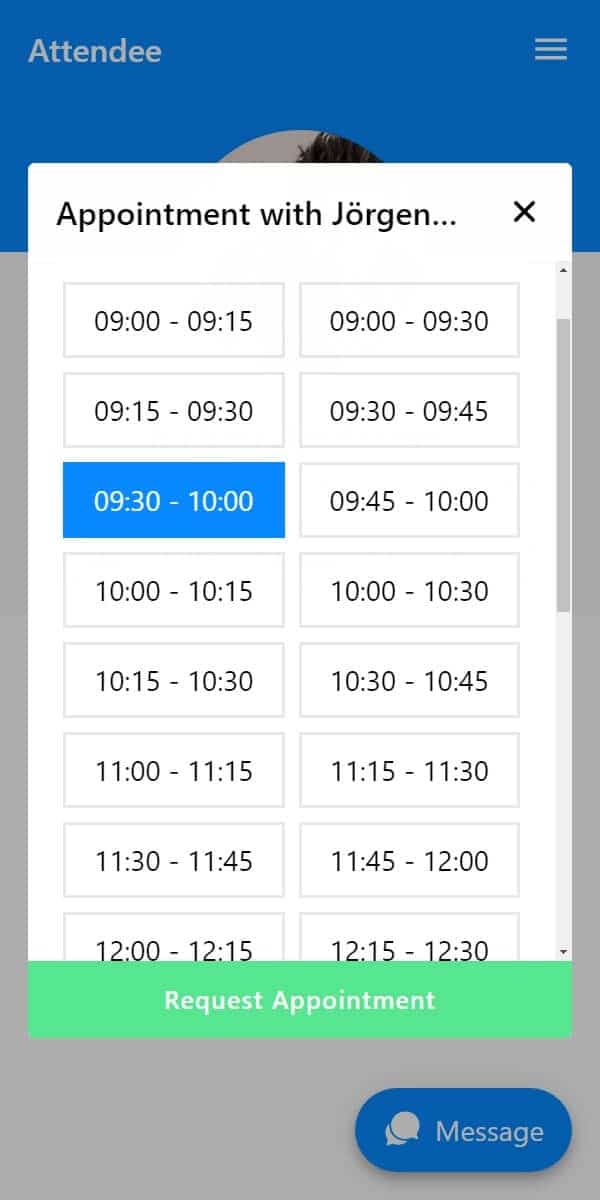
If you have networking booth at your event, LineUpr also lets attendees book a table so they can meet each other at predefined times, as seen below:
All these will elevate the attendee app experience. It’ll also help you find useful signals through questions asked, the topics the audience responded to, and the sessions that created enough interest - all of which can help personalise your follow-ups.
Pros of LineUpr for Enterprise Event Apps
Attendees can open and use the event app from the web app without downloading any app from mobile app stores.
A non-tech B2B event organiser or small team can build and update the app within four hours, without dev support like Nicole Schiertz did for Marketing Dresden.
Analytics help you see whether attendees actually used the app: LineUpr supports Google Analytics/Matomo integration, so your team can review app activity, session interest and engagement after the event.
Attendees don’t have to log into an app to gain access, which can reduce friction when attendee profiles aren’t necessary for your event.
LineUpr provides per-event pricing for occasional enterprise events while teams running multiple events per year can use Flex pricing (that provides up to 60% discount).
Allows you to add maps to the event app so guests are able to find the location and rooms fast.
Allows you to add sponsors so you can showcase them during the event.
German hosting supports GDPR-conscious event setup: LineUpr hosts event apps in Germany, which can help teams meet European data-hosting expectations.
The free tier lets you build and preview the app before paying.
Provides check-in and barcode scanning services through ScanApp, which can help with quick check-in on event day.
Cons
LineUpr isn’t a full event-management suite: Teams that need registration, ticketing, badge printing, exhibitor lead capture or CRM attribution should compare platforms such as Cvent or Bizzabo.
LineUpr doesn’t publish into app stores: This is a good trade-off for teams that want browser-based access, but not for organisations that specifically need a branded mobile app in the Apple App Store or Google Play.
Advanced networking features require a higher tier: LineUpr covers practical event interaction, but events built around AI matchmaking, hosted buyer meetings or sponsor ROI may need a networking-led platform.
Pricing
Pricing model: Single-event for occasional events with 50 attendees starts at $215 (Plus), $359 (Premium), and $647 (Platinum). The price scales based on the number of attendees.
Annual (Flex) pricing is for teams running multiple events (you save up to 60% compared to single event pricing). For example, you’ll pay between $2,190 to $6,601 for 10 events/year for 3,000 total attendees (depending on your plan). For up to 20 events/year with 5,000 total attendees, it’s $3,672 to $11,065.
Add-ons include custom event app (starting from $999) and on-site support.
Use the live LineUpr pricing calculator to know exactly what you’ll pay based on what you need.
Why event teams choose LineUpr: enterprise teams choose LineUpr when they need a branded event app that attendees can open quickly and organisers can keep updated without buying a full event-management platform.
2. Cvent: Best for Full Enterprise Event Operations
Cvent is designed for enterprises where registration and onsite operations involve multiple attendee types, access rules and internal teams. Its registration records feed check-in, badge printing, session access and reporting. This gives event, marketing and sales teams a consistent record of who registered, attended and joined each session.
Cvent also has direct integrations with Salesforce, HubSpot, and Marketo, so event data can flow into sales and marketing workflows. All these make it a strong fit when your team needs registration rules, payment processing, attendee segmentation, onsite check-in, etc. in one software. It also has an Attendee Hub for the attendee-facing side of the app.
Key features
Mobile and web attendee app
Registration and event websites
Onsite check-in and badge printing
Polls, Q&A and gamification
Appointments and networking
Sponsor and exhibitor tools
Event reporting and analytics
Cvent reviews: What real users say about Cvent
Erica T., who works in an enterprise organisation says it’s an efficient event management system although it has a huge learning curve as you have to “tap into different sections of the website” to get where things are. 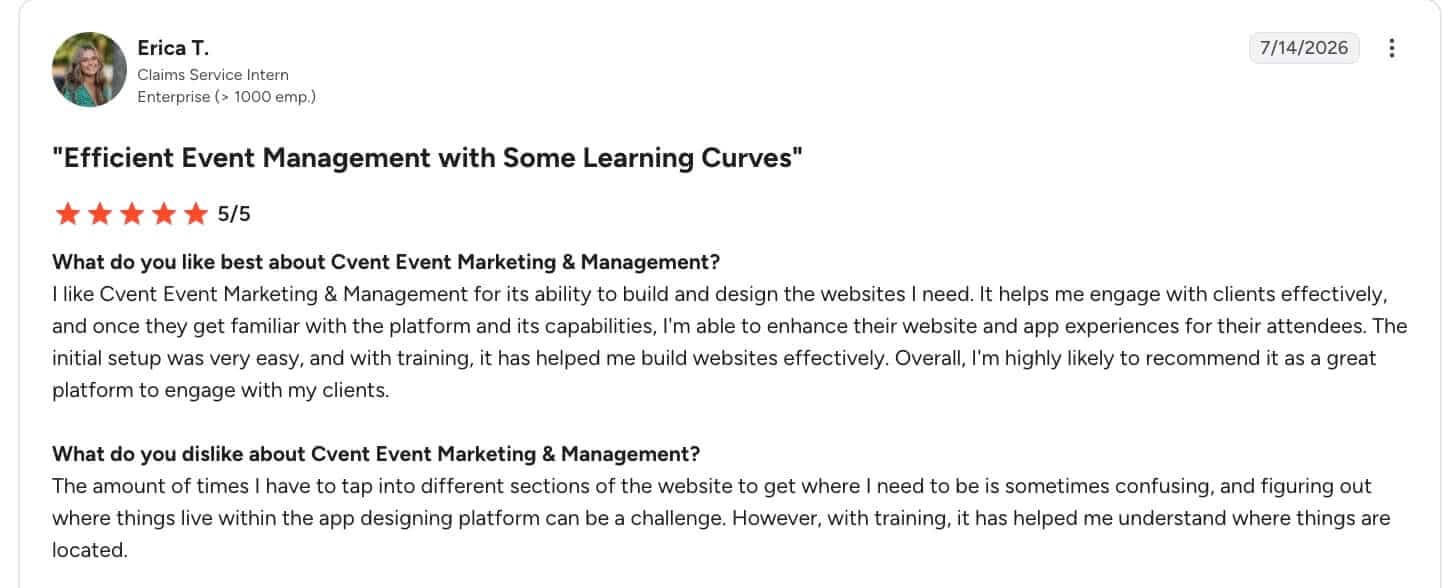
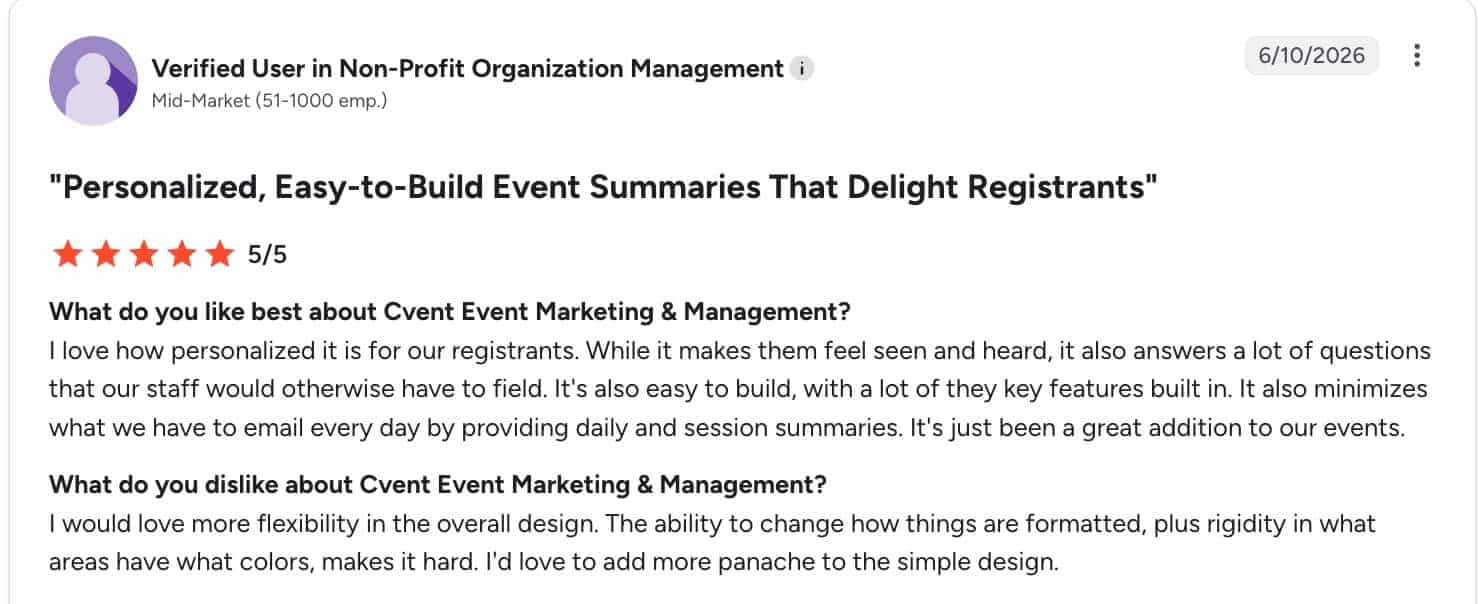
All these show that Cvent is a good tool if you need all it comes with, but it’s definitely overwhelming if you don’t have the large event infrastructure use case.
Pros
Cvent supports registration, onsite operations, engagement and reporting in one ecosystem.
It works well when events have multiple teams, stakeholders, venues and reporting needs.
Provides polls, Q&A, appointments, sponsor visibility and analytics features to help connect the app to the wider event activities/strategy.
Enterprise implementation support: Larger teams can benefit from Cvent’s established enterprise event infrastructure.
Provides onsite execution services: Cvent’s OnArrival tools support check-in, barcode scanning, registration types, and onsite attendee management.
Cons
The platform can be overwhelming when you need an enterprise attendee-app only event software: If you already handle registration, check-in, and have a CRM sync, elsewhere, Cvent’s feature stack would go unused.
Implementation planning matters: The more modules your team uses, the more setup, stakeholder alignment, and data mapping the project may require. All these make it harder to build and maintain.
Pricing isn’t immediately transparent: You need a sales conversation to understand total cost.
Pricing
Pricing model: Quote-based. According to Vendr, the median price is $19,550/year (and can be as high as $94,642/year), based on 193 purchases with buyers saving an average of 20%.
Budget note: Compare total cost across modules, including registration, event app, onsite check-in, badging, integrations, support, and reporting.
Why teams choose it: Enterprises choose Cvent when registration rules, session access, onsite changes and CRM reporting must use the same attendee record.
3. Eventbase: Best for flagship enterprise conferences and premium branded event apps
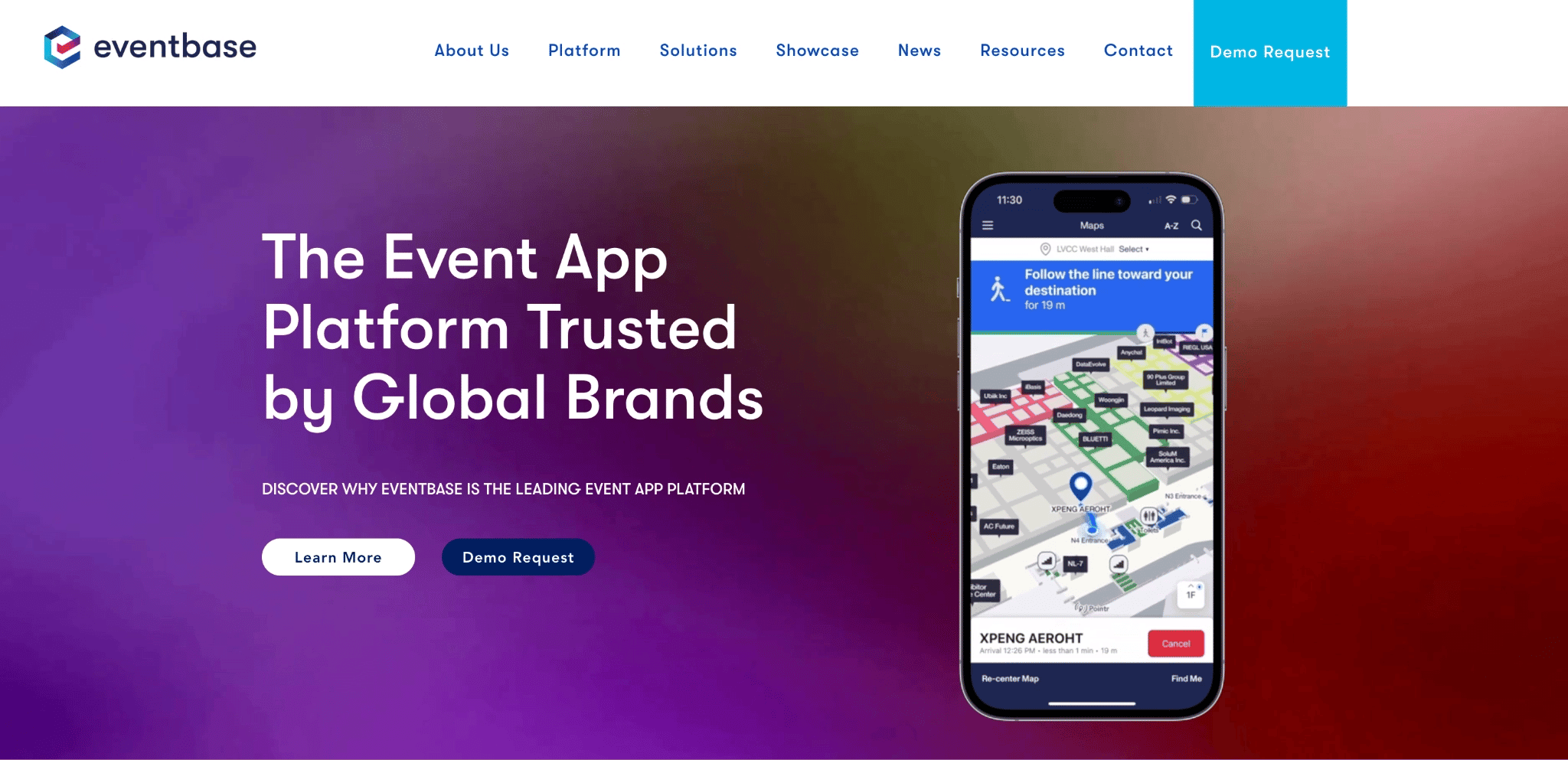
Eventbase is built for large conferences, premium enterprise events, internal events and recurring event portfolios that need a polished mobile app experience. It’s positioned around enterprise-grade event apps with dedicated project support for implementation, integrations, SSO and premium attendee experiences.
Eventbase is a strong choice when the event app itself is a major part of the brand experience and your organisation has the scale, budget and timeline to support a more managed app build. This makes it less suitable for lean teams that need a fast, browser-based app for their events.
Key features
Premium branded mobile event apps
Enterprise event app portal
Multi-event app management
Dedicated project support team
Agenda and content management
SSO and enterprise integrations
App analytics and engagement tools
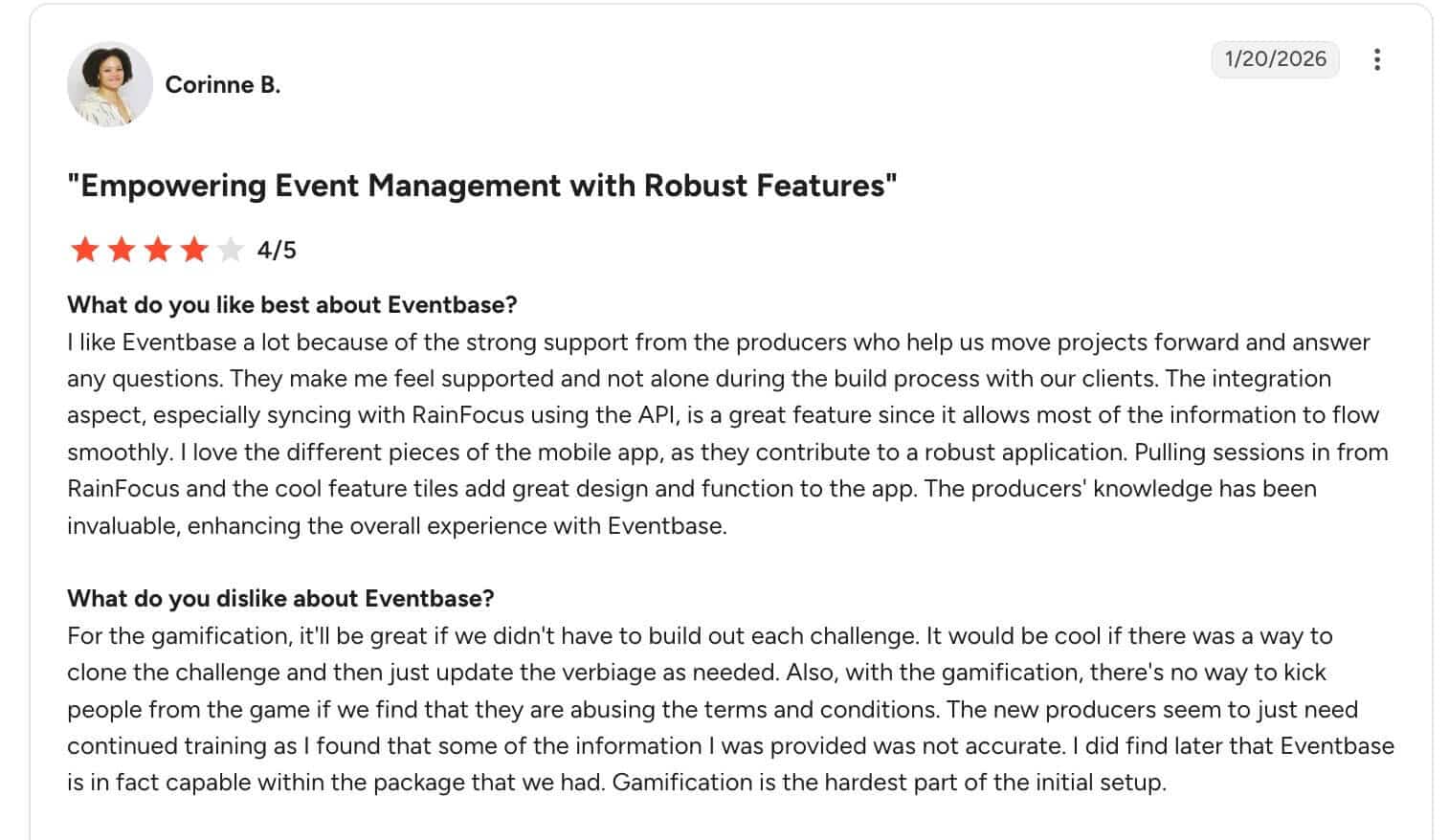
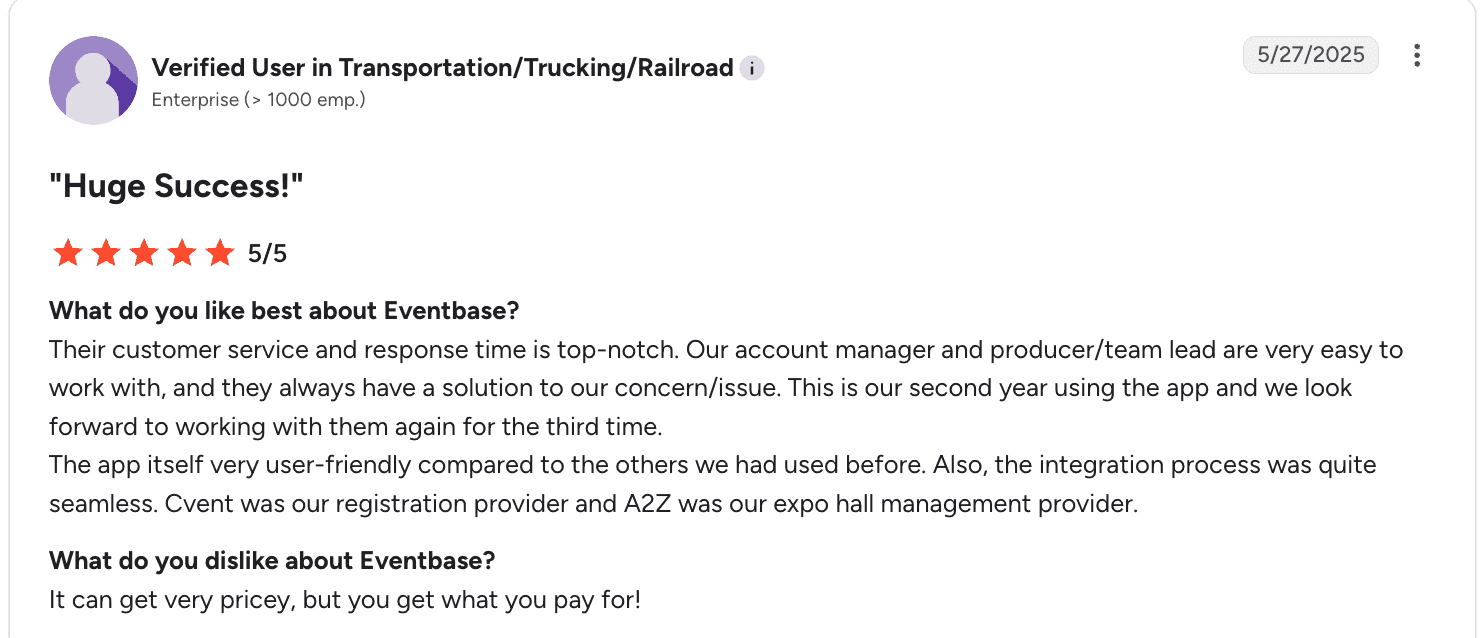
Eventbase reviews: What real users say about Eventbase
Corinne B says she loves the strong support she receives from the Eventbase team, but that some features, like gamification, can be hard to setup and configure.
A user who works in the transportation industry also said the support from the team is “top-notch”, and adds that it can be “very pricey.”
Pros
Eventbase is designed for high-profile events where the app experience reflects the event brand.
Good for recurring event portfolios as your team can benefit from its more centralised app approach for all programmes.
It provides dedicated support and integrations to help larger organisations manage more complex event requirements.
Native app strength: It’s a better fit when native app presence is part of the event strategy.
Cons
Not ideal for fast app-only rollout: Teams that need a quick DIY for their events will find the approach too overwhelming.
Likely higher implementation effort: Premium native app experiences require more planning than browser-based event apps.
Less suited to small corporate events: A simple internal meeting or one-off partner day may be better served by a lighter attendee app.
Pricing is not public: You need to contact sales to understand the total cost or compare prices with other vendors.
Pricing
Pricing model: Quote-based. According to Vendr, it has a median price of $54,660/year, and is as high as $82,925/year.
Budget note: Evaluate project support, app complexity, branding requirements, event count, and whether the event needs a premium app partner rather than a self-service app builder.
Why teams choose it: Enterprises choose Eventbase when a flagship event needs a premium branded app, venue wayfinding and a project team responsible for implementation.
4. Bizzabo: Best for B2B Conferences with Onsite Operations and Sponsor Workflows
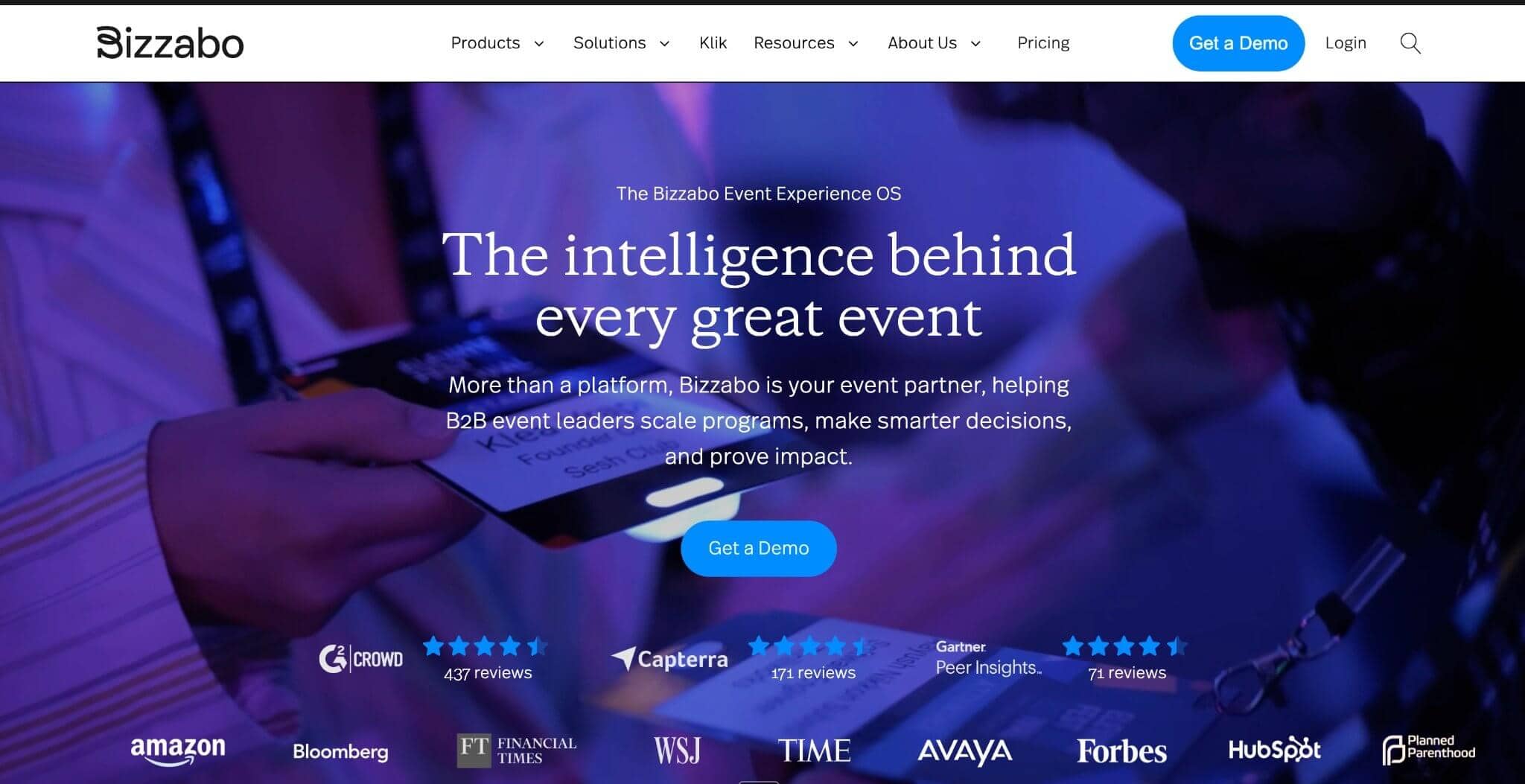
Bizzabo is an event platform for teams that want attendee engagement, onsite tools, event marketing data and CRM-connected reporting in one system.
Its mobile app experience connects with event workflows such as registration, event websites, smart badges, lead capture and attendee data. This makes it a strong option for conferences where the event app is part of a broader marketing and revenue operation.
Bizzabo is also a strong fit when the event app has to connect to the commercial side of the event. For example, an attendee taps another badge or an exhibitor touchpoint. Bizzabo records the interaction and passes the contact to the exhibitor. The exhibitor can then qualify the lead, add notes and export the context for CRM follow-up.
However, it’s usually more platform than your internal comms needs for leader meetings or invite-only B2B conferences with no sponsor activities.
Key features
Mobile event app
Event website and registration workflows
Smart badges and onsite data capture
Attendee engagement tools
Lead capture and event analytics
CRM and marketing data workflows
Sponsor and exhibitor visibility
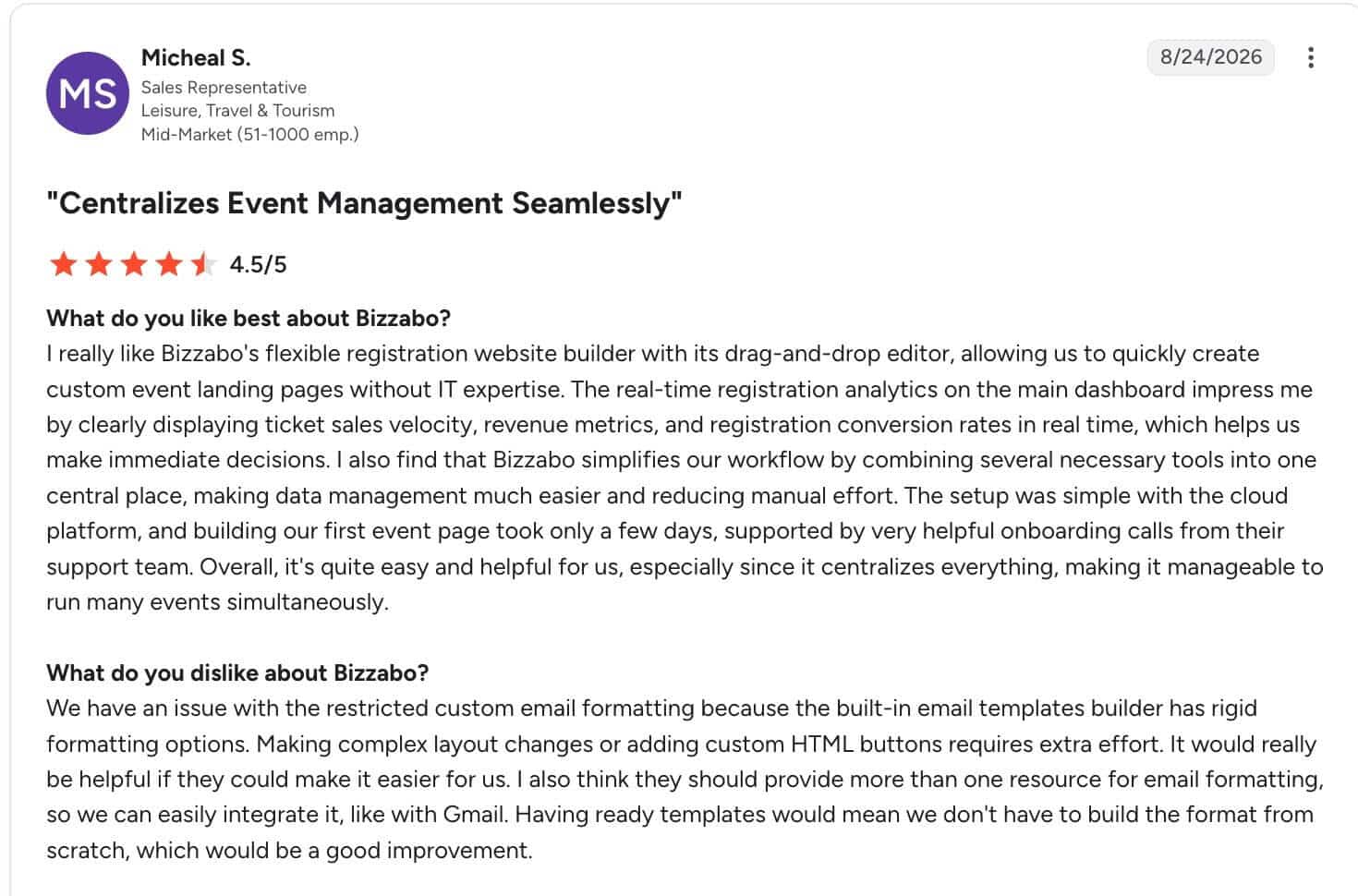
Bizzabo reviews: what actual users say about Bizzabo
Micheal S. says it centralises event operations, but it can be hard to customise emails because of the rigid formatting options.
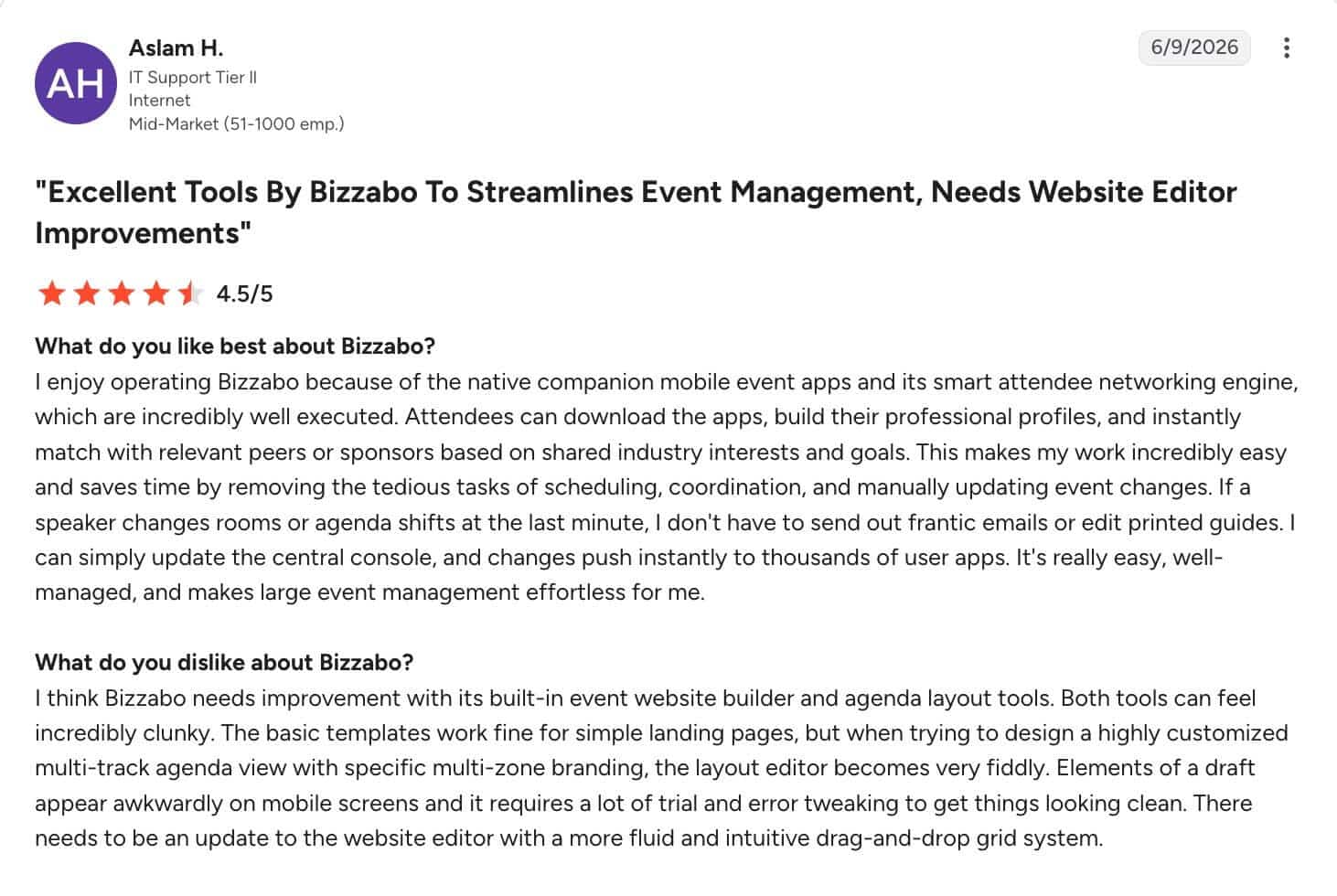
Aslam T, who works in IT, calls it an “excellent tools”, and also mention that the built-in event website builder can be clunky, which can affect the configuration experience.
Pros
Bizzabo is useful when events are tied to demand generation, attribution and customer engagement.
Its onsite software add-on, Klik SmartBadge™, supports badge printing, check-in, and can help teams measure what happens during the event.
It allows registration, website, app and analytics workflows in one place.
Bizzabo supports lead capture and sponsor/exhibitor workflows for events where revenue is part of the business case.
Cons
Teams that already have registration and CRM covered may not need the feature stack it provides.
Requires more setup than a self-service app: Event marketing and onsite workflows add planning complexity.
The strongest value is when multiple modules are used: Teams using only the attendee app may not benefit from the full platform depth.
Full pricing is quote-based: Buyers can see the base price, but you need to contact sales to understand the total cost for your events.
Pricing
Pricing model: Starts at $499/user/month and $17,999/user/year, and provides access to unlimited events, attendees, event website builder, and email campaigns.
Add-ons include Kilk SmartBadge™, integrations, networking features, speaker portal, sponsor portal, custom branded app, branding, etc.
Budget note: Compare the total package across registration, onsite tools, badge printing, mobile app, lead capture, sponsor/exhibitor tools, and analytics.
Why teams choose it: Event marketers choose Bizzabo when they need to connect onsite interactions with sponsor leads, follow-up context and CRM attribution.
5. Swapcard: Best for Trade Shows, Exhibitors, and Networking-led Events
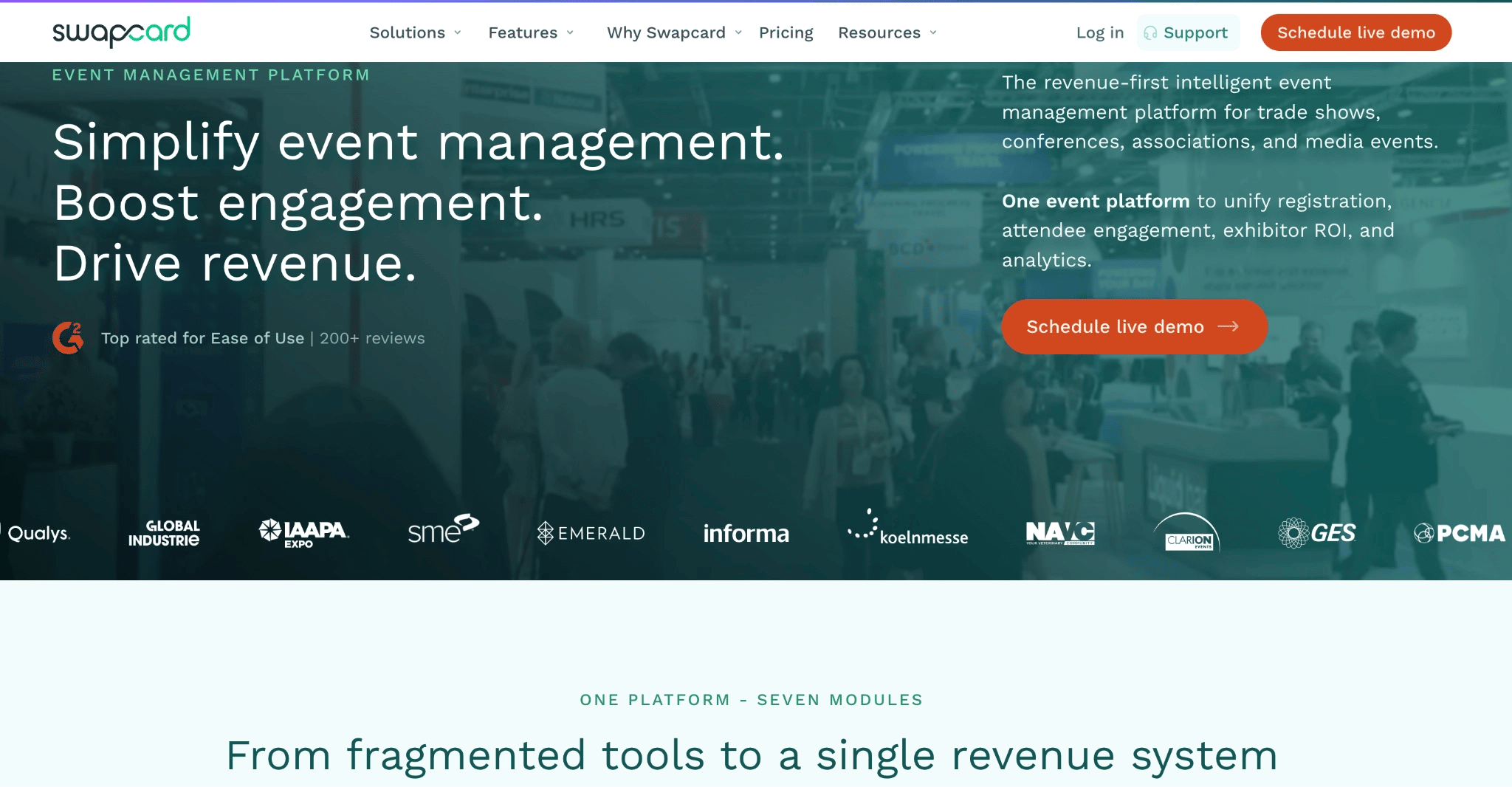
Swapcard is an AI-led event management platform for trade shows, conferences, hybrid or in-person events. It combines event app, registration, attendee engagement, AI recommendations for networking, meeting scheduling, exhibitor tools, sponsor visibility, analytics and community features in one place.
Swapcard also positions itself as a revenue-first event management platform for associations and conference organisers, which makes it a fit when the event app needs a workflow that includes how buyers meet exhibitors, exhibitors capture leads, and organisers create new revenue opportunities. All these also make it less of a good fit if meetings, exhibitor ROI, lead quality, and matchmaking are not central to the event model.
Key features
AI matchmaking for networking events
Event app for attendees
Enterprise registration
Exhibitor management portal
Exhibitor marketplace
Lead capture and qualification
CRM and AMS integrations
Swapcard reviews: What actual users say about Swapcard
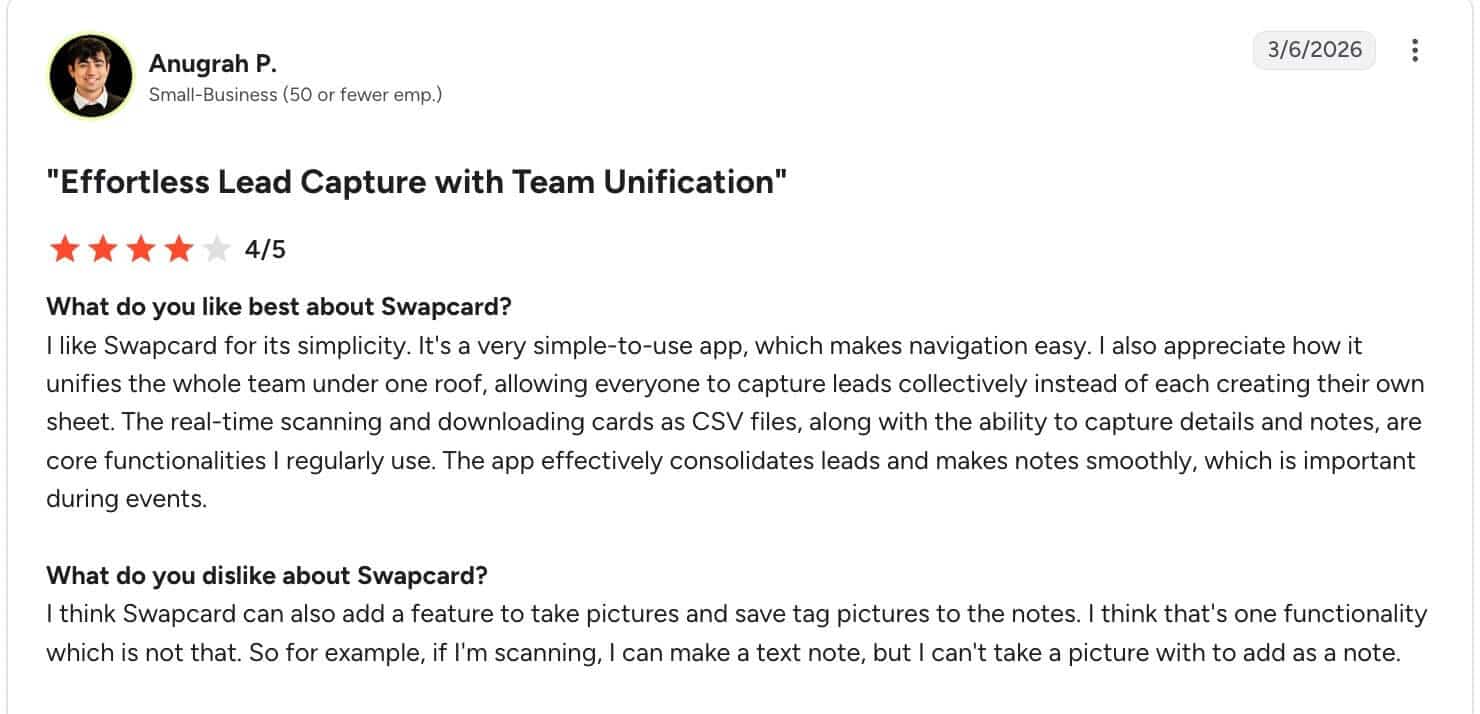
Anugrah P. says it has effortless lead capture features and it consolidates leads to make notes smooth.
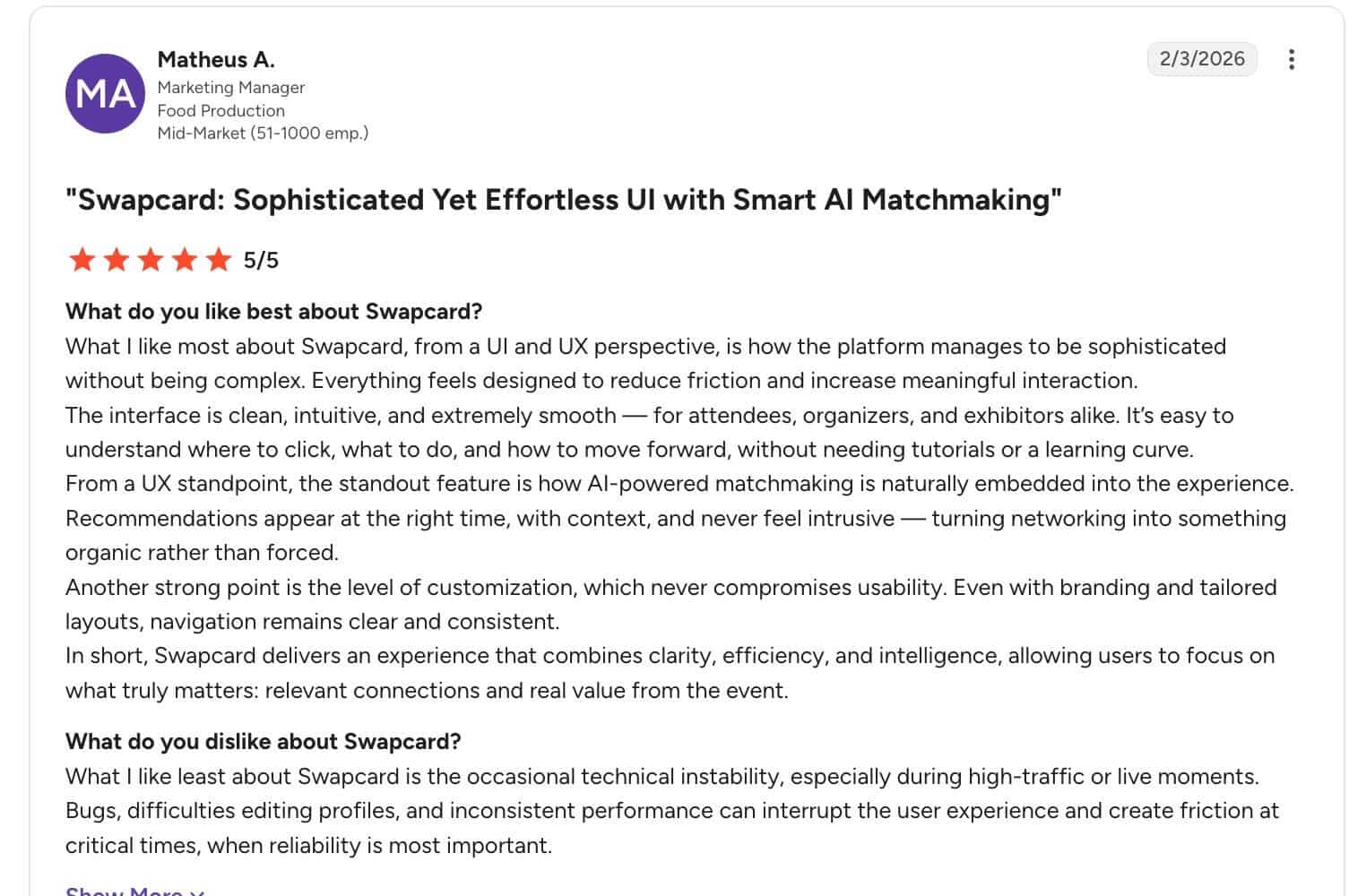
Matheus A., a marketing manager, says Swapcard is sophisticated in use and has effortless UI for day-to-day event management. A downside they call out is how Swapcard is prone to technical instability and bugs that can affect “user experience and create friction at critical times.”
Pros
Networking is a core strength: Swapcard uses AI matchmaking, meeting management, and networking analytics to connect attendees, exhibitors, and sponsors.
Strong exhibitor and sponsor workflows: Exhibitors can capture leads through badge scans, meeting confirmations, chat interactions, and company profile visits.
Revenue use cases are clearly supported: Swapcard’s platform connects engagement, exhibitor activity, lead generation, and monetisation.
Good fit for associations and trade shows: Its positioning is closely tied to events where exhibitor ROI affects renewals and revenue.
Cons
It may be too deep for simple corporate events: If your event doesn’t involve exhibitors, sponsors, hosted buyers, or revenue workflows, much of Swapcard’s value may go unused.
Pricing isn’t publicly accessible: You only get a starting price of $610/year for the event engagement platform/ you’ll need to speak with sales for a tailored package.
The networking value depends on event design: AI matchmaking and meetings work best when you have a large crowd, attendees and exhibitors have strong profiles, clear interests, and enough time to connect.
Pricing
Pricing model: Quote-based/custom. The event engagement platform is $610/year, but final cost depends on attendee volume and upgrades.
Budget note: Compare costs across registration, event app, exhibitor modules, lead capture, AI matchmaking, CRM/AMS integrations, and onsite support.
Why teams choose it: Trade-show organisers choose Swapcard when buyer discovery, hosted meetings and exhibitor revenue are central to the event model.
6. SpotMe: Best for Enterprise Engagement Programmes with CRM-connected Data
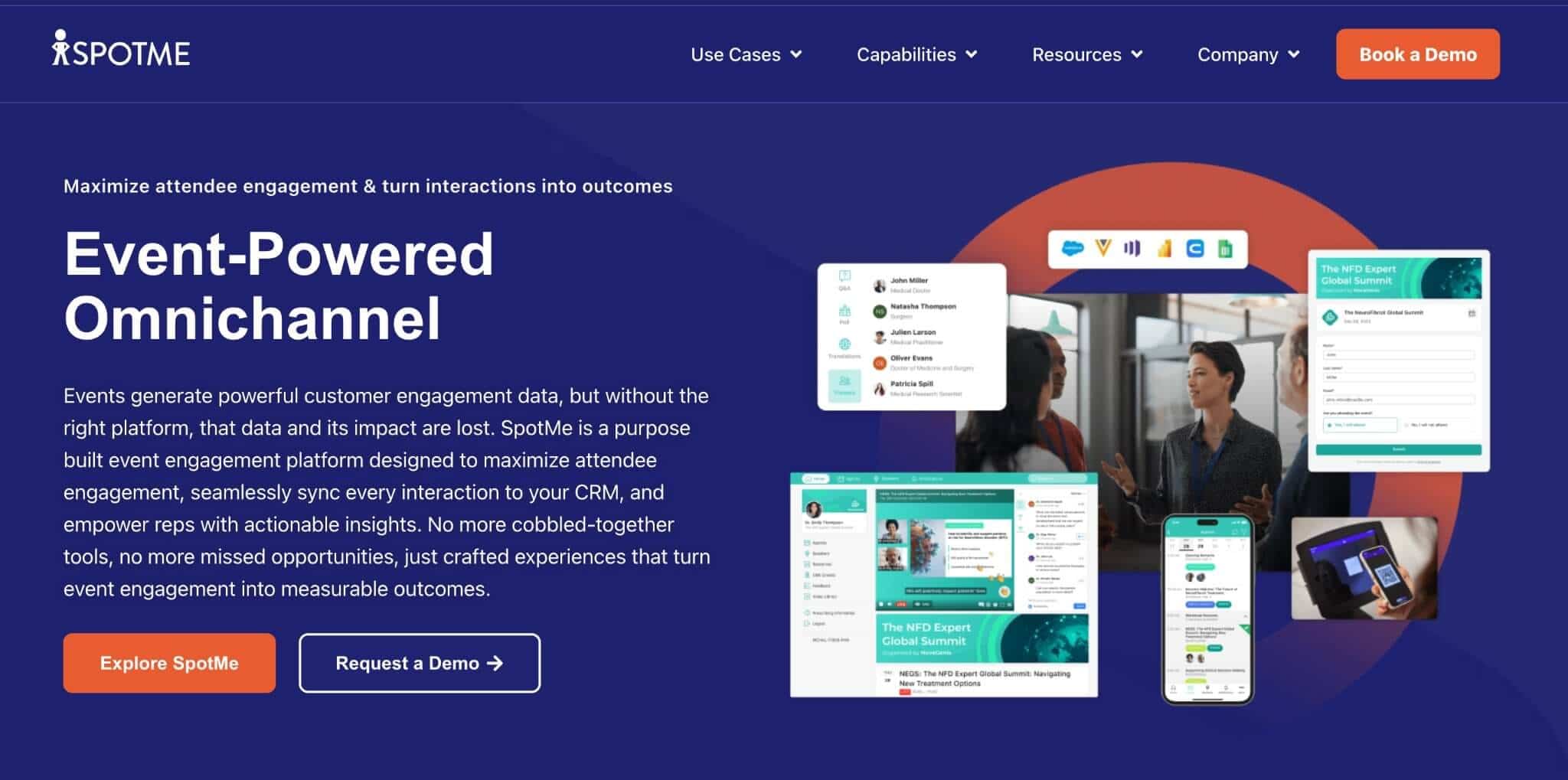
SpotMe is an enterprise event platform focused on attendee engagement, CRM-connected follow-up and managed event support. It’s often a strong fit for regulated industries and enterprise programmes where content, engagement, audience data and post-event actions need to be carefully managed.
SpotMe supports branded event apps, real-time updates, attendee engagement, analytics, support and enterprise security credentials. All these make it a good fit when engagement data matters after the event, and your enterprise software needs that nuance for event reporting.
Key features
Branded event app
Real-time event updates
Audience engagement tools
CRM sync and follow-up workflows
Analytics and reporting
Professional event services
Enterprise security and support
SpotMe reviews: What actual users say about SpotMe
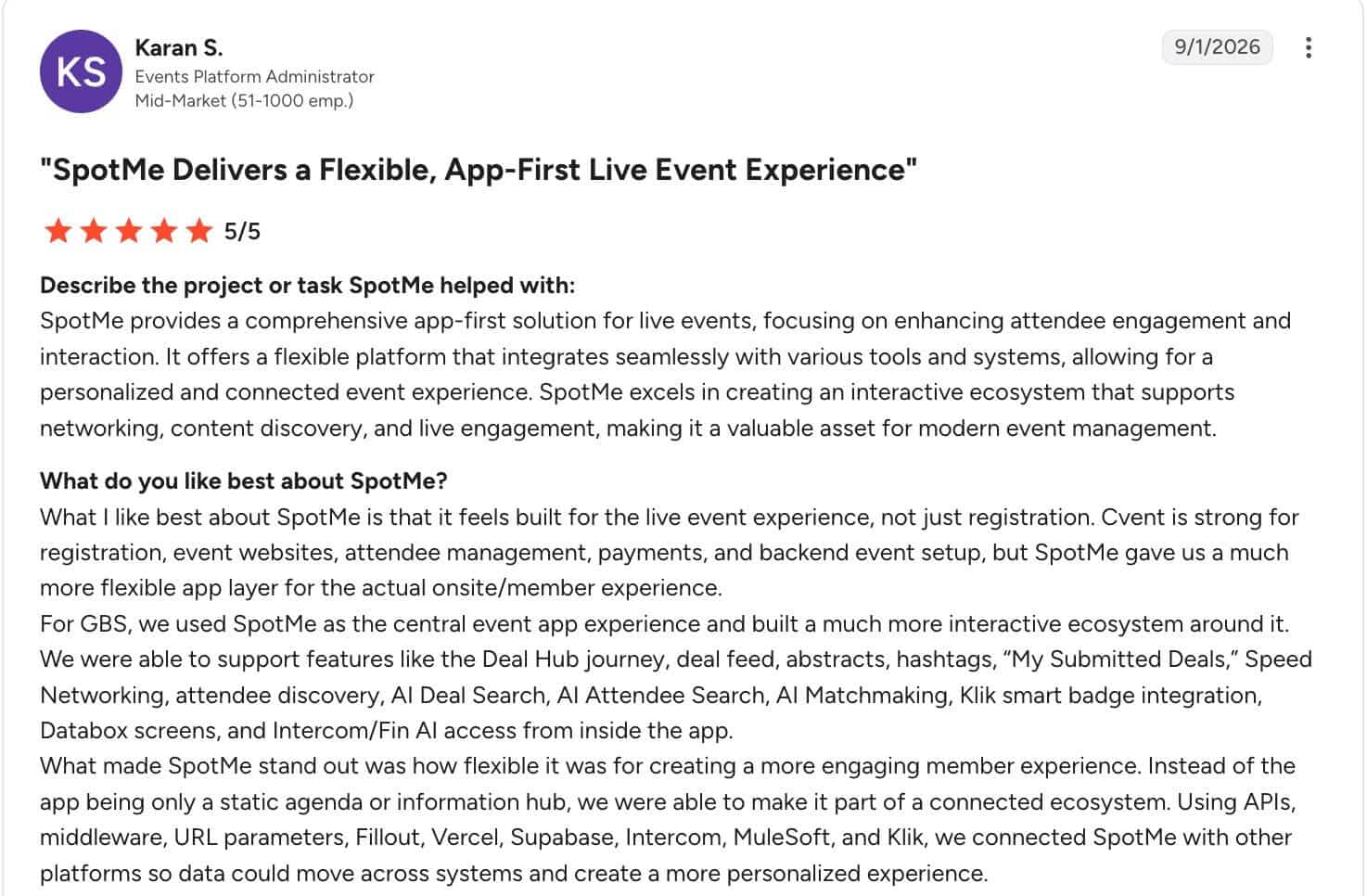
Karan S, an events platform administrator says they love how it focuses on the attendee experience, which can elevate the in-event perception of attendees.
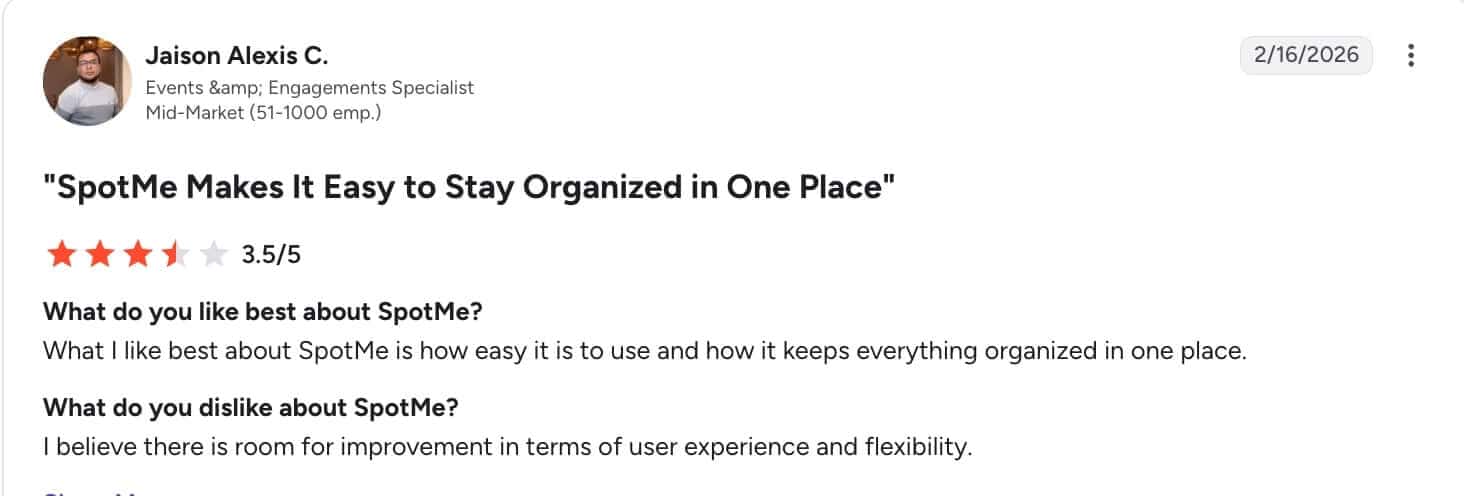
Another user says they like how everything is organised in one place, which makes it usable for their events.
Pros
Strong regulated-industry fit: SpotMe works well where event engagement needs governance, support and careful follow-up.
Strong engagement-to-CRM positioning: SpotMe connects attendee interactions such as poll responses, Q&A, and chat activity to CRM and marketing workflows.
Branded apps are central to the product: SpotMe supports fully branded event-app experiences for enterprise teams.
Sponsor and revenue workflows are supported: SpotMe includes sponsor-attendee engagement, lead capture, and CRM-connected sponsor data.
Cons
Less lightweight than a self-service app builder: Teams that only need a quick branded app may prefer a simpler tool.
Pricing is not publicly transparent: Buyers usually need a quote to understand the cost.
Better for programmes than isolated small events: The strongest fit is structured enterprise engagement.
CRM value depends on internal follow-up processes: If sales or marketing teams will not act on engagement data, the platform’s strongest benefit may be underused.
Pricing
Pricing model: Quote-based/custom.
Budget note: Evaluate branded app needs, CRM integration, engagement workflows, registration/check-in requirements, sponsor workflows, and support expectations.
Why teams choose it: enterprise teams choose SpotMe when the app needs to support regulated engagement, CRM follow-up and a managed event programme.
7. EventMobi: Best for Teams That Need an Event App With Registration and Onsite Tools
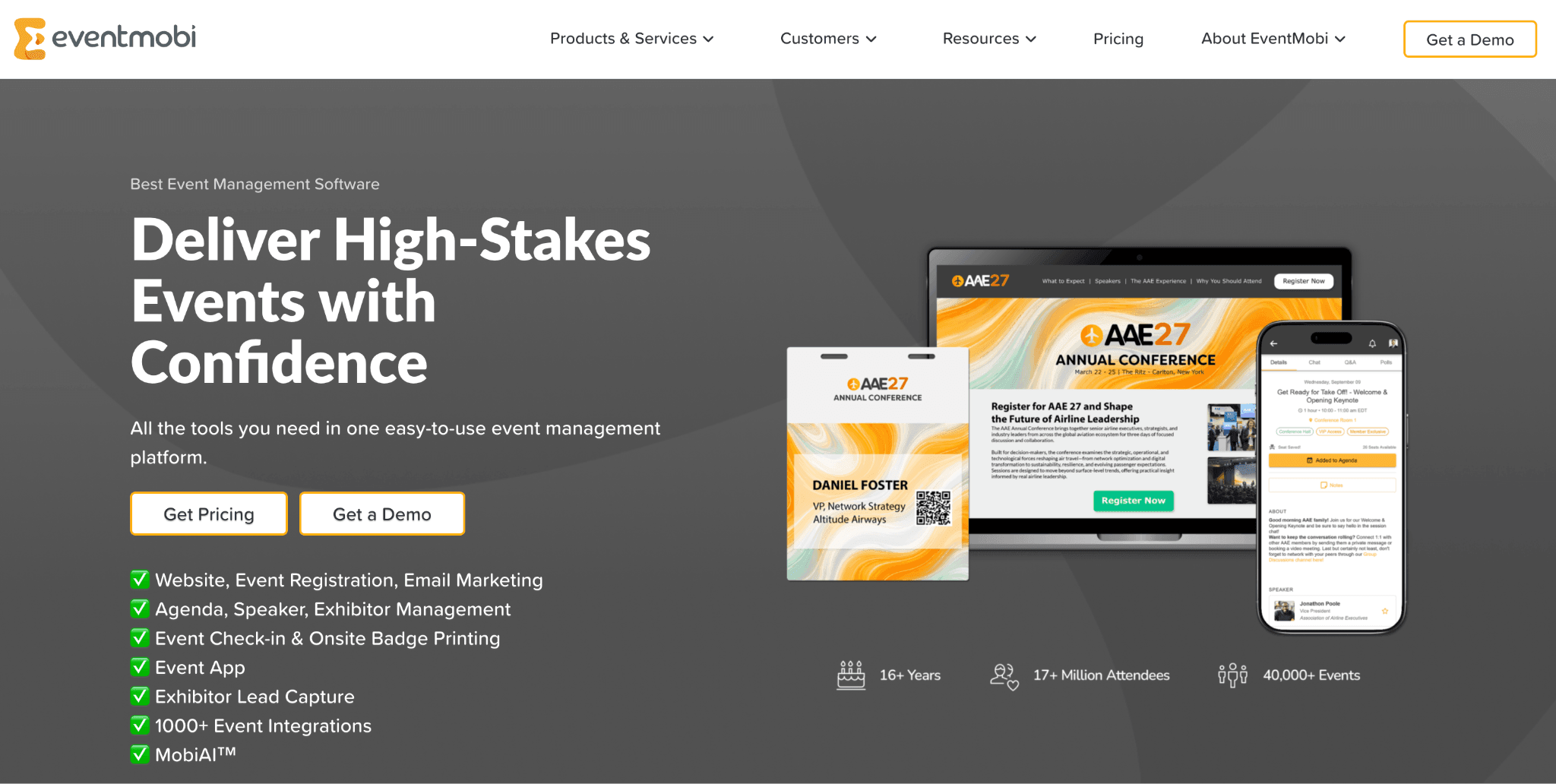
EventMobi is an event app and event-management platform for in-person, virtual and hybrid events. It supports event websites, registration, check-in, badge printing, attendee engagement, lead capture, mobile event apps, analytics and year-round event programmes.
EventMobi is a good choice when one attendee record should move from registration through badge printing, check-in and app engagement. This saves teams from maintaining separate attendee lists across each stage. Whether your team runs a few events a year or manages a busy event calendar, using the same platform helps you create repeatable workflows, reduce administrative work and keep attendee and lead data in one place.
Key features
Mobile event app
Event registration
Event website
Check-in
Badge printing
Lead capture
Event analytics
EventMobi reviews: What real users say about EventMobi
A user in international trade and development says it is a functional tool with a strong feature-to-cost balance.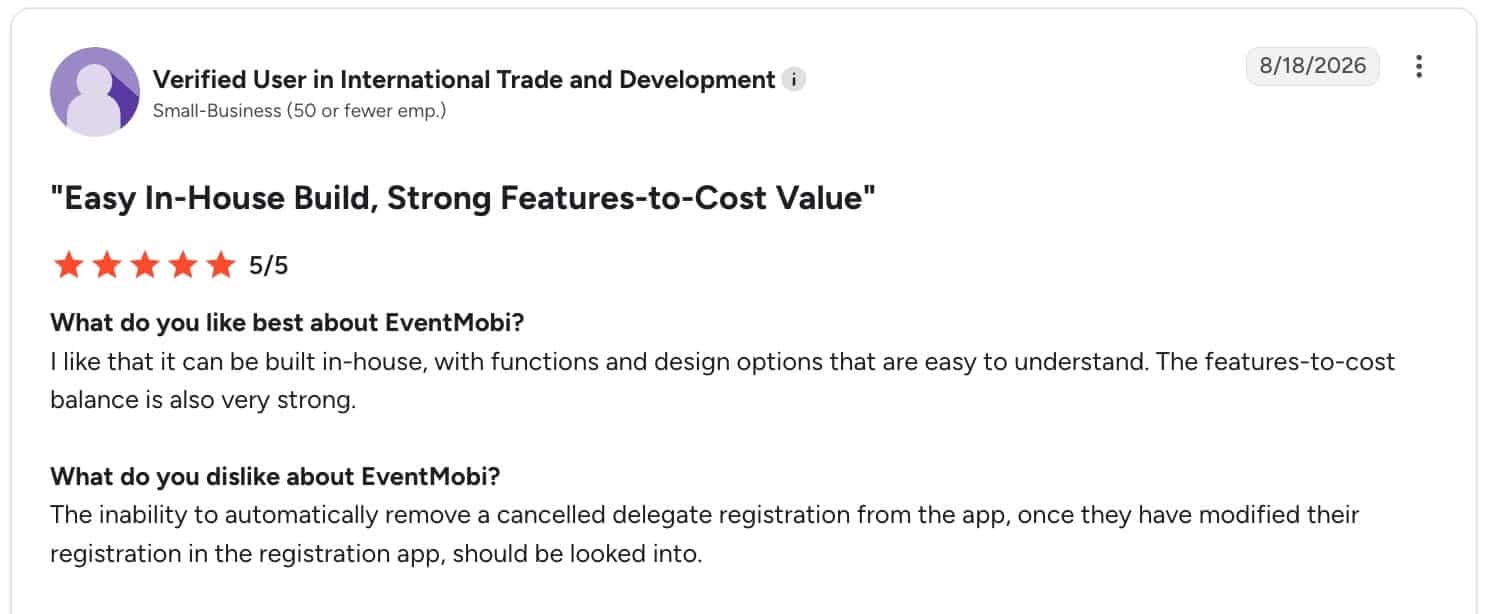
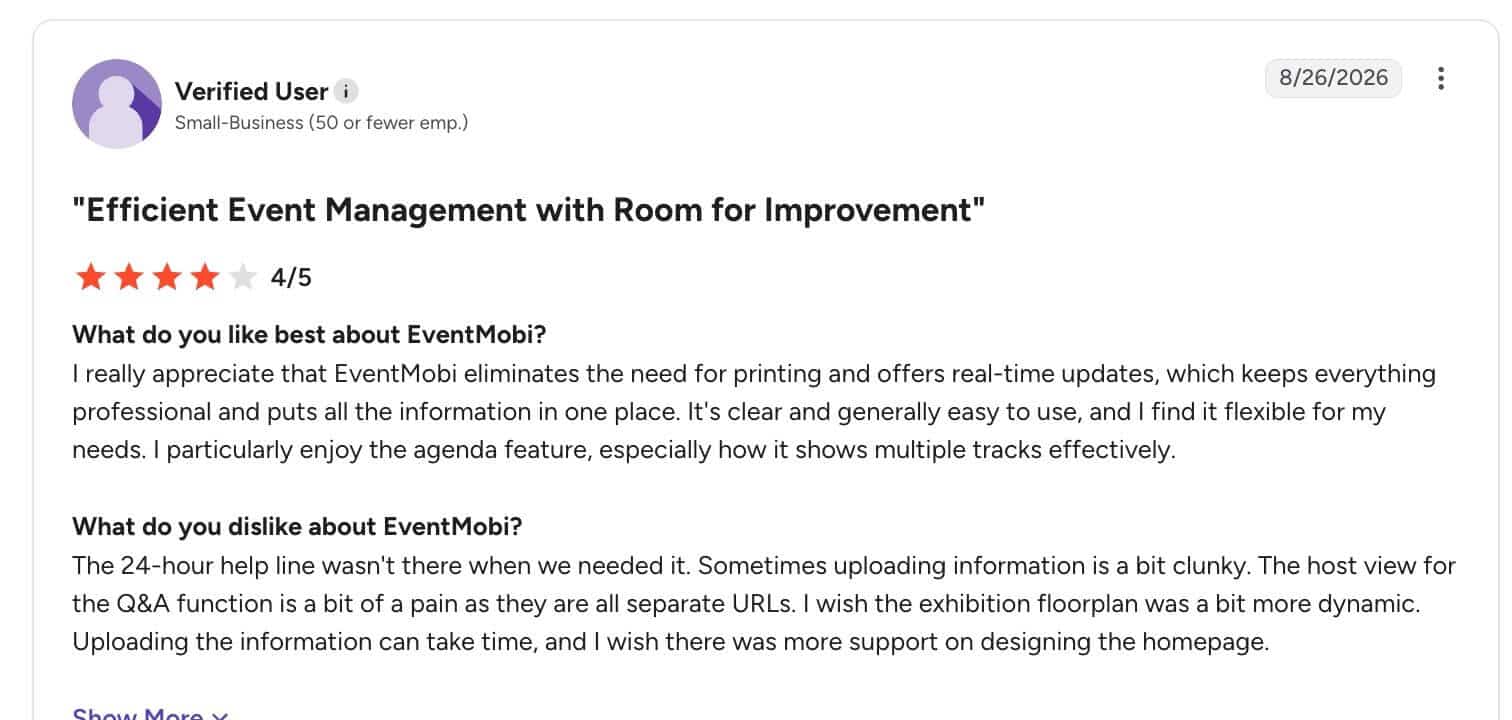
Another user adds that support is inconsistent and that using the app can be clunky and hard to navigate.
Pros
Teams can manage registration, attendee engagement and onsite workflows in one platform.
Organisations running several events can compare per-event pricing with year-round access.
Check-in, badge printing and lead capture can help teams manage attendee flow and exhibitor needs.
Hybrid options support mixed attendance models: Teams can add virtual or hybrid features when the event needs online participation.
Cons
Teams that already handle registration elsewhere may use only part of the system, which makes it too powerful for your needs.
Add-ons can change the final cost: Registration, badge printing, lead capture and virtual features should be priced against the actual event plan.
Larger packages need clearer implementation planning: Teams should confirm setup support, data flow and onsite requirements before launch.
Pricing
Per-event pricing: starts at $3,500/event and scales by attendee count, selected products and add-ons.
Per-year pricing: starts at $7,900/year and includes unlimited events on EventMobi’s end-to-end event platform.
Custom pricing: available for organisations with over 10,000 attendees or unusual event requirements.
Add-ons: streaming and video storage may be priced separately.
Why teams choose it: event teams choose EventMobi when they want event-app capabilities connected to registration, badge printing, and recurring event packages.
8. Sched: Best for Academic and Multi-Track Events
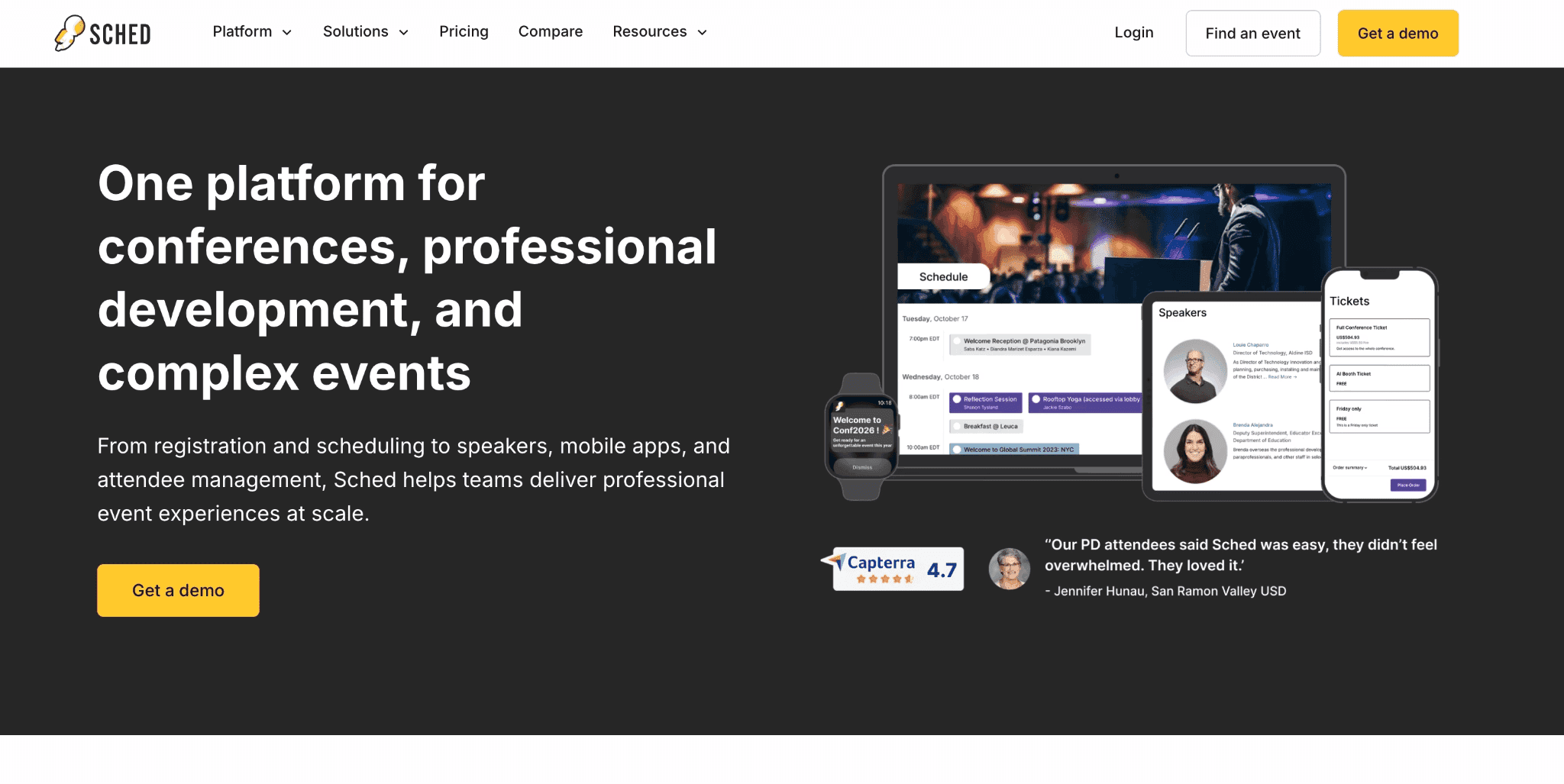
Sched is an event scheduling and mobile app platform popular for academic conferences, festivals and multi-track programmes. It’s a strong fit for events where the schedule is the main attendee experience: sessions, speakers, tracks, personal agendas and room changes.
For universities and professional-development conferences, Sched gives you a way to publish a complex programme and help attendees build their own schedule. All plans include a mobile-responsive website and access to Sched’s global native apps, while the Native plan adds branded iOS and Android apps.
Sched works for agenda-heavy events where the organiser needs a clean way to publish sessions, speakers, tracks, and attendee schedules. It is less suited to enterprise events where the buying decision depends on registration workflows, sponsor lead capture, badge printing, CRM attribution, or advanced engagement data.
Key features
Session scheduling
Multi-track agenda
Personal agendas
Speaker profiles
Mobile-responsive website
Global native event apps
Branded native apps on higher plan
Sched reviews: What actual users say about Sched
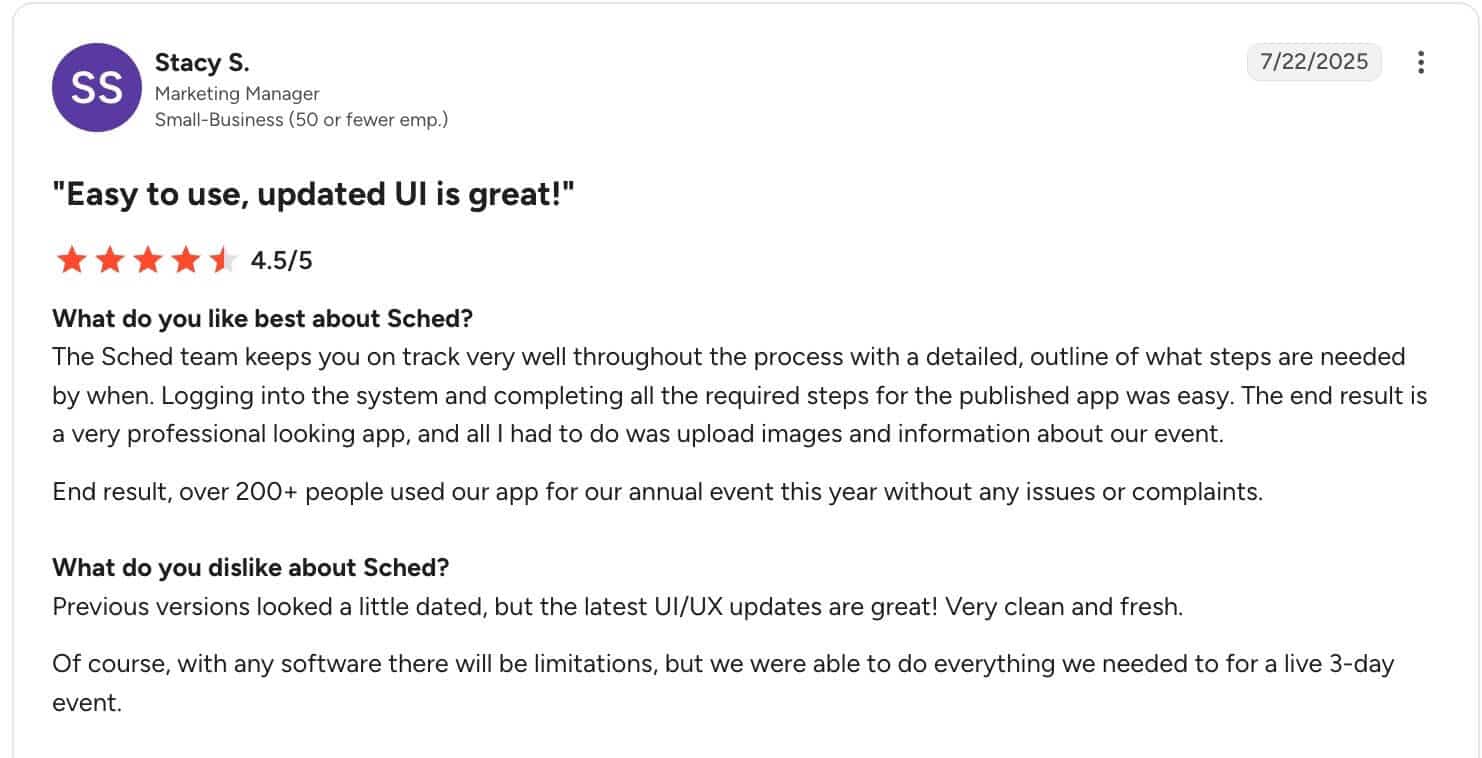
Sched has a great UI and the steps to publish an event app was easy to follow, says Stacy S, a marketing manager.
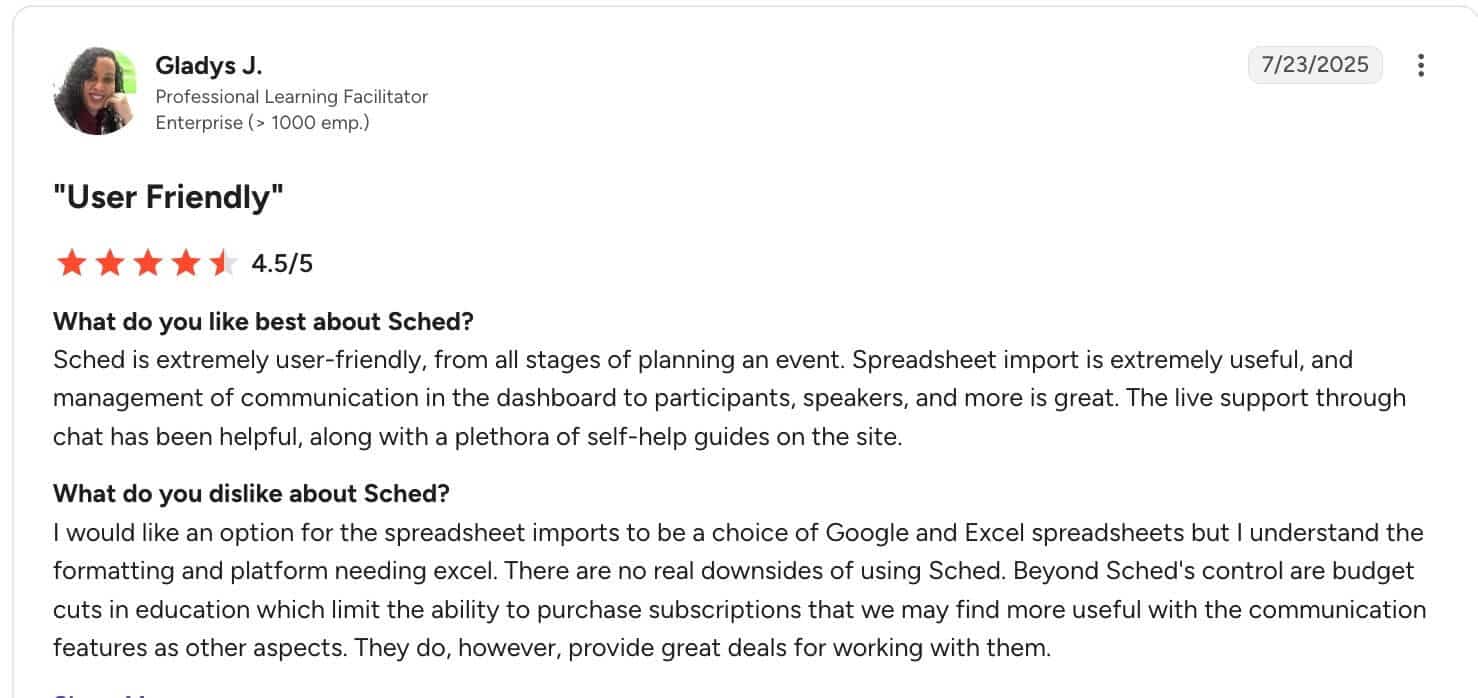
Another user, Gladys J., a professional learning facilitator also says Sched is user-friendly and that it has useful features. The only downside might be that you may not be able to upload spreadsheets via Google, only Excel.
Pros
Simple schedule publishing is the core strength: Sched works well when attendees need to browse sessions, speakers and tracks without confusion.
Web and app access are both supported. All plans include a mobile-responsive website, so attendees are not limited to native app access.
Good fit for agenda-led events. Tracks, speakers, sessions, and schedule discovery are the clearest use cases.
Published pricing makes early comparison easier. Buyers can estimate cost before entering a sales conversation.
Cons
Enterprise operations are limited compared with full platforms. Registration, onsite operations, sponsor ROI, CRM sync, and event analytics may require other tools.
Networking and engagement depth is lighter. Sched is not as strong as alternatives for networking-led events because it has basic peer-to-peer messaging with no matchmaking or gamification setup to its networking capabilities.
Branded native apps require the Native plan. Teams that want their own app-store presence need the higher package.
Pricing
Pricing model: Standard pricing starts at $600/event and scales to $2,250/event.
Best pricing fit: Agenda-led events that need scheduling, session discovery, and mobile access without a large enterprise event platform.
Why teams choose it: Organisers choose Sched when their hardest job is controlling a dense programme, including session capacities, waitlists, personal schedules and targeted updates.
How to Choose the Right Enterprise Event App Software
Once you have a shortlist, validate it based on what you need for your events. Here’s what that could look like:
1. Test the attendee journey to know what their experience will be like
Start with the first five minutes of the attendee experience. How will someone receive the app, open it and find their next session?
Test that flow on the devices your audience will use. For a corporate event, include a managed work phone or laptop rather than testing only on your personal device. You can ask the vendor for a demo event app to play around with to see what it looks like on all device types.
2. Make sure your team can own the changes that happen during the event
Decide who will update the programme when a room or session changes. Then check whether that person can make the change directly and how quickly attendees will see it.
If every update needs a developer, vendor ticket or another internal team, build that dependency into your event-day plan before you buy.
3. Confirm the total cost based on the features (add-ons) you need for your events
Compare the cost at your expected attendee count and event volume rather than the lowest advertised price. This includes features you will genuinely turn on, plus branding and implementation support.
For recurring programmes, compare the annual cost against buying each event separately.
4. Check what attendees need to do before they can participate
A feature can exist and still create friction. Check whether attendees need an account to view the agenda, answer a poll or join a conversation. You should also check whether the app experience is consistent whether they join via their browser or native app.
Consistent app experience across devices or types is super important because some enterprise event app platforms provide web app and native app access, but the web app experience is limited to some pages.
5. Confirm what happens to your event data afterward
Before signing, identify what you’ll need after the event. That may be engagement analytics for the event team or attendee data for another system.
Check which data you can export, who can access it and which integrations require an additional package. Buy around the follow-up workflow you’ll have rather than integrations your team is unlikely to use.
If your checklist shows that the main gap is attendee access, live communication and a branded event guide, you can start with a focused attendee app instead of buying a full event platform.
Create your LineUpr event app for free
FAQs
What is the best enterprise event app software?
The best enterprise event app software depends on the event job. LineUpr is best for branded attendee apps with no-download access. Cvent and Bizzabo are stronger for full event operations. Eventbase is great for flagship branded apps. Swapcard fits exhibitor and networking-led events. SpotMe fits enterprise engagement programmes with CRM-connected data.
Do enterprise event apps require attendees to download an app?
Some enterprise event apps require or encourage a native app download, while others provide browser access. LineUpr is web-based, opens through a URL, and doesn’t require installation.
When is LineUpr a better fit than Cvent?
LineUpr is a better fit when you mainly need access to agenda, live updates, messages, polls, Q&A, feedback, branding, and easy attendee access. Cvent is a better fit when registration, check-in, badge printing, CRM integrations, reporting, and multi-event operations are part of what you need for your event.
Which enterprise event app is best for sponsor-heavy events?
Swapcard, Bizzabo, Cvent, Eventbase, and SpotMe are stronger candidates when exhibitor management, lead capture, sponsor ROI, badge scanning, and event monetisation are central to the event. Swapcard is especially focused on exhibitor ROI, AI matchmaking, and lead capture.
Related content
Best internal event apps: Compare tools for internal summits, employee events, leadership meetings, and company programmes.
Mobile event apps for conferences: Learn what to look for when the event app needs to support conference attendees before and during the event.
Event management apps: Compare broader event platforms when registration, check-in, ticketing, and event operations are part of the decision.
EventMobi alternatives: Useful if you are comparing EventMobi against lighter or more specialised event app tools.
Build an Enterprise Event App Your Attendees Will Use
The right enterprise event app should make the event easier to run and use. If registration, badging or CRM attribution drives the buying decision, choose a platform built around those operations.
If you already have the operational side covered and need a branded attendee experience for agenda access and live communication, choose LineUpr. Your team can build and update the app directly, then give attendees browser-based access through a link or QR code.
That makes LineUpr a strong fit for internal and B2B events where easy access and reliable event communication come first.