7 Top-Rated Event Management Apps (+ Affordable DIY Options)
March 3, 2026 · Wout Criekemans · 26 minute read
Table of Contents
If you're managing events with spreadsheets, calendar invites, and group emails, you already know how one last-minute schedule change can make things fall apart. What should take 30 seconds becomes an hour of copy-pasting, triple-checking, and hoping no one misses the update.
Event management apps take two approaches to solving this: all-in-one platforms that replace your entire stack, and specialized tools that layer engagement features on top of systems you already trust. Both can work—but they solve different problems.
This review evaluates 7 top-rated apps across both categories on setup speed, pricing transparency, real-time update capabilities, and verified user feedback. We begin with LineUpr, a standalone event app built specifically for during-event engagement– but first, here’s a quick summary table for you:
Platform | G2 Rating | Capterra Rating | Starting Price | Pricing Model | Best For |
LineUpr | 4.9 (38) | 4.9 (84) | 179 € | Flexible: Per event or pay the attendee | Professional events (conferences, internal events, annual meetings) with 100-500 attendees |
Whova | 4.8/5 (1,749) | 4.8/5 (2,396) | Custom quote | Per-event + add-ons | Conferences, associations, and education fairs |
Eventbrite | 4.3/5 (~891) | 4.6/5 (5,706) | Free + 3.7% + €1.79/ticket | Per-ticket fees | SMB events, concerts, community |
Accelevents | 4.7/5 (157) | ~4.5–4.7/5 (162) | €7,500/event | Per-event or annual | Conferences, fundraisers, trade shows |
Bizzabo | 4.3/5 (366) | 4.5/5 (171) | ~€17,999/year | Per-user, unlimited events | Enterprise B2B conferences |
Swoogo | ~4.7/5 (155) | 4.7/5 (82) | €11,800/year | Per-user, unlimited events | Mid-market/enterprise conferences |
Stova | 4.2/5 (198) | 4.3/5 (81) | ~€10,000/year | Per-registration volume | Enterprise, complex global events |
1. LineUpr
Best for: Teams that need an event engagement layer during the event without replacing their existing stack.
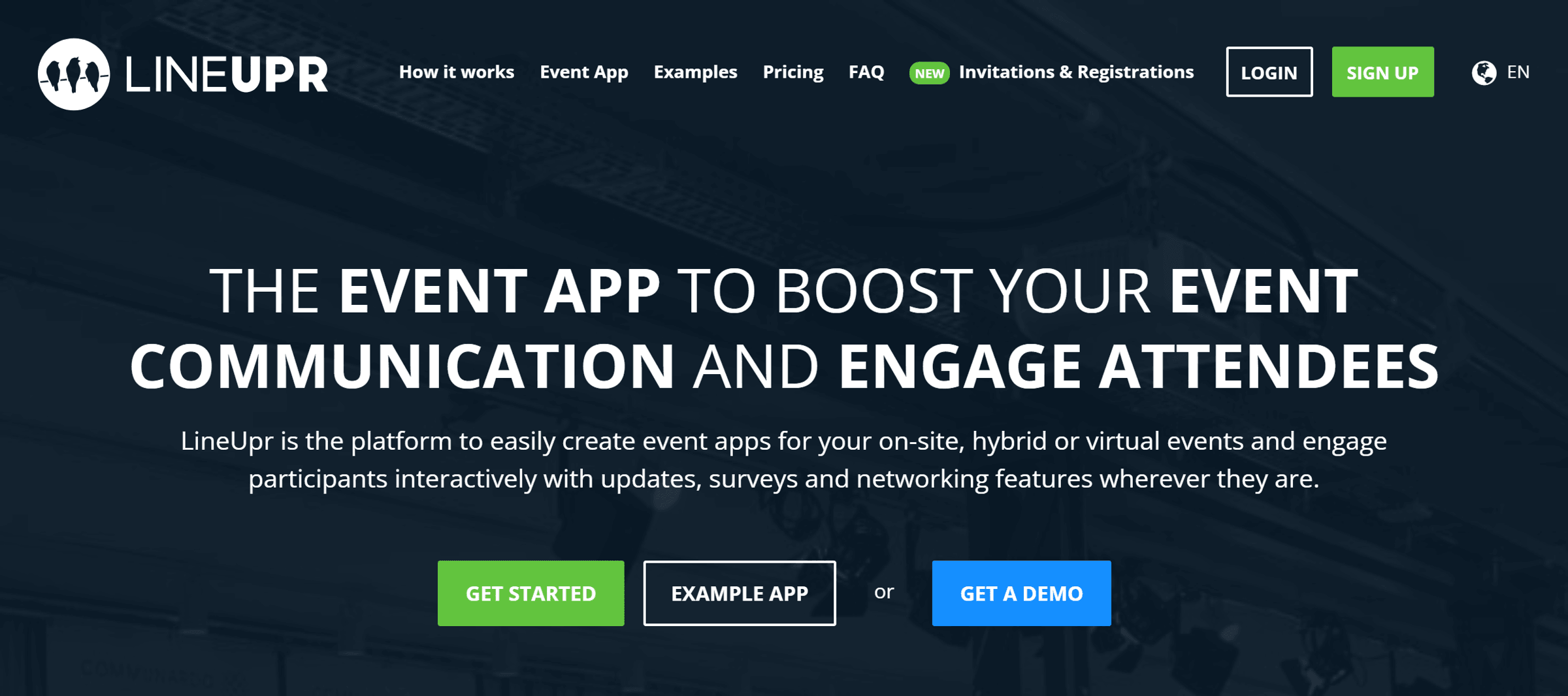
LineUpr is a web-based event app that makes it easy for you to keep attendees informed and engaged during live events, without paying for a full suite of event management platforms.
Instead of scrambling through email chains when schedules change, printing programs that become outdated within hours, or watching attendees show up to the wrong rooms—you can easily:
Push instant updates to everyone's phone when speakers cancel or rooms change
Run live polls and Q&A sessions to capture feedback during sessions
Centralize schedules, locations, and announcements in one mobile-friendly app
Let attendees network with profiles, messaging, and video chat
Without hiring an agency, waiting weeks for development, or requiring anyone to download an app from the store.
That way it's faster, easier, and more affordable to deliver a professional event experience that adapts in real-time without locking yourself into expensive enterprise platforms or losing control when last-minute changes happen.
In fact, Marketing Club Dresden built their entire event app in under 4 hours and launched it without IT support.
Here’s how it works:
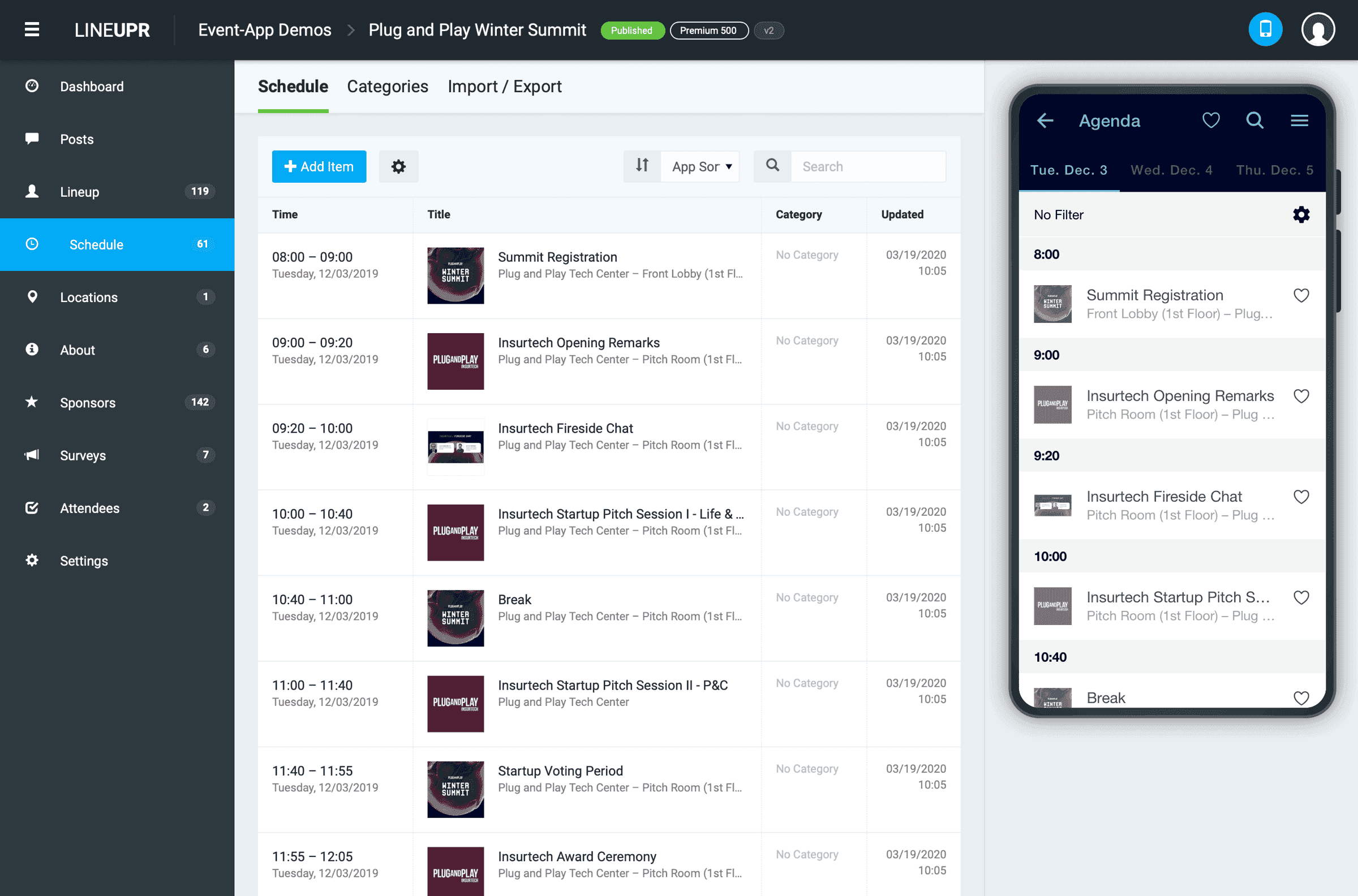
In LineUpr, you get access to a self-service visual editor to build your event app with real-time preview. From there you can centralize schedules, speaker bios, session locations, and announcements in one place. When schedule changes [and it will]—last-minute room swaps, speaker cancellations, transportation updates—you update once and it propagates instantly to every attendee.
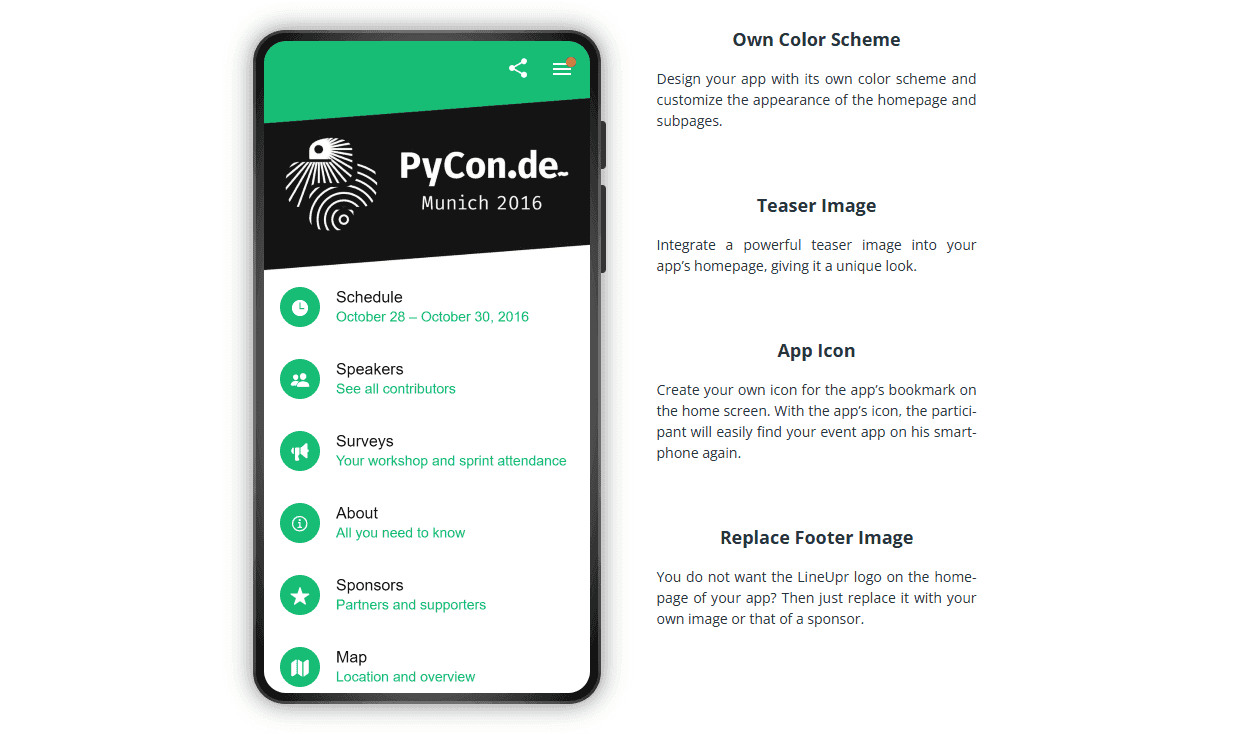
GRENKE AG used this for executive meetings where bus departure times and logistics shifted throughout the day. Their back office team reported that pushing real-time updates through the app instead of coordinating email chains saved them enormous time.
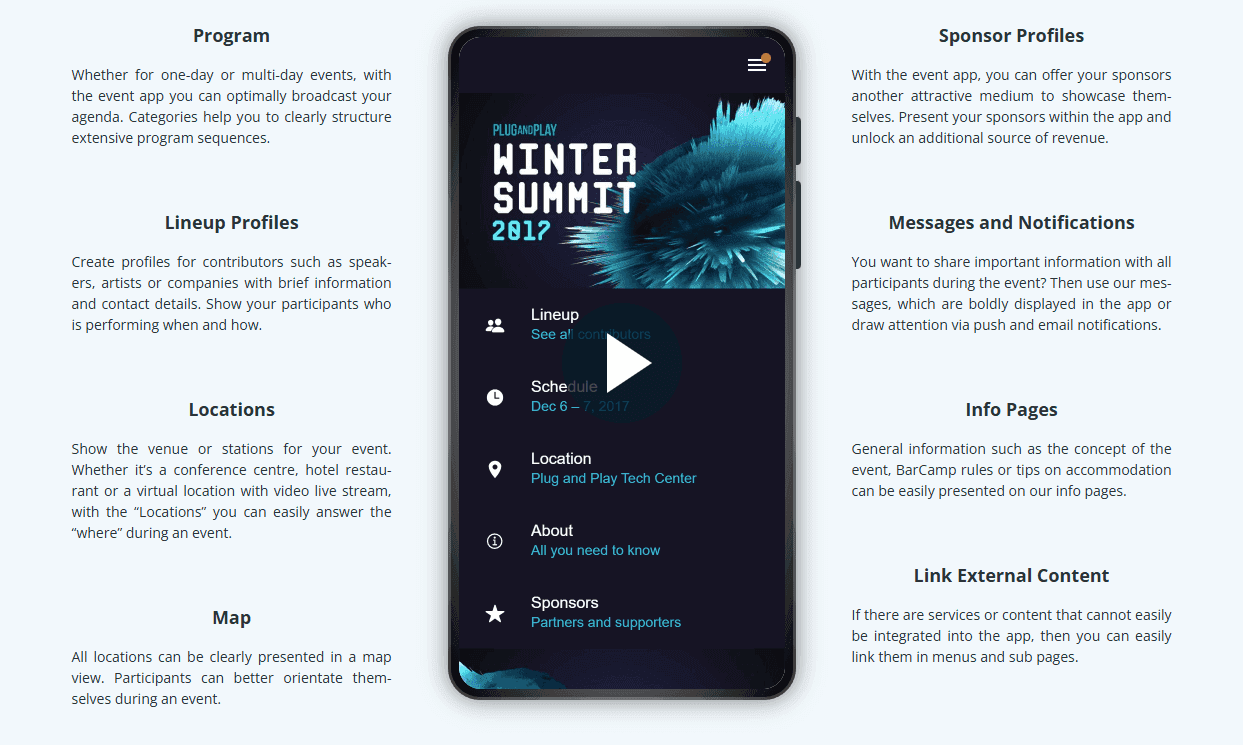
The key advantage is that you get to keep your existing ticketing and payments infrastructure, then deploy LineUpr exclusively to engage participants with updates, surveys, and networking features wherever they are.
Perfect for when:
Registration and payments already work
You run a small number of events per year
Engagement and communication are the primary gaps
Fast deployment without IT involvement matters
Enterprise pricing is out of scope
Key Features
PWA architecture: Access via URL or QR code with no app store download or account creation required. This removes the single biggest barrier to attendee adoption at events, since no one wants to download yet another app.
Self-service app builder: Visual editor with real-time preview for rapid setup without technical resources.
Real-time updates: Instant schedule changes, room updates, and notifications delivered to all attendees.
Interactive engagement tools: Live polls, Q&A with upvoting, and session feedback.
Attendee networking: Optional profiles, messaging, and one-on-one video chat.
Modular integration: Open API supports connection to existing registration and CRM systems.
GDPR-compliant hosting: German-hosted infrastructure with minimal personal data requirements, which simplifies compliance for European events and reduces data handling obligations.
See a full list of the key features here.
Pros
Fast setup with minimal friction: Teams consistently report building full event apps in a single working session.
Transparent per-event pricing: Costs align with actual event usage rather than annual commitments.
Professional output without agencies: Results meet attendee expectations without external development resources.
Real-time flexibility during live events: Updates happen immediately, even during sessions.
Cons
Not a full event management suite: Teams needing integrated registration, ticketing, and engagement in one place should consider full platforms instead.
Pricing
LineUpr uses per-event pricing with no subscriptions or per-user fees.
Plus: From €179/event
Premium: From €299/event
Platinum: From €539/event
Build your event app now and preview the full experience for free. No credit card, no sales call. Just see if it works for your event.
Best Event Management Apps: Full Platform Options
These platforms handle registration, ticketing, scheduling, communications, and engagement in one system. They make sense when you’re building your event stack from the ground up or replacing multiple tools with a single platform.
2. Whova
Best for: Conferences where attendee-to-attendee connections are as important as the agenda itself.
Whova is a full event platform that combines registration, engagement, networking, and analytics across in-person, virtual, and hybrid formats.
Whova's standout feature is connecting attendees before the event begins, not just during sessions.
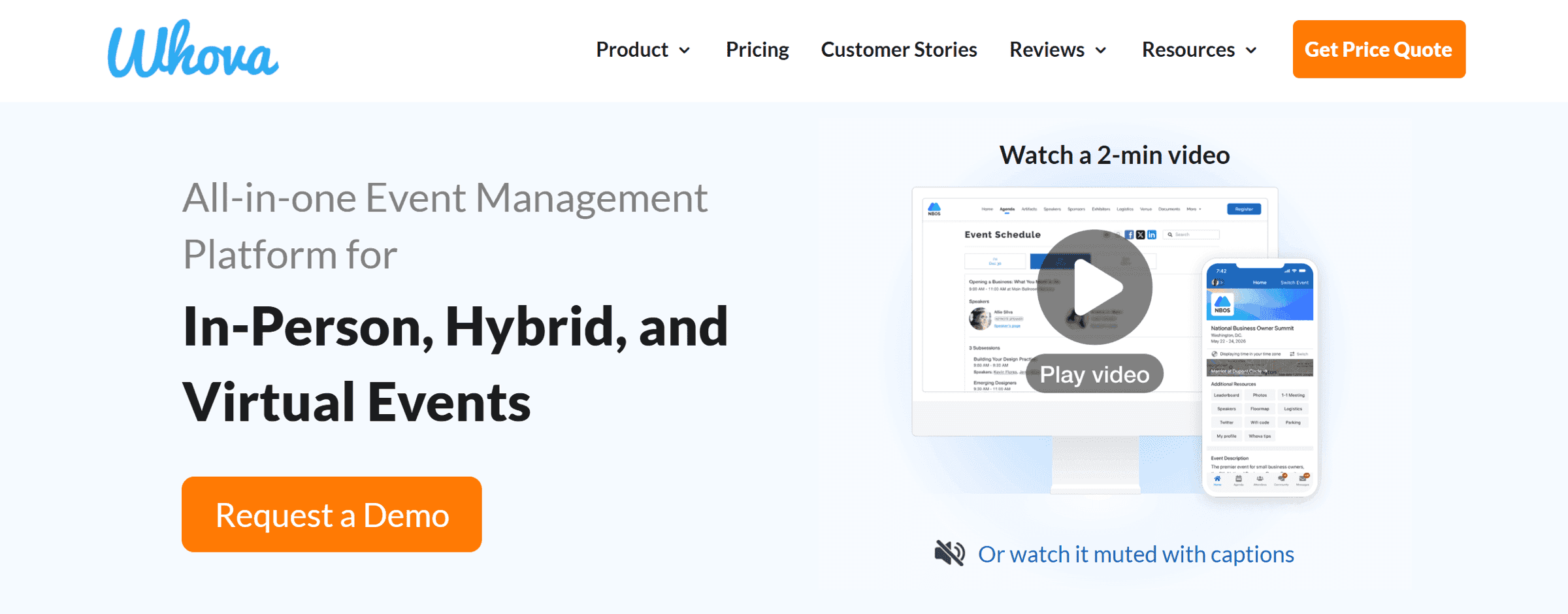
Features like AI-based attendee matching, community discussion boards, and direct messaging are designed to start interactions before the event begins, not just during scheduled sessions.
For conferences where relationship-building drives sponsor value, repeat attendance, or community outcomes, early engagement means attendees arrive with context, recognizing names and starting conversations sooner rather than spending the event orienting themselves.
Key Features
Community board: A shared space where attendees post discussion topics, share resources, and connect ahead of the event, helping conversations start before arrival.
Smart networking: AI-driven attendee matching based on profiles and interests. Networking is frequently cited in G2 reviews as a primary reason teams choose Whova (106 mentions as of this writing).
Session management: Multi-track agendas with personalized schedules, reminders, and automatic timezone conversion.
Live polling and Q&A: In-session interaction tools with moderation controls and a large template library for common formats.
Exhibitor and sponsor tools: Virtual booths, lead capture, and sponsor visibility features designed to generate revenue for the conference.
Post-event analytics: Engagement reporting across sessions, networking activity, and content interaction.
Pros
Mobile experience quality: Whova maintains a 4.8/5 rating on G2, based on 81 reviews of the attendee mobile app, which are repeatedly cited as easy to navigate and reliable during live events.
Pre-event engagement momentum: The Community Board reduces the “day-one cold start.” Attendees arrive with planned conversations instead of starting from scratch.
Networking that gets used: Reviewers describe discussions as more focused and interactive than passive session attendance.
Support during setup: Users frequently mention responsive guidance during initial configuration, particularly for larger or more complex events.
Cons
Notification overload: Some users report excessive push notifications that overwhelm attendees, requiring careful configuration to avoid fatigue.
Desktop experience is less polished: The admin interface prioritizes attendee experience over coordinator workflows, which can frustrate teams working primarily from laptops.
Aggressive Attendee Marketing: Reviewers on Capterra note that Whova sends promotional emails to registered attendees, which some organizers find uncomfortable.
Email communication control is limited: Some organizers report confusion when attendees receive automated or promotional emails they didn’t expect.
Advanced features require ramp-up time: Basic setup is straightforward, but fully using networking and analytics tools takes deliberate configuration beyond a quick walkthrough.
Pricing
Whova uses custom, quote-based pricing that is structured on a per-event basis. Registration fees are around 3.0% plus €0.99 per ticket, with variations depending on contract terms.
Add-ons such as exhibitor management, sponsor tools, and gamification are priced separately.
There are no published tiers, and exact costs require a sales conversation. Multi-event discounts are available but negotiated individually.
What Real Users Say
A G2 reviewer describes the platform as “the most comprehensive event app we’ve used,” with particular praise for how attendees “actually used the networking features instead of ignoring them like other apps.”
Another user on Capterra notes frustration that “the desktop admin panel feels clunky compared to how smooth the attendee app runs.”
Best fit
Whova makes the most sense for multi-track conferences where networking outcomes matter, mobile adoption is critical, and pre-event engagement improves overall event value.
It’s a weaker fit for teams that need upfront pricing clarity, rely heavily on desktop-based coordination, or are running smaller internal events where Whova’s networking depth exceeds their needs.
3. Eventbrite
Best for: Public events where marketplace discovery contributes meaningfully to attendance.
Eventbrite is a self-service event ticketing platform with a built-in consumer marketplace. It functions more as a distribution channel than as an event operations tool.
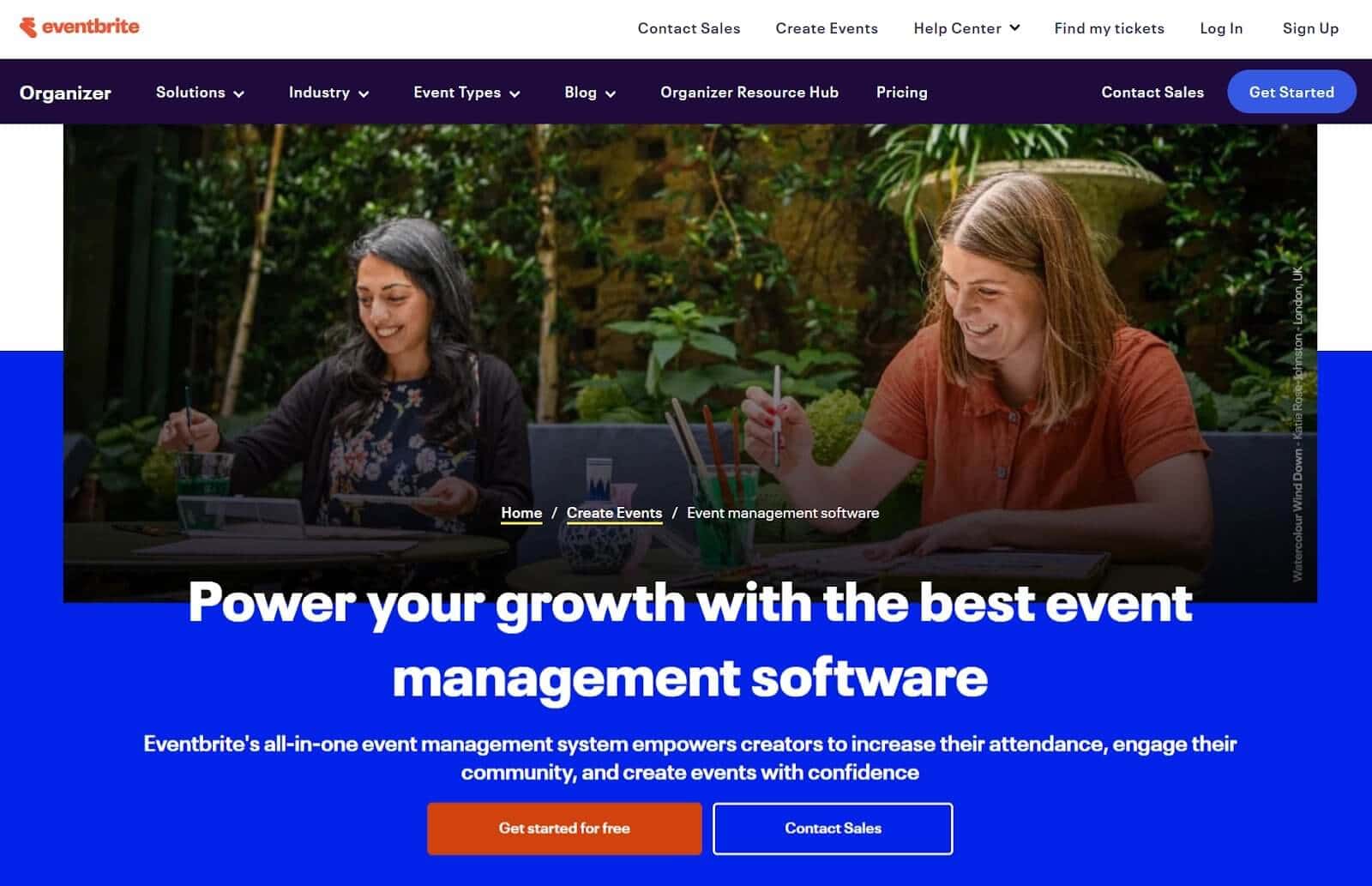
Its primary value is discovery. Events appear in a consumer-facing marketplace where potential attendees actively browse for concerts, workshops, and conferences.
For public events, the built-in visibility drives registrations from people already browsing for things to attend, not just from your existing audience.
Key Features
Events marketplace: Events appear within Eventbrite’s consumer discovery environment alongside concerts, workshops, and festivals.
Self-service ticketing: Fast creation of free or paid events with ticket types, discounts, and capacity controls.
Attendee management: Registration tracking, confirmations, and check-ins via dashboard or mobile app.
Built-in payment processing: Payments clear directly through Eventbrite without requiring a separate merchant setup.
Marketing tools: Basic email and sharing tools to support ticket sales alongside marketplace traffic.
REST API: Public developer documentation with OAuth2 authentication enables custom integrations and data synchronization.
Pros
Marketplace discovery drives incremental registrations: Events are presented to users actively looking for gatherings to attend, not just existing contacts. Capterra reviewers frequently cite unexpected registrations from marketplace browsers.
Minimal setup overhead: Event creation and publishing are fast, with few configuration steps required.
Checkout trust is already established: Attendees recognize Eventbrite confirmations, reducing purchase friction.
Payments handled end-to-end: Useful for teams that prefer not to manage payment gateways or reconciliation logic.
Cons
No engagement layer during events: Eventbrite does not support live polls, Q&A, networking, or session interaction. Any experience during the event requires a second tool. G2 reviewers consistently note this gap, describing Eventbrite as strong for registration but absent during the actual event.
Fees become noticeable at higher price points: Paid events incur a 3.7% service fee plus €1.79 per ticket, plus 2.9% payment processing on the order total.
Limited branding control: Event pages retain Eventbrite’s identity, which can be restrictive for organizations needing white-label experiences.
Product direction in transition: Eventbrite announced its acquisition by Bending Spoons in late 2025, with details of its future roadmap still emerging.
Pricing
Eventbrite publishes pricing clearly. Free events incur no platform cost. Paid events are charged 3.7% + €1.79 per ticket, plus 2.9% payment processing per order. Fees default to the attendee, with the option for organizers to absorb them.
Optional Pro plans add email capacity for €15–€100/month, with nonprofit discounts available. Enterprise pricing requires a sales conversation.
What Real Users Say
A Capterra reviewer representing a collective 5,700+ reviews collectively on the platform notes: “We get registrations from people who found us browsing Eventbrite, not from our marketing. That discovery value is real.”
Meanwhile, a G2 user observes: “Great for selling tickets, but once attendees show up, you need something else entirely for the actual event experience.”
Best Fit
Eventbrite works best when discovery itself is part of your growth strategy—public events, open workshops, or conferences that benefit from being browsed alongside other things to do.
It breaks down once the event experience itself matters. If you need interaction during sessions, attendee networking, or live updates, Eventbrite stops being useful after registration.
4. Accelevents
Best for: Hybrid events where virtual and in-person audiences need to share a single experience.
Accelevents is an event management platform designed for in-person, virtual, and hybrid events. Its distinguishing trait is how it handles hybrid execution: streaming, engagement, registration, and on-site logistics run through a single workflow rather than separate tools.
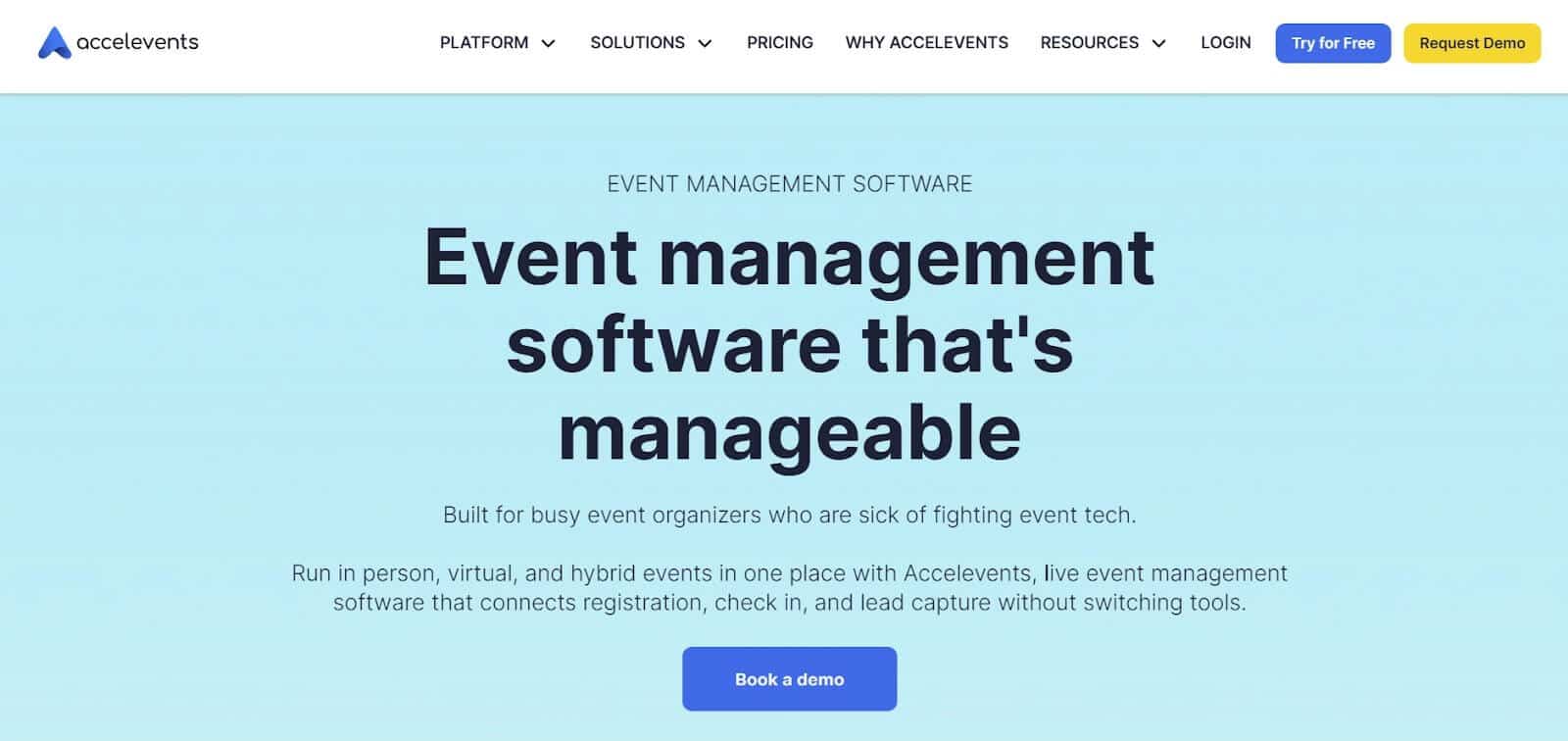
Reviews consistently highlight support responsiveness, shaping how smoothly teams get set up and how quickly they resolve issues on the day of the event.
Key Features
Unified hybrid events: In-person and virtual components managed without parallel systems or integrations.
Registration and ticketing: Flexible forms, approvals, discounts, group registration, and multiple payment processors.
Virtual broadcast studio: Native streaming for sessions and networking without third-party tools.
Built-in lead capture: Badge scanning and attendee data export are included by default.
Live engagement tools: Polling, Q&A, and chat are available to all attendees simultaneously.
Fundraising tools: Auctions, raffles, and text-to-bid features are commonly used by nonprofits.
REST API Access: Public developer documentation available, with API access included in the Enterprise tier and above.
Pros
Hybrid execution feels cohesive: Users on G2 frequently highlight seamless transitions between virtual and in-person components, calling the experience “genuinely unified rather than two platforms duct-taped together.”
Support responsiveness stands out: The 24/7 live support with reported sub-30-second response times addresses a consistent pain point with enterprise platforms where urgent event day issues wait hours for attention.
Pricing floors are visible upfront: Published starting prices allow early budget alignment before sales conversations.
Ease of use despite depth: Capterra reviewers note that the platform handles complex events without requiring extensive training, describing the interfaces as intuitive for first-time organizers.
Lead capture is included without add-ons: Exhibitor data collection doesn’t require extra hardware or per-booth fees.
Cons
Mobile app limitations: Some G2 reviewers report that the mobile experience redirects to the browser rather than providing native functionality, creating friction for attendees who expect app-like interactions.
Analytics accuracy: A handful of users on Capterra mention discrepancies between reported attendance numbers and actual participation, requiring manual verification for critical metrics.
Badge printing quality varies: Output depends on hardware, with mixed feedback on PC setups.
Smaller events may encounter sales friction: Some users report difficulty receiving quotes below certain scale thresholds.
Pricing
Accelevents publishes entry pricing for core tiers:
Professional: starts at €7,500 per event
Business: €13,500 annually with unlimited events
Enterprise / White Label: custom pricing
A 30-day free trial includes Enterprise-level functionality for up to 10 organizers and 1,000 registrations.
What Real Users Say
A G2 reviewer running corporate conferences describes the platform as “the first time our hybrid events actually felt like one event instead of two separate experiences running simultaneously.”
Another user on Capterra notes: “Support response is legitimately fast, I had someone helping me troubleshoot a registration issue within a minute during our busiest check-in period.”
Conversely, a Capterra reviewer cautions: “Double check your attendance reports against actual headcounts. We found discrepancies that would have looked bad if we’d reported them to stakeholders without verification.”
Best Fit
Accelevents is best used as a single execution layer for hybrid events, where virtual and in-person audiences need to feel like part of the same program and support responsiveness matters during live delivery.
It’s not designed for small, low-complexity events or teams that want a mobile-first attendee app without browser redirects.
5. Bizzabo
Best for: B2B organizations where events are expected to function as a measurable marketing channel.
Bizzabo is a B2B event management platform designed to connect event activity directly to marketing and sales systems.
Its core premise is data continuity: attendee behavior, registrations, and engagement flow into tools like Salesforce, HubSpot, and Marketo without manual reconciliation.
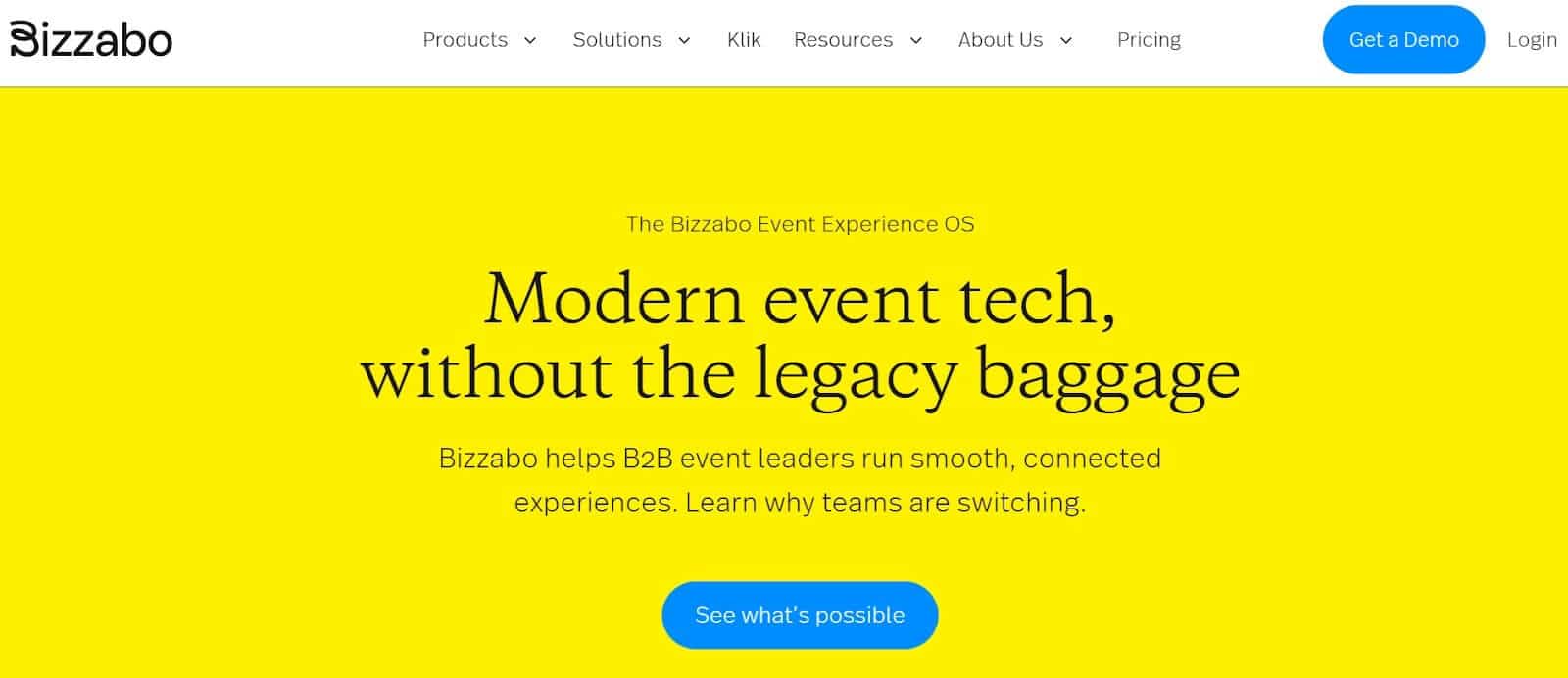
That positioning matters for teams accountable for pipeline influence.
The event coordinator manages logistics. The demand gen manager reports on ROI. Both work from the same dataset, which is the primary reason teams choose Bizzabo over lighter alternatives.
Key Features
Bidirectional CRM integration: Native Salesforce and HubSpot integrations sync data bidirectionally, allowing registration activity to inform CRM records and contact data to enrich event profiles.
Event website builder: Pre-built templates support speaker pages, agendas, and sponsor content.
Klik SmartBadges: NFC-enabled wearable badges track networking interactions, booth visits, and session attendance through physical taps.
On-Site tools: Badge printing, check-in kiosks, and session scanning for attendance tracking across multi-track events.
Networking and engagement: Attendee matchmaking, meeting scheduling, live polls, Q&A, session chat, and targeted notifications.
REST API: Documented developer API enables custom integrations beyond native connectors.
Pros
CRM integration that works well even under reporting pressure: Reviewers consistently describe the Salesforce sync as reliable enough for downstream reporting, not just surface-level data capture.
Marketing Stack Integration Depth: G2 reviewers consistently highlight Salesforce and HubSpot connections as genuinely functional rather than superficial. One user describes the CRM sync as “the first time our sales team actually trusted event lead data.”
Event websites that meet enterprise expectations: Templates produce polished results without design resources, while teams with technical support can extend branding further.
Dedicated customer success support: Multiple Capterra reviewers mention dedicated success managers who provide hands-on guidance during implementation and ongoing optimization.
Hardware-level engagement data: Klik SmartBadges provide physical interaction data that software-only tools can’t capture, making them particularly valuable for ROI reporting to event sponsors.
Cons
Premium pricing: Bizzabo targets mid-market and enterprise budgets. Third-party sources report median contract values of around €54,000 annually, though actual pricing varies by location and requires a custom quote. No free tier or trial exists.
Pricing requires early budget alignment: No published pricing. Evaluation starts after internal budget approval rather than before.
Advanced customization: Users on G2 note that moving beyond template designs demands CSS or HTML knowledge, limiting flexibility for non-technical teams.
Reporting gaps: Some Capterra reviewers describe analytics as strong for surface-level metrics but lacking depth for granular behavioral analysis or custom report building.
On-site workflows depend on hardware reliability: Badge printing and check-in performance can be affected by device or connectivity issues during peak arrival windows.
Analytics depth varies by use case: Dashboards cover standard metrics well, but some teams report limitations when building custom or behavioral reports.
International execution adds cost: Shipping and hardware logistics add complexity and cost to global events.
Pricing
Bizzabo uses a contact-sales model with seat-based pricing. Plans include unlimited events and registrations, with costs tied to the number of internal users.
Third-party data from Vendr reports median annual contracts at around €29,700, with entry points commonly cited at around €18,000/year. GetApp lists starting prices around €10,000 annually. Bizzabo requires a minimum of three users. Add-ons for branding, API access, advanced virtual tools, and on-site command features are priced separately.
What Real Users Say
A G2 reviewer managing annual customer conferences notes: “Finally, our marketing team sees events as a lead source they can measure, not a black box. The Salesforce integration actually works.”
Another user on Capterra cautions: “Beautiful platform, but budget accordingly. We spent nearly double our initial quote once we added the features we actually needed.”
A GetApp reviewer highlights a common frustration: “The check-in kiosks froze twice during our 800-person registration window. Support was helpful, but it still caused lines.”
Best Fit
If your events are expected to appear in Salesforce and influence the pipeline, Bizzabo aligns with how your organization already measures success. Marketing and events operate from the same dataset instead of reconciling reports after the fact.
If pricing needs to be approved before a sales call, or your events don’t require CRM-level attribution, the overhead is likely greater than the value you’ll get.
6. Swoogo
Best for: Event teams running high-volume programs who need predictable annual costs.
Swoogo is an event management platform built around seat-based licensing. Instead of charging per event or per registration, costs are tied to how many internal users need access.
Costs stay fixed as event volume increases, so additional events don’t trigger higher per-event fees or incremental platform costs.
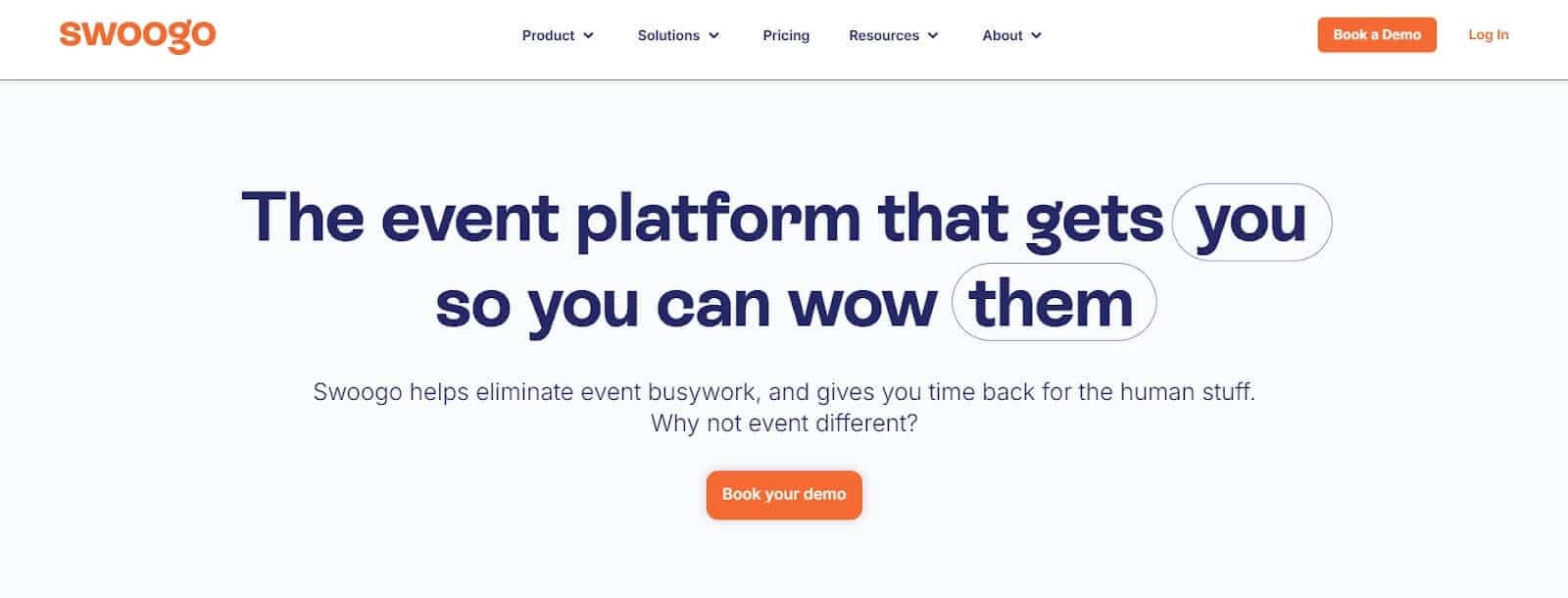
For organizations managing recurring programs, the ability to run unlimited events without recalculating costs each time becomes the primary decision factor.
Key Features
Unlimited events and registrations: All paid tiers support unlimited events and attendee volume.
Unlimited conditional logic: Registration forms support complex branching and routing without feature caps.
Website builder: Drag-and-drop pages with embedded registration and sponsor placement, suitable for most use cases without developer support.
Email marketing: Built-in confirmations, reminders, and segmented campaigns.
On-site check-in: Mobile check-in app included; badge printing requires third-party partner integration.
Enterprise security: SOC 2, ISO 27001, PCI-DSS, GDPR compliance, with SSO and MFA on Enterprise plans.
Open REST API: Public developer documentation enables custom integrations with existing systems.
Pros
Costs remain stable as volume increases: Teams running multiple events avoid per-event or per-registration pricing escalation. G2 reviewers managing portfolios of 10+ events annually describe significant savings compared to per-event competitors.
Registration flexibility for complex programs: The unlimited conditional logic capability consistently receives praise from Capterra users managing complex multi-track conferences with diverse attendee types and pricing structures.
Support familiar with event workflows: Reviewers frequently mention knowledgeable support staff who understand event-specific issues.
Pricing published upfront: The tier structure and dollar amounts are available before sales conversations.
Cons
Mobile app limitations: The mobile app is an add-on rather than included functionality, and some G2 reviewers describe it as more limited than the desktop experience, particularly for attendee-facing features.
Badge printing requires third-party coordination, adding vendor dependency and on-site operational complexity.
During-event engagement depth is unclear: Teams prioritizing live polls, structured Q&A, or session chat should verify capabilities during evaluation.
Entry price point: Professional tier starts at €11,800 annually for one full user plus a reporting user, positioning the platform above budget-conscious buyers despite its unlimited event value.
Pricing
Swoogo publishes annual, seat-based pricing.
Professional: €11,800/year (1 full + 1 reporting user)
3 users: €16,500/year
5 users: €26,000/year
All tiers include unlimited events and registrations. Add-ons such as the mobile app, premium support, SSO, and additional domains are priced separately.
The model becomes more favorable as event volume increases.
What Real Users Say
A G2 reviewer managing a corporate events portfolio explains: “We switched from a per-event platform and saved over €40,000 in the first year. The unlimited registrations alone justified the change.” Another user on Capterra notes: “Registration conditional logic is genuinely unlimited. We built flows with 30+ branching paths that would have cost extra anywhere else.”
Conversely, a G2 reviewer cautions: “The mobile app feels like an afterthought compared to how polished the desktop platform is. We ended up using it mostly for check-in rather than attendee engagement.”
Best Fit
Teams choose Swoogo to gain cost predictability. Pricing remains fixed as event volume grows, eliminating per-event approvals and making recurring programs easier to plan year over year.
The tradeoff is experience depth. Mobile engagement and on-site workflows aren’t as polished as platforms built primarily around the attendee experience.
7. Stova
Best for: Large enterprises running complex, multi-day events where managed services and integrated housing matter more than self-service speed.
Stova is an enterprise event management platform formed by consolidating Aventri, MeetingPlay, and EventCore. It's built for organizations where the complexity of running a large conference exceeds what internal teams can manage alone.
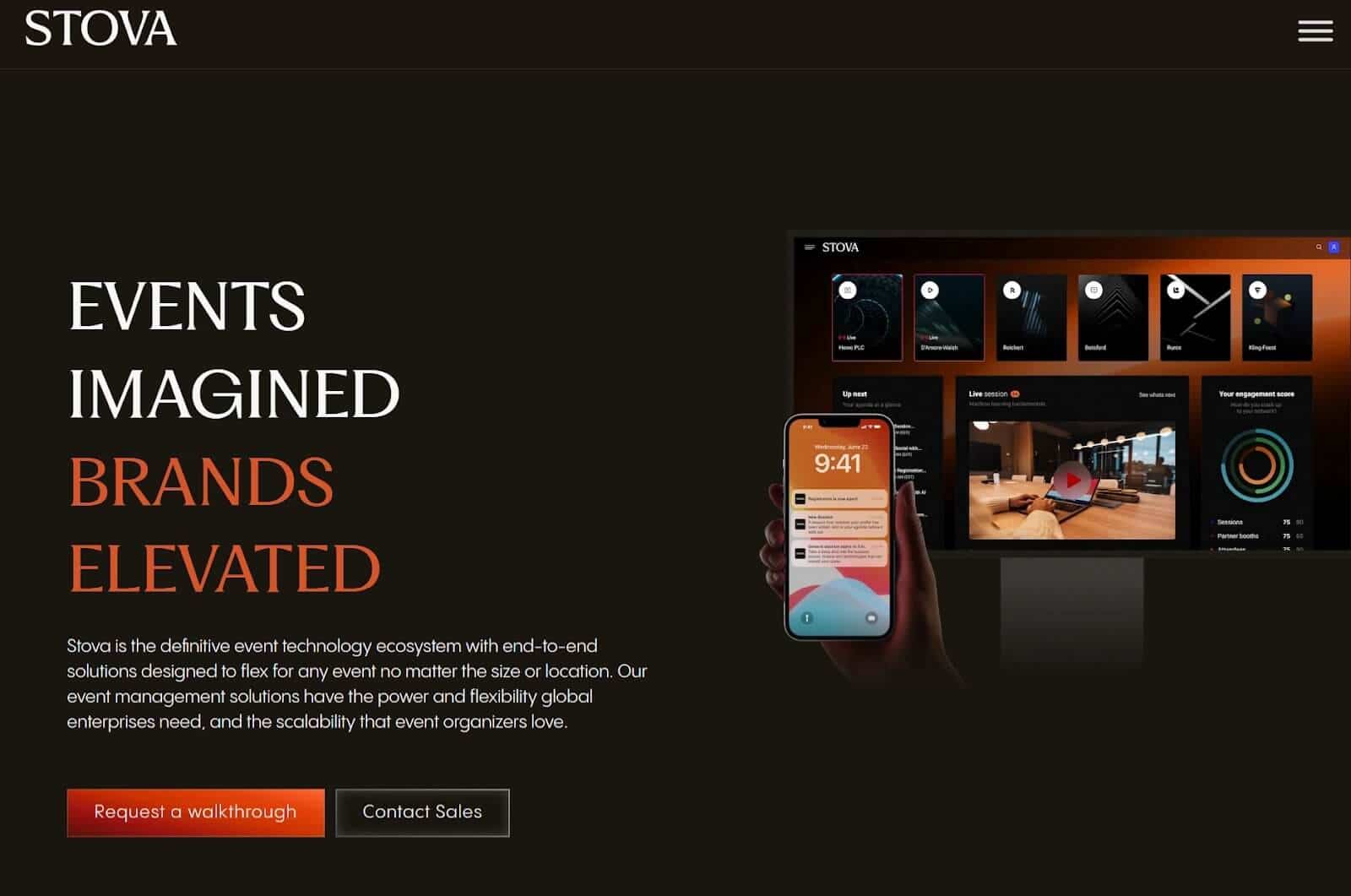
The platform’s defining characteristic is its managed services model. Instead of requiring internal teams to configure and operate the technology themselves, Stova can take responsibility for registration setup, on-site operations, and technical execution.
For organizations that don't want to staff event tech internally, Stova handles it for them, and that's the primary reason to choose it.
Key Features
Managed services: Registration setup, on-site staffing, and technical execution handled directly by Stova’s team.
Housing and travel management: Integrated hotel booking, room block management, and travel coordination for multi-day events.
Enterprise registration: Complex workflows by attendee type, global compliance standards, VIP, and speaker management.
Virtual and hybrid capabilities: Streaming and virtual engagement features inherited from MeetingPlay.
On-site hardware: Badge printing, check-in, NFC, RFID, QR, and facial recognition for attendance tracking.
Real-time interpreting: Interprefy integration supporting multilingual audiences, enabling simultaneous translation for international conferences without separate AV contracts.
Enterprise integrations: Payment gateway connections and marketing automation compatibility with an open API documented at developer.aventri.com.
Pros
Full-service execution replaces internal event tech work: Managed services remove the need for in-house configuration, staffing, and on-site troubleshooting. G2 reviewers running 1,000+ attendee events describe this as essential for their success.
Housing logistics handled within the same system: Travel and accommodation management don’t require separate vendors or platforms.
Comprehensive feature set: Capterra users note genuine depth across registration, housing, and on-site operations rather than surface-level capabilities.
Proven at enterprise scale: The combined platform supports high registration volumes and complex, multi-session agendas.
Reporting is designed for leadership, showing cross-event performance, attendance trends, and business-level outcomes without manual roll-ups.
Cons
Steep learning curve: G2 reviewers consistently mention extended onboarding periods, with one user describing the platform as “powerful but demanding significant training investment before productive use.”
Hidden add-on costs: Multiple Capterra reviewers report unexpected charges for features they assumed were included, recommending detailed scoping conversations before contract signing.
Product cohesion reflects the merger history: Interfaces and workflows can feel segmented across legacy systems.
Limited Integration Ecosystem: Despite API availability, G2 feedback notes a “handful of integrations” compared with competitors that offer broader native connector libraries.
Billing experience draws criticism: Account and technical support are praised, while billing support receives mixed feedback.
Pricing
Stova uses custom pricing requiring sales conversations for specific quotes. GetApp reports starting prices around €10,000 annually, with per-registration models requiring at least 1,000 registrations per year. Fixed-fee enterprise agreements become available once registrations reach 25,000+ annually.
Specific dollar amounts per tier, feature inclusions across packages, and Stova doesn't publish pricing publicly. The pricing structure reflects the enterprise's positioning, with detailed scoping preceding cost discussions.
What Real Users Say
A G2 reviewer managing association conferences explains, “Once our team learned the system, the depth is impressive. Housing management alone saved us from using three separate tools.” Another user on Capterra warns: “Get everything in writing. We were surprised by the costs for features we thought were standard.”
A G2 reviewer notes the merger impact: “You can tell this was three different companies. Some sections feel modern, others feel dated. Training materials don’t always match the current interface.”
Best Fit
Choose Stova if your organization runs large-scale, multi-day events with housing logistics and wants execution handled by a managed services team. The platform suits enterprises that are prepared for longer onboarding cycles and formal procurement processes.
Look elsewhere if you need pricing transparency, fast self-service deployment, or a lightweight interface. Smaller teams and lower-volume programs will find the cost and complexity disproportionate.
How to Choose the Right Event Management App for Your Needs
Start with What Already Works
Before comparing feature lists, take inventory of what’s already in place. If registration runs reliably and payments process without friction, replacing those systems adds costs without solving a real problem. In that case, the gap is the during-event layer: schedules, updates, interaction, and navigation.
If you have registrations scattered across spreadsheets, emails, and calendar invites, a full platform reduces coordination overhead by consolidating those functions in one system.
The decision hinges on whether you’re replacing broken infrastructure or extending what already works.
Match Pricing to Your Event Frequency
Event cadence changes, so which pricing model makes sense?
One to two events per year: Per-event pricing keeps spending proportional to use.
Four to six events annually: Annual licenses start to level out, depending on attendee volume.
High-volume programs: Seat-based models reward scale by eliminating per-event math entirely.
Per-ticket pricing adds another variable. It’s predictable, but becomes noticeable as ticket prices or volumes increase. The right model depends less on platform quality and more on the number of events you run.
Be Honest About Your Team’s Technical Capacity
Some tools are designed for speed. A single coordinator can launch registration or an event app in hours without technical support.
Others assume deeper involvement: training cycles, IT participation, and, in some cases, front-end customization skills for branding. That investment can be worth it, but only if the team has the capacity to use the platform fully.
The most effective tool is the one that gets used, not the one with the longest feature list.
Run the Budget Math on Your Actual Scenario
Budget constraints narrow the field quickly. Typical ranges look like this:
Under €500 per event: Lightweight, per-event tools or free ticketing for small gatherings
€500–€2,000 per event: Professional tiers or hybrid-capable platforms for mid-size events
€10,000–€18,000+ annually: Enterprise platforms where annual contracts support scale and complexity
Beyond list prices, factor in time costs: onboarding, training before productive use, per-user fees that grow with headcount, and integration work if systems don’t connect natively.
Those costs don’t always appear in pricing tables, but they affect total ownership more than feature differences do.
Conclusion
Your decision often comes down to one question: Are you building your event stack from scratch, or extending what already works?
If you're starting from scratch, you'll benefit from full platforms that consolidate registration, ticketing, and engagement into a single system. Each option in this guide emphasizes a different priority—networking depth, discovery, hybrid execution, CRM attribution, volume economics, or managed services—so you can choose based on what matters most for your events.
But if your core systems are already in place, your decision shifts. Your problem isn't registration or payments—it's execution during the event itself. You need attendee communication, real-time updates, and interaction that sit outside what your registration and CRM tools handle. That's a narrower problem, and it doesn't require you to migrate systems that already function.
Standalone event apps address that layer directly. You deploy them alongside your existing tools, get them running quickly, and focus exclusively on the attendee experience upon arrival.
The fastest way to know whether engagement—not logistics—is your real constraint? Use a free build-and-preview option to validate whether that layer closes your gap before you commit budget.
Try LineUpr for free. Build your event app now and previuew the full experience before commiting. No credit card, no sales call. Just see if it works for your event.
FAQs
What’s the difference between event management software and event planning software?
Event planning software focuses on pre-event logistics: venues, vendors, budgets, travel, and timelines.
Event management software focuses on attendee-facing operations: registration, ticketing, communication, and during-event engagement.
The terms overlap in practice, but the distinction matters when evaluating tools. Searches for “event management apps” point to the attendee experience layer rather than logistical back-office systems.
Can I use event management apps for small events with fewer than 50 people?
Yes. Smaller events benefit more from per-event pricing, where costs scale with usage rather than annual commitments.
Complexity matters more than headcount. A 30-person workshop doesn’t need enterprise housing management or CRM attribution. Matching the tool scope to the event scale prevents unnecessary overhead.
What happens if my event app provider goes down during the event?
Some tools cache content locally, allowing attendees to access schedules and information even if connectivity drops. Others rely entirely on live connections.
Enterprise platforms may include uptime commitments, but service-level guarantees vary. Ask vendors how attendees are affected during outages, what redundancy is in place, and how many times downtime has occurred historically. It’s a practical question that feature comparisons rarely cover.
How do I track event success with these apps?
Most platforms provide engagement metrics such as attendance, session participation, and interaction. Depth varies by tool. Our guide to analyzing event statistics covers measurement approaches regardless of which platform you choose.
Define success first. For some teams, it’s attendance. For others, it’s engagement, leads, or post-event satisfaction. Choose a platform that measures what actually matters to your event goals.
What’s the best way to promote my event app to attendees?
Adoption starts before the event. Share access details in confirmations and pre-event emails. Use QR codes on badges, signage, and slides. Reference the app during opening remarks.
The strongest driver is dependency. When schedules, updates, and room changes live in the app not on paper, because attendees use it by default.