6 Guidebook Alternatives for B2B Events (+ No-Download Options)
May 21, 2026 · Wout Criekemans · 14 minute read
Table of Contents
If you're looking for Guidebook alternatives, you probably need an event app builder more suitable for corporate events. Guidebook is a popular option for universities and college programs; or any event where organisers already know their attendees and can reasonably influence them to download the app.
For B2B events, where professionals from other companies are your attendees, most organisers run into three friction points with Guidebook:
- Access: Your attendees work for companies where the IT team controls which apps staff can install — for security, compliance, and MDM policy reasons. That means your agenda, speaker list, live polls, and Q&A (everything that should make the event engaging and memorable for your guests) is locked behind an app store that many of your guests can't.
- Pricing: Guidebook's model is structured for organisations with predictable annual volume — although several users with that kind of commitment still consider its pricing a bit steep. If you run three to five events per year, you'd be overpaying for the times you're not running events.
- Branding: At Guidebook's entry tier, you don't have access to essential branding and customisation features that give your event the professional look and feel. Six basic colours per app theme, you can't put your logo on push notifications, or white-labelled sponsors. For coordinators who don't need to be locked into a recurring plan, that's a constraint to worry about.
For this article, we look at six Guidebook alternatives suitable for B2B events, starting with LineUpr; the only option that provides direct no-download access to B2B guests, full customisation features, and pay-per-event.
If your next event is in the next 90 days and you're not sure your attendees can install an app, LineUpr's browser-based builder takes under an hour to set up.
Try LineUpr for free. Build your event app now and preview the full experience before committing. No credit card, no sales call. Just see if it works for your event.
What Should You Look for in a Guidebook Alternative for B2B Events
| Criterion | What we tested | |
|---|---|---|
| 1 | Attendee access | Do they have to install an app? Does the app behave reliably at runtime? Does it work on managed devices? |
| 2 | Pricing fit | Does the model match the cadence of events a B2B events coordinator runs? Is there a free build-and-preview tier? |
| 3 | Branding control at the entry tier | Theme colours, logos, vendor branding removal, at the price the buyer can afford |
| 4 | Feature depth | Does it handle the full event lifecycle in one place — sessions, speakers, engagement tools, and post-event reporting, without stitching together separate tools. |
6 Guidebook Alternatives for B2B Corporate Events
The Guidebook app alternatives at a glance:
| Tool | Download required? | Entry pricing | Branding at entry tier | Best for |
|---|---|---|---|---|
| LineUpr | No, works as a web app in any browser | From $179/event | Full theme control, custom logo, custom icon | B2B corporate events, external attendees on managed devices |
| Eventee | Optional, web fallback on all plans | $1,499/event (500 attendees) | No custom branding or domain until $4,999 tier | Small to mid teams who want a native app with a web fallback |
| Yapp | Yes | $399/app/year | Limited | Internal events where IT controls the devices |
| Whova | Yes | Custom quote + 3% + $0.99/paid ticket | Not published | Large conferences (1,000+ attendees) where networking is the centrepiece |
| EventMobi | Yes | $3,000/event or $8,900/year | White-labelled on all paid plans | Enterprise teams running 10+ events/year with dedicated ops |
| Sched | Optional, basic web access available | $600/year (250 attendees) | Thin, white-label starts at $3,900/year + $1,000 setup | Multi-track conference schedules, academic events |
1. LineUpr: The best B2B event organisers that need direct, zero-friction guest access
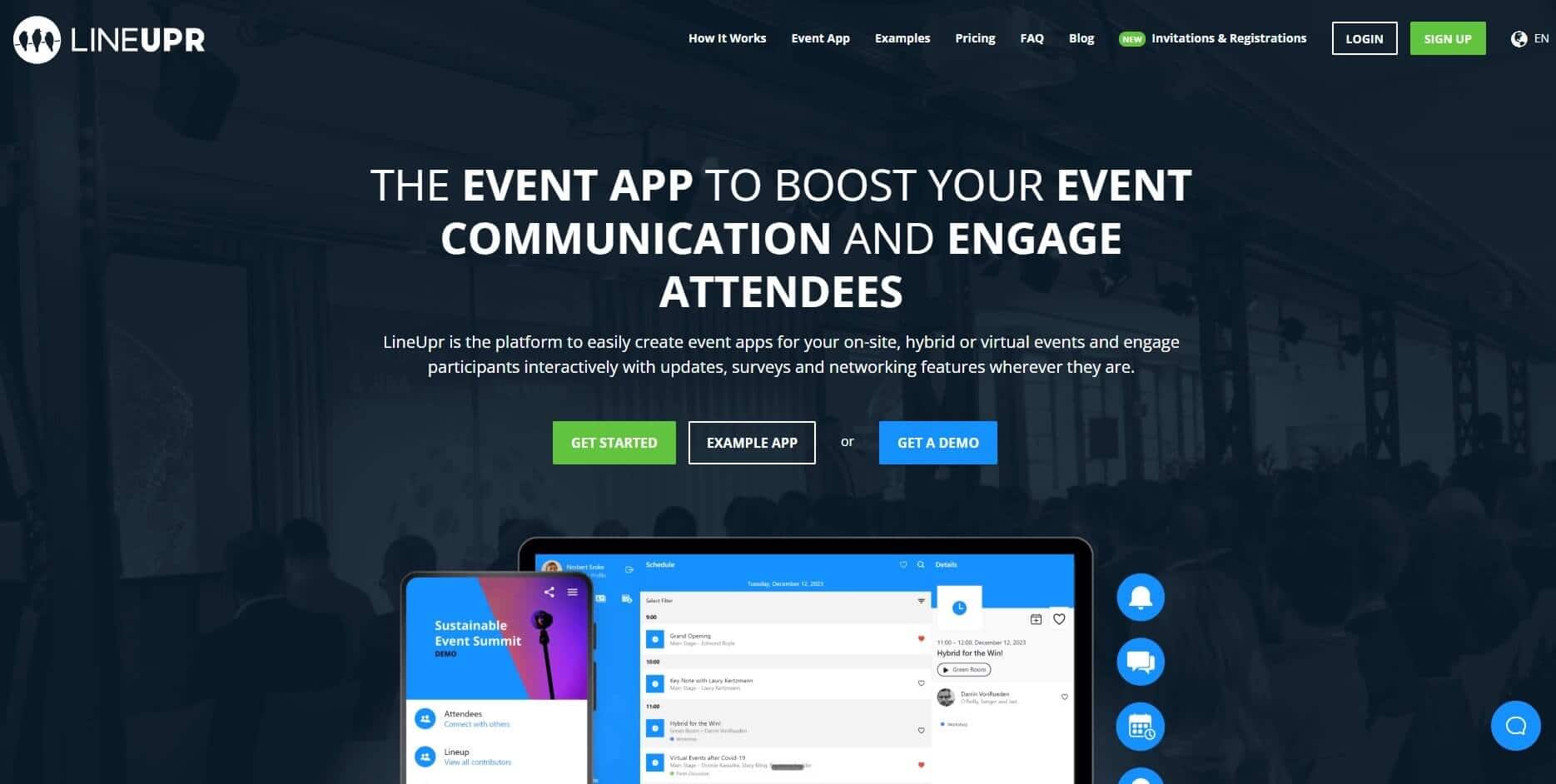
LineUpr is a self-service event app builder for non-tech B2B event coordinators. It lets you build and launch a fully branded event app your attendees can open and use, without an App Store download or developer's help. This way, you get a professional app live in hours and every attendee in the room can use it, including those on corporate-managed devices.
For B2B events specifically, the no-download option matters. Your attendees can scan a QR code or tap a link to load the full branded app in their browser in two seconds. This is how GRENKE AG, a financial services company, was able to "get started immediately" at their annual leadership conference of 130 senior leaders.
How LineUpr works:
Get a branded event app live in hours
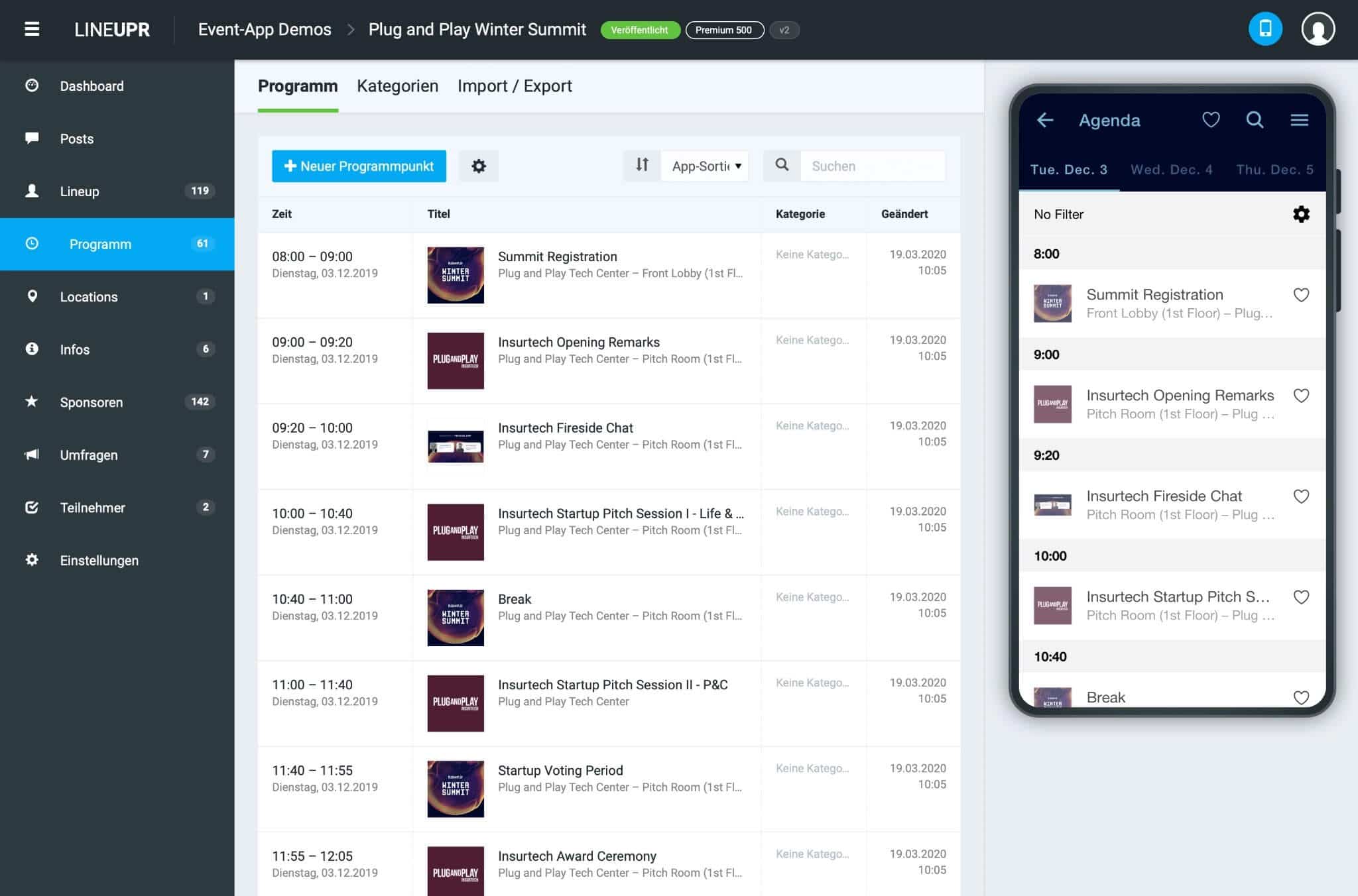
The App Manager is LineUpr's visual builder. You open it in the browser, paste in your agenda, upload speaker profiles, drop in venue maps, and add sponsor listings. A live preview renders on the right as you build, on the layout attendees will see. Without an IT team to help, you can ship an event app yourself.
The simplicity of the design matters because without it, you'll rely on the event app's developers for everything. Armin Pialek at the BMW Foundation Herbert Quandt described their previous set up as custom-programmed. "It was tedious," he said, "requiring lots of communication and time with developers, and we had only limited ability to change the app ourselves. The backend was very static."
With LineUpr, the foundation now updates the app themselves at any point in the event lifecycle, including live changes during the event. Because LineUpr is browser-based, the event URL can also stay live after the conference, so attendees can reference it.
Move attendee adoption from an assumption to a number you can measure
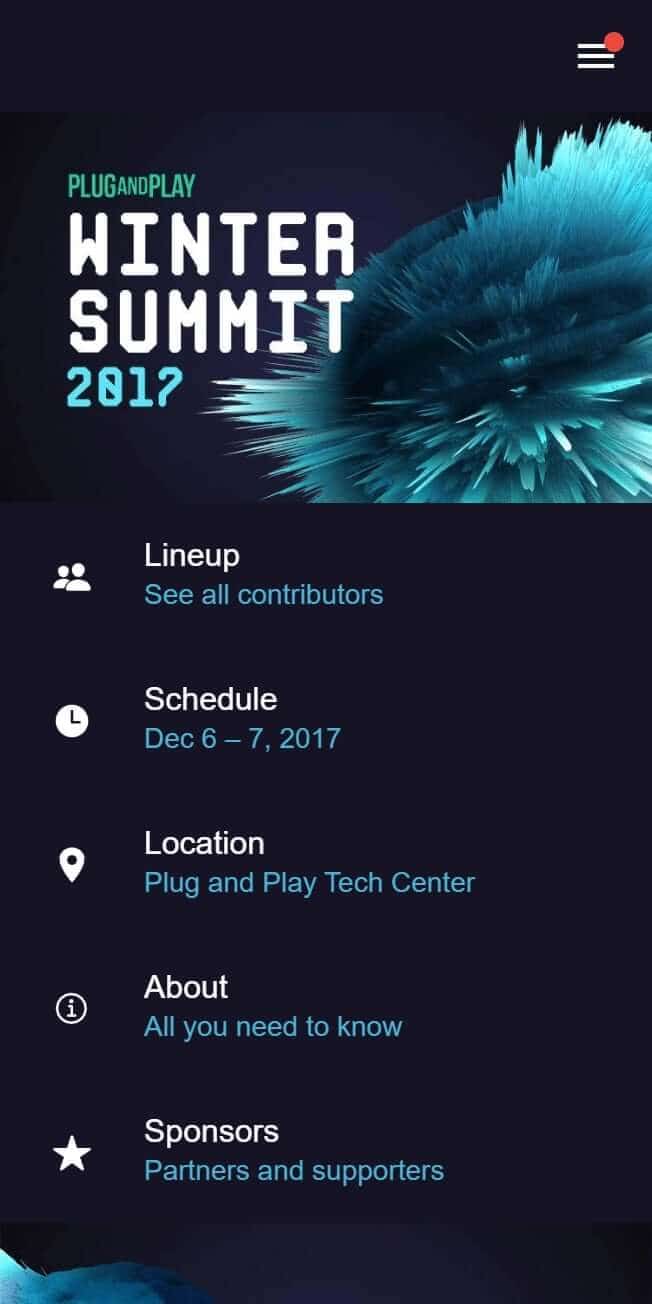
With LineUpr, you can print a QR code on the registration badge or include the event URL in the confirmation email. Attendees scan or tap the link, and they're inside your branded event app in two seconds.
They also don't need to reset passwords or open emails multiple times before they log in. Amanda R., who has used Guidebook for three years for university events, wrote that "the whole process of having to click a link in an email to log in creates huge issues when some phones block the link." That entire workflow is gone in LineUpr, because the workflow is the URL and a QR code.
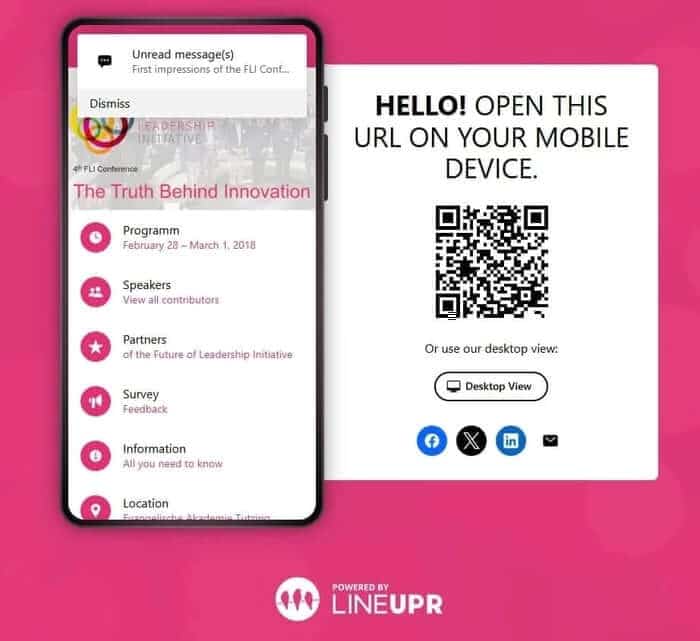
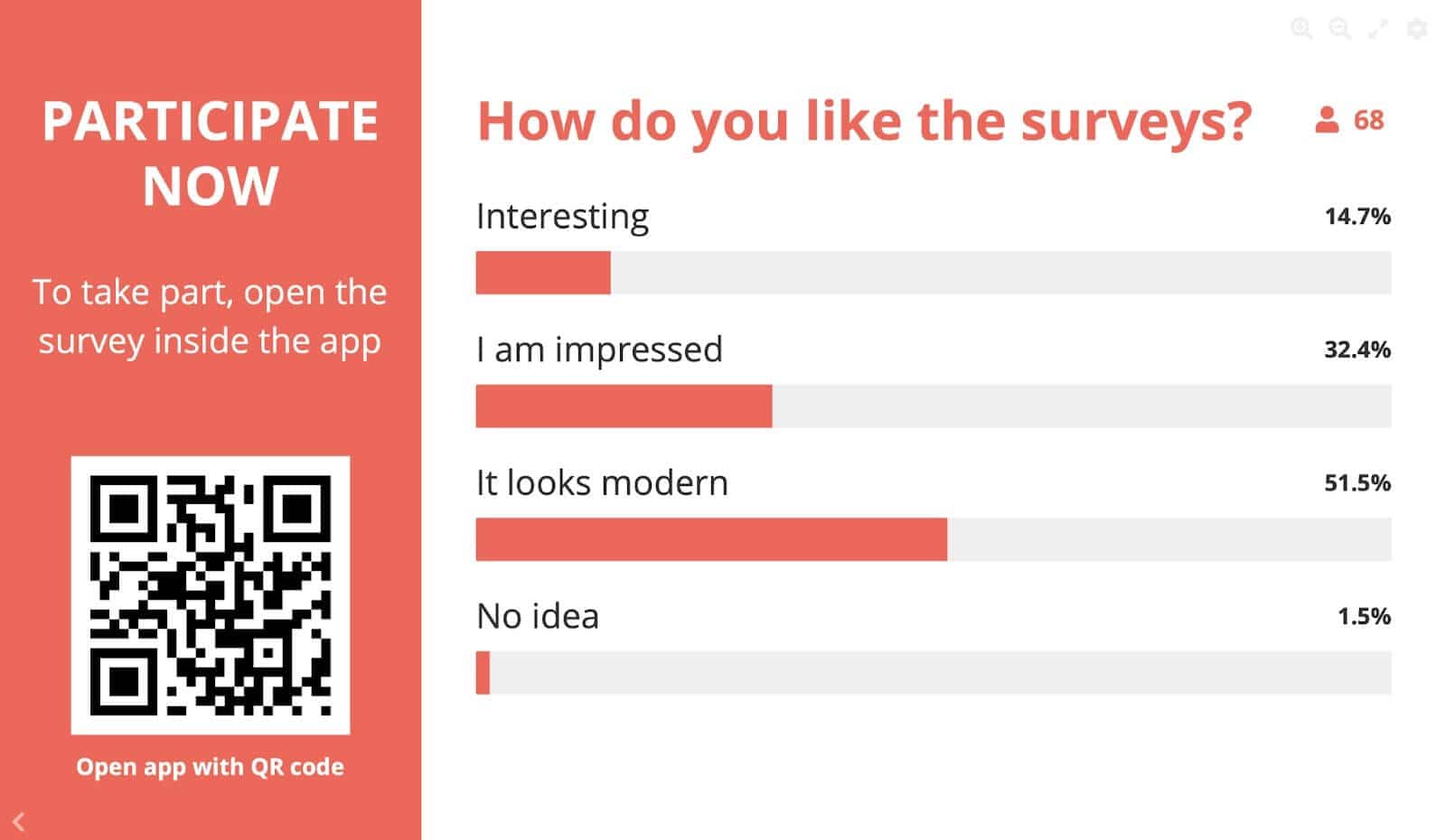
Inside the web app, attendees can see the live agenda and build a personal schedule by tagging sessions they plan to attend. They can also vote in live polls and submit questions through the Q&A anonymously. You can then sort and prioritise questions in real time so the best ones get answered.
For networking, each attendee creates a profile (photo, job title, contact info) and can message others directly. If they spot someone they want to meet, the Appointments add-on lets them request a slot and get a table assigned.
Each session also carries the speaker's bio, photo, contact details, and links in one place. Tap the session, see the speaker. That is a direct fix for the experience Laurel J. described with Guidebook, where she "couldn't include presenter information within the session details, which forced me to create separate features for introducing speakers."
StrategieWerkstatt measured 71 per cent of attendees actively using the app on event day at their 210-person strategy conference. GRENKE AG's back-office team was, in their words, still raving about it afterwards.
Pay per event, at a price that matches your event schedules
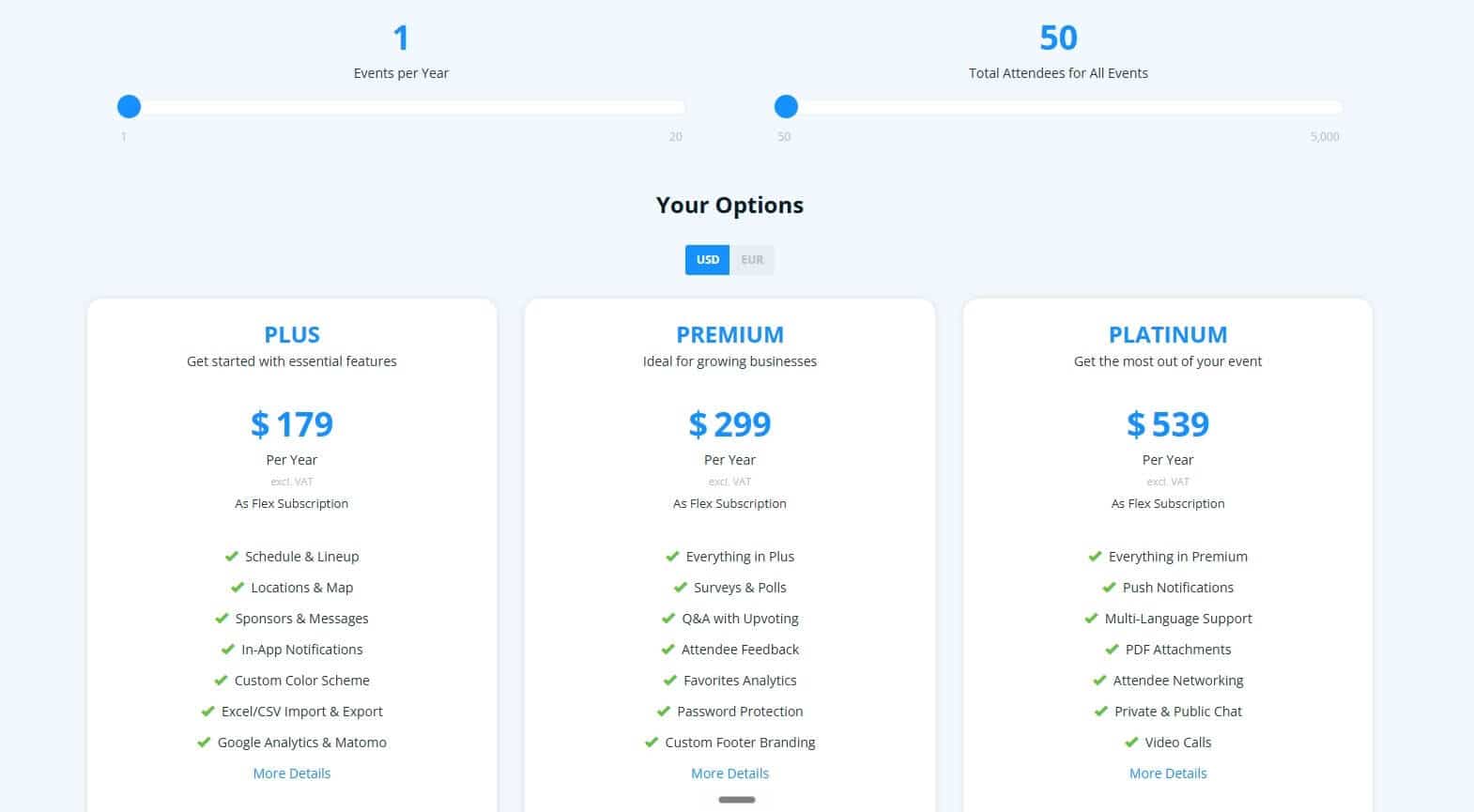
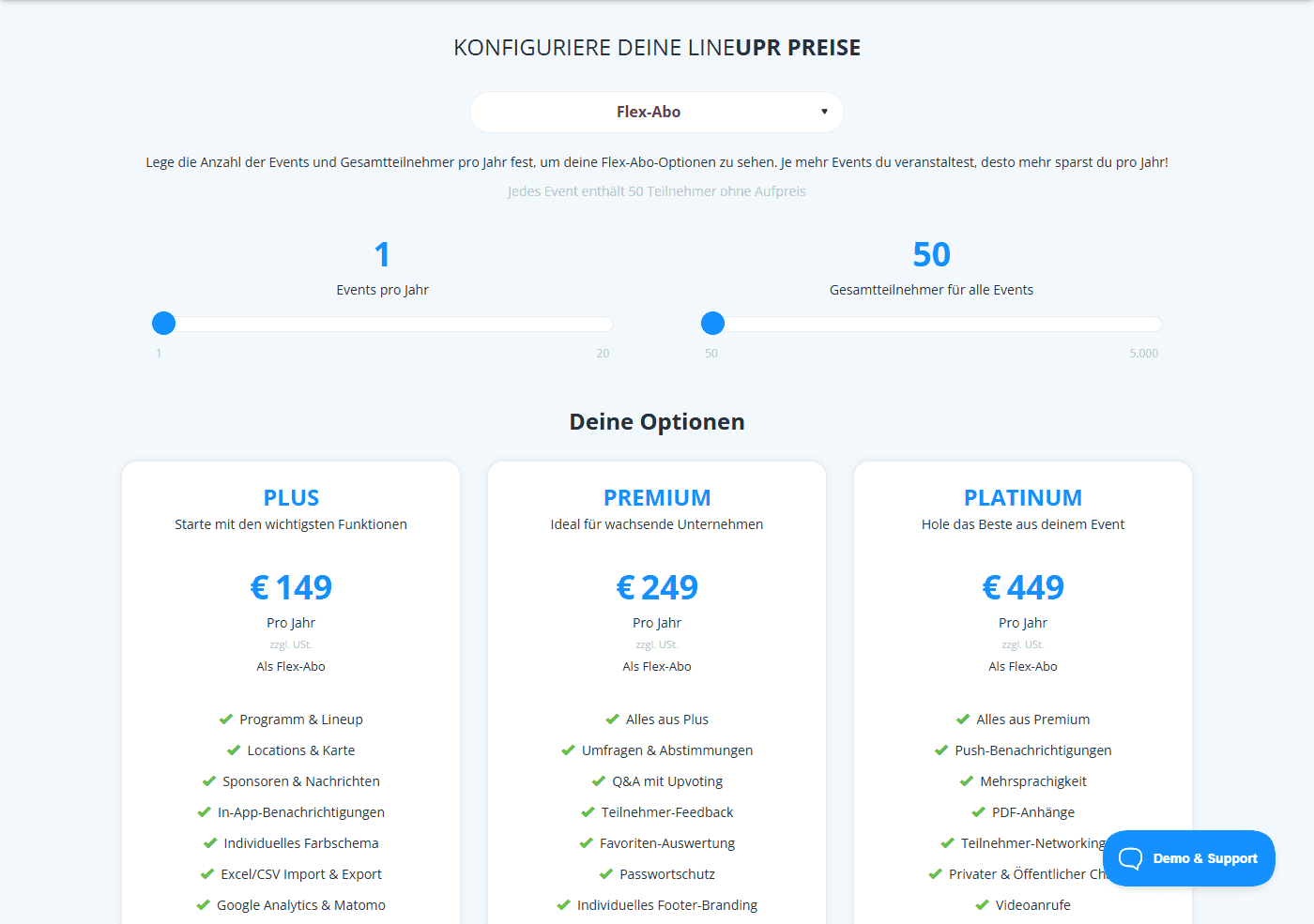
The pricing scales based on your volume, and if you plan eight events per year, with a total of 400 attendees, you'll pay a total of $1,144 to $3,348, which is still considerably cheaper than the $3,750 Guidebook charges for single events.
Try LineUpr for free. Build your event app now and preview the full experience before committing. No credit card, no sales call. Just see if it works for your event.
2. Eventee
For small to mid teams who want a balanced feature set with a web fallback
Eventee offers a native iOS/Android app and a web app for attendees who don't want to download anything. It has a pay-per-event Solo plan at $1,499 (500 attendees), a Business plan at $2,999 (1,000 attendees over six events), and an Enterprise plan at $4,999 (3,000 attendees over twelve events). If you have less than 500 attendees, you're bound to pay $1,499 regardless, which makes the pricing more rigid than other Guidebook alternatives for B2B events builder apps.
Eventee's networking is solid, but its matchmaking is built for events where attendees fill out detailed profiles in advance. For a closed B2B corporate event with a curated guest list, you may pay for that depth without needing it.
Why we chose Eventee
It's the strongest option on this list for teams who want registration, check-in, and attendee engagement in one system, and are comfortable with a mobile app.
Key features:
- Native iOS and Android app with offline access
- Web version available on all plans
- Live Q&A, polls, and a social wall
- Personal agenda building
- Attendee networking
- Custom branding included on all plans
- Badge printing and check-in tools
- Free trial available before purchasing any plan
Pros:
- Web version on all plans means attendees on managed devices have a usable fallback at no extra cost
- Free trial available on all tiers before purchase
- Pricing published openly, no sales call required to budget
Cons:
- It's primarily a mobile app, which means attendees on company devices may not download it. It has a web version fall-back but it doesn't provide the full app experience.
- Custom branding and domain features require the $4,999 Enterprise tier
Pricing:
- Solo: $1,499 per event of 500 attendees.
- Business: $2,999 per 6 events of 1,000 attendees per event.
- Enterprise: $4,999 per 12 events of 3,000 attendees per event.
3. Yapp
For internal company events, sales kickoffs, or partner events on managed devices
Yapp is a no-code app builder that charges between $399 and $799 per year for one app. You'll pay between $1,596 and $2,396 for four events/year, which might be quite expensive if you're on a budget.
Attendees also have to install the Yapp app to access your events. For an internal sales kickoff where IT has already pushed Yapp to managed devices, that's not an issue. For an executive dinner with attendees from other companies, you're back to the download problem this article is trying to help you avoid.
Why we chose Yapp
It's the right option for internal events on managed devices where IT has approved the app in advance, and your primary need is an agenda rather than an event engagement platform.
Key features:
- Drag-and-drop app builder
- Schedule and agenda pages
- Push notifications
- Photo sharing
- Basic speaker and sponsor pages
- CSV bulk content upload on Core plan and above
Pros:
- Fast to set up with no technical knowledge required
- Predictable annual pricing with no per-event fees
- Volume discounts apply when purchasing multiple apps
Cons:
- Native app, requiring attendees to download.
- Analytics are only available on the Core plan ($649/year) and above.
- Not designed to scale beyond small, simple events. You can't use Yapp for a complex multi-track conference.
Pricing
- Basic: $399/year, one app
- Core: $649/year, adds analytics and CSV import
- Team: $799/year, adds multiple administrators
4. Whova
For B2B events where networking is the centrepiece
Whova is an app-first event platform that serves mid-to-large conferences with agendas, polls, Q&A, networking, and sponsor lineups. Its differentiator is networking depth: AI-suggested meet-ups, a community board, and direct attendee messaging. If your event is a 1,000-attendee conference where attendees expect to find each other, Whova is built for that.
The download requirement still applies. You'd need QR posters and pre-event email reminders to drive installs. Pricing is quote-only, and add-ons stack: a 3 per cent transaction fee plus $0.99 per paid ticket if you use their registration system, with extra costs for badge printing and lead retrieval.
If that pricing doesn't suit your needs, check out our list of top-rated and affordable Whova alternatives.
Why we chose Whova
It's the strongest option on this list for large conferences where networking is the primary attendee outcome and the organising team is comfortable with using a mobile app.
Key features
- Attendee community boards and in-app group discussions
- Networking matching and direct attendee messaging
- Session Q&A and live polling
- Gamification and leaderboards
- Personal agenda building
- Speaker, sponsor, and exhibitor pages
Pros
- The networking and community features are genuinely differentiated. For an event where attendees should leave with new contacts, Whova's matching and messaging tools are specifically built for that outcome.
Cons
- Attendees must install and actively use the app, which can be harder for B2B attendees with company-managed devices.
- Networking depth goes unused at events where attendees already know each other
- Quote-only pricing makes preliminary budget planning difficult
Pricing
Custom per-event quotes. What we know is that Whova charges 3.0 per cent plus $0.99 per paid ticket if you use their registration system. More on Whova pricing here.
5. EventMobi
For Enterprise organisations running 10+ events per year with dedicated event ops
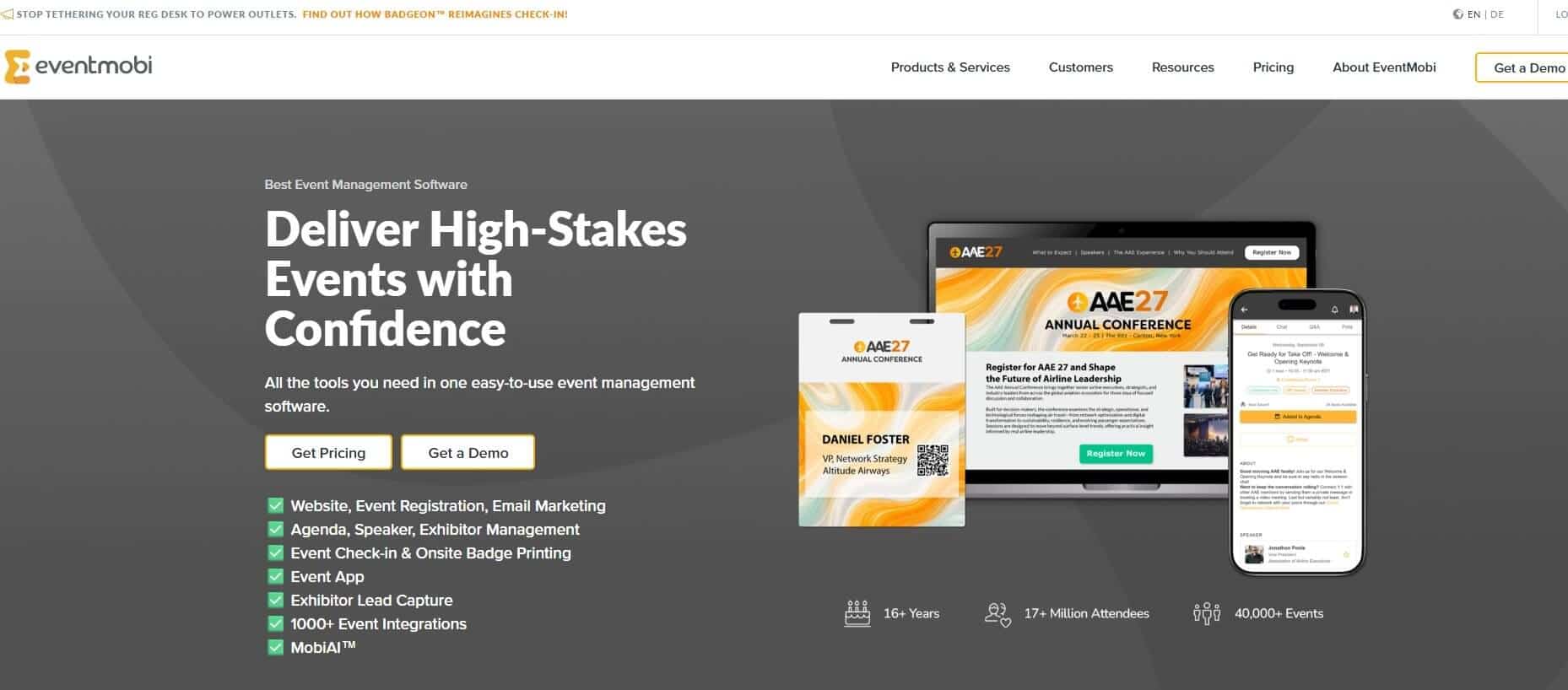
EventMobi is a white-labelled native event app platform with CRM-grade integration depth, covering 100-plus platforms including Salesforce and HubSpot (starts at $1,000/integration). It also provides professional badge printing, lead capture, hybrid event support, and a dedicated Event Success Manager on the annual plan.
For an enterprise events function running 10 or more events a year with a dedicated ops team and budget, the feature set matches the scale. For a B2B coordinator running three events a year alongside other responsibilities, the entry price and setup expectations don't match.
Why we chose EventMobi
It's the right option for enterprise event teams with dedicated staff, CRM integration requirements, and budget that absorbs the $3,000 per event floor price.
Key features:
- White-labelled native app for iOS and Android
- Session management with personal agenda building and capacity controls
- Hybrid and virtual event streaming support
- Post-event analytics and engagement reporting
- CRM integrations including Salesforce
- Sponsor and exhibitor management
- On-site badge printing and check-in tools
Pros:
- The white-label app gives each event its own identity in the app store
- Analytics reporting goes beyond session counts. For enterprise events where attendee engagement data informs sponsorship packages or internal business cases, this depth is a genuine differentiator.
- Support quality is consistently strong at the enterprise tier.
Cons:
- Requires an App Store or Google Play download.
- Entry price of $3,000 per event is difficult to justify for small-to-mid events
- The platform assumes teams have a dedicated events team. Small organising teams will find more setup complexity than their event requires.
Pricing:
- Per-event: from $3,000/event
- Annual: from $8,900/year for unlimited events
- Additional costs for badge printing, hardware rental, streaming, and integrations
6. Sched
For detailed multi-track academic schedules
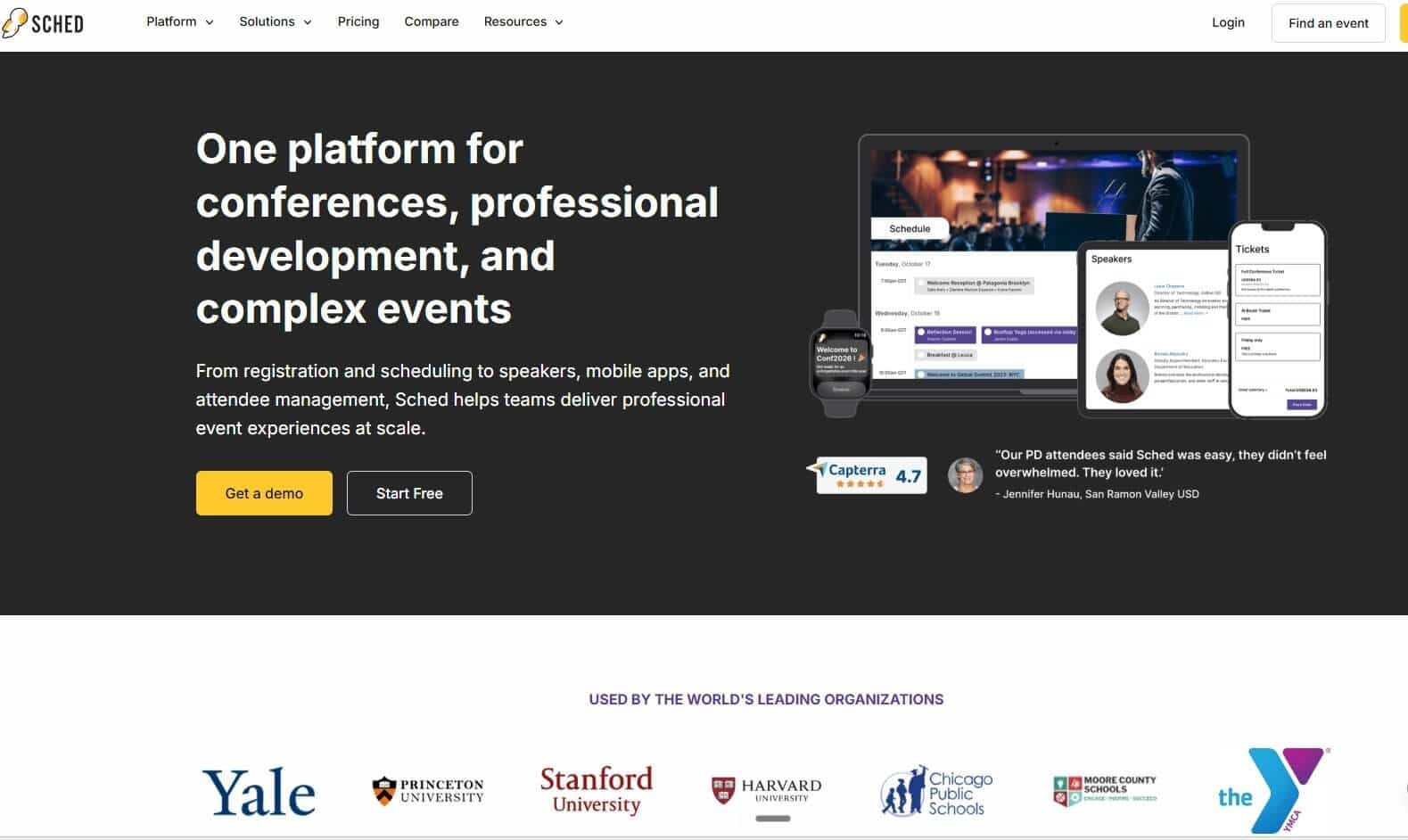
Sched handles complex conference schedules exceptionally well: multi-track and multi-day agendas across many rooms, where attendees need to build personal schedules and find their next session by venue or speaker. The platform's core audience is academic conferences, K-12 events, tech meetups, and open-source community summits. These are events where the schedule itself is the product.
In terms of design, Sched is a hybrid. Attendees can use the web app in any browser without downloading an app. Their pricing is per-event and scales by attendee count, with 250 attendees included in every paid plan.
Why we chose Sched
It's good for conference-style events where multi-track schedule navigation is the primary need of every attendee.
Key features:
- Personal agenda building with session capacity and waitlists
- Multi-track schedule display with AI conflict detection on higher tiers
- Speaker and session profile pages
- Attendee check-in tools
- Web access alongside the native mobile app
- Real-time schedule updates
Pros:
- It has an advanced schedule management interface for multi-track programmes.
- Web access provides a no-download fallback for attendees who prefer the browser, though the experience is more limited.
- Annual subscription suits organisations running a high volume of events across the year.
Cons:
- Branding customisation is limited at lower tiers. The platform's visual identity remains more prominent than most corporate events would accept
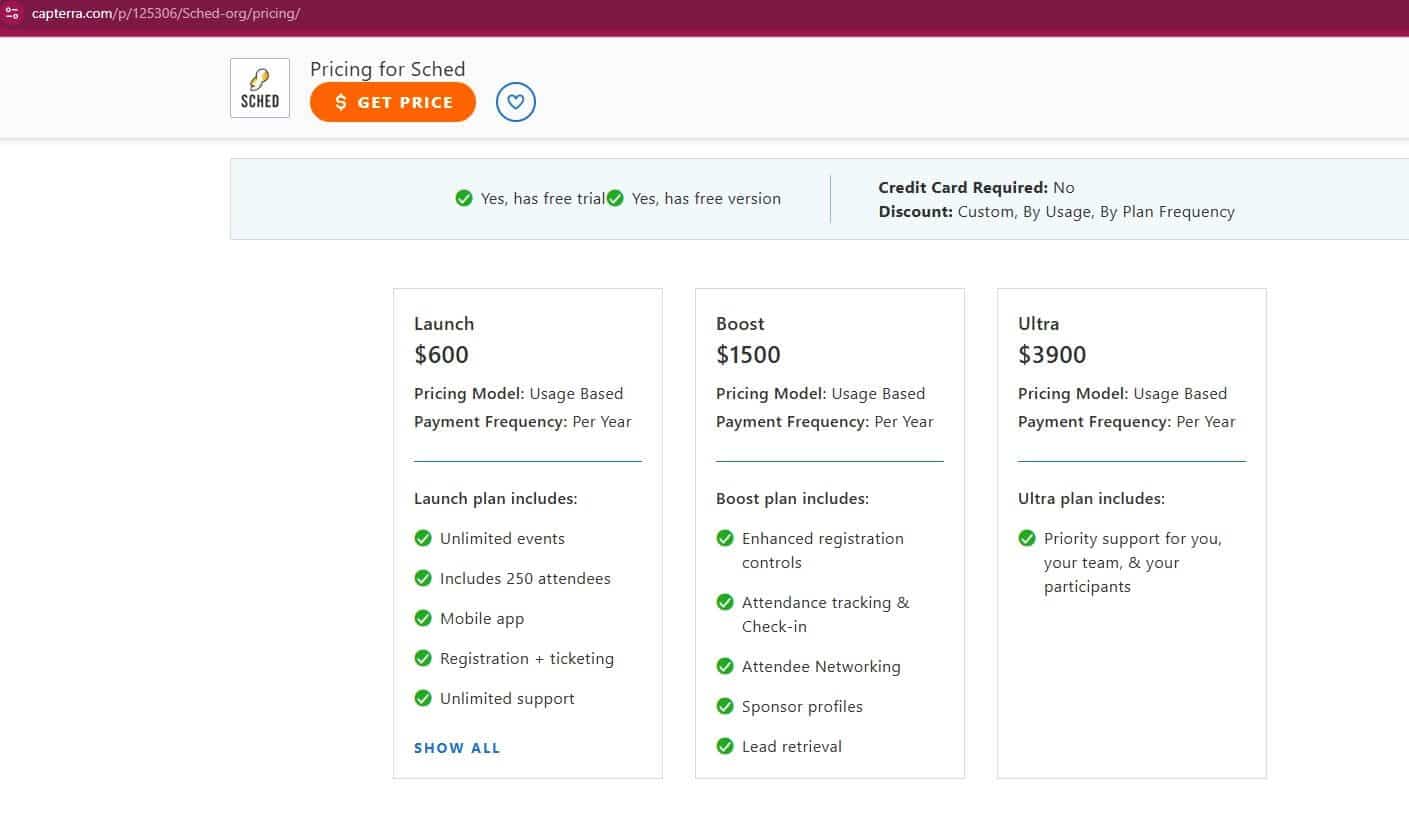
- White-label option costs up to $3,900 per year plus a $1,000 setup fee
Pricing:
- Launch: from $600/year (250 attendees)
- Scales to $3,900/year for 1,000 attendees
- Additional costs for attendee overages, branded app setup, and ticket sales transaction fees
The right tool depends on what you need
The B2B coordinator searching for Guidebook alternatives has already done the hard part of identifying what isn't working. The remaining question is the failure mode you're solving for.
If it's the app store download friction, LineUpr provides a browser-based app for your attendees. If it's cost, LineUpr's per-event pricing means you pay for what you use. And if it's setup time, you can use LineUpr's App Manager to build a complete event app live in under an hour.
You can preview what your event app could look like before you commit.
Try LineUpr for free. Build your event app now and preview the full experience before committing. No credit card, no sales call. Just see if it works for your event.