Whova Alternatives: 6 Affordable Options for Small Teams in 2026
March 11, 2026 · Wout Criekemans · 22 minute read
Table of Contents
- 1. LineUpr: Best Whova Alternative For Small Organisations Without A Dedicated Event Team
- 2. Sched: Affordable Whova Alternative for Complex Multi-Track Programs
- 3. Yapp: Best Whova Alternative for Budget-Conscious Teams– Flat Fee, Zero Attendee Caps
- 4. Eventleaf: Whova Alternative Best for Check-In, Badge Printing, and a Mobile App In One Place
- 5. Eventify: Great Whova Alternative for Small B2B Teams That Need Networking for Conferences
- 6. Eventee: Reliable Whova Alternative for Registration, Engagement, and Reporting in One Place
- Which Whova Alternative Is Right for You?
- FAQs
If you research Whova alternatives online, most of the results you'll see are platforms that primarily serve large enterprise event teams. But these options won't be a good fit if you're a smaller team with one or two non-technical people organising professional events as part of a broader role.
Instead, the best Whova alternative for teams in that situation will be a platform that:
Lets attendees access the event without friction. If people hear about the app at check-in, a download step loses you half the room before the first session starts.
Gets you live fast and keeps you in control when things change. A speaker cancels the morning of the event. A room moves thirty minutes before a session. The right platform ensures every attendee knows immediately.
Prices for the way you actually run events. Two or three events a year with 100–400 attendees shouldn't cost what a 10,000-person trade show costs.
However, not all Whova alternatives for smaller teams work the same. While most are affordable, some are best for session scheduling, others for events where agenda management is the primary outcome.
In this guide, we'll cover six alternatives across those different use cases. We'll start with an in-depth look at LineUpr, a self-service event app for small-sized organisations and show how it helps event teams:
Get professional event apps live in hours
Increase attendee engagement without chasing download
Run more events per year by paying for exactly the features you need
Ready to see how LineUpr helps small event teams deliver a professional attendee experience faster, without overspending on enterprise tools? Start free today! You can build your enterprise app and preview it for free with your team before paying anything
1. LineUpr: Best Whova Alternative For Small Organisations Without A Dedicated Event Team
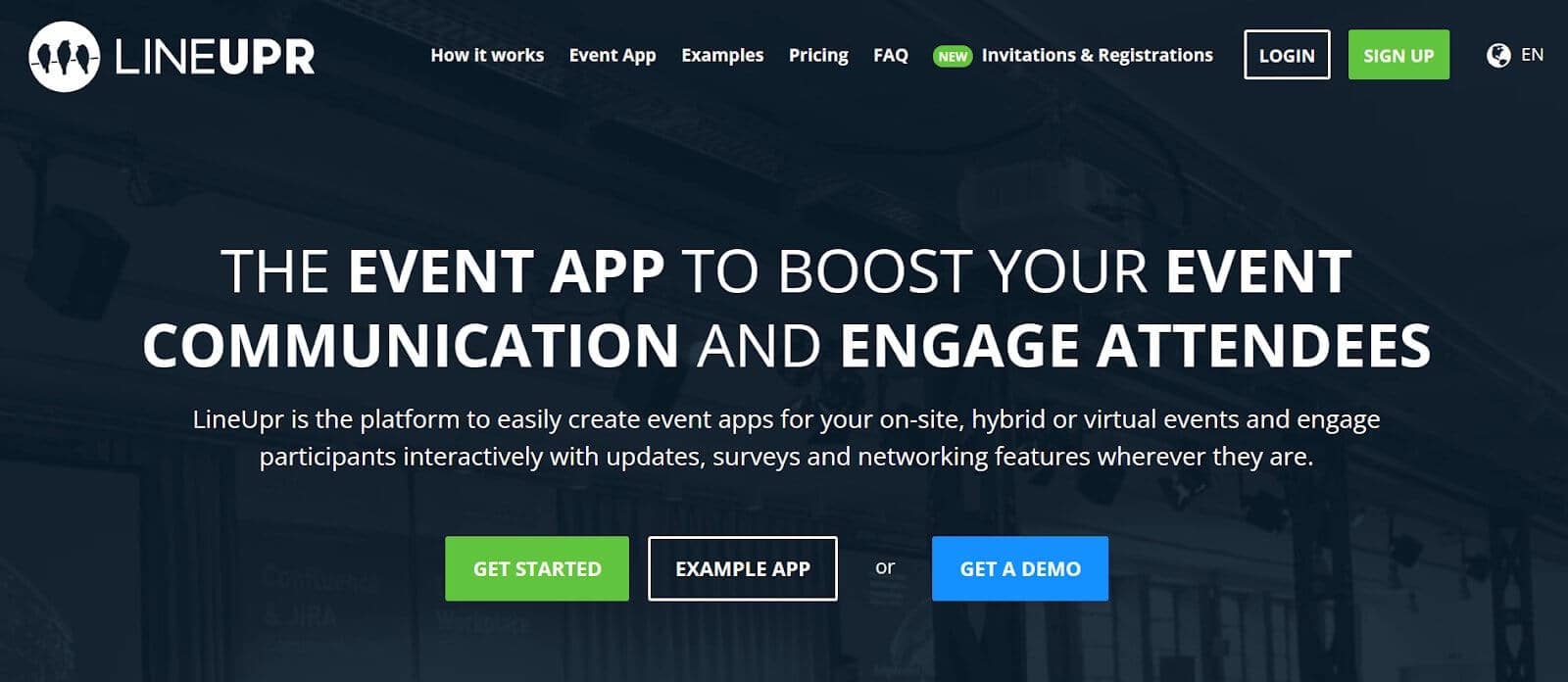
LineUpr is a self-service event app built for organisations that run a few events a year and need a system that can deliver a professional attendee experience without weeks of setup, a dedicated technical person to manage the tool, or paying for features they don't need.
Most Whova alternatives are built either for large teams with complex multi-day conferences, sponsor programmes, and dedicated operations staff, or they're too basic to deliver a professional experience on the day.
This usually results in teams that are either:
Overpaying for an enterprise platform built around infrastructure that their 200-person event will never use, or
Stitching together printed programmes, mass emails, and spreadsheets that fall apart the moment something changes on the day
LineUpr takes a different approach. It gives you the flexibility to keep attendees informed and engaged throughout the event, without overpaying for a platform built around features you’ll never use, or spending weeks configuring one.
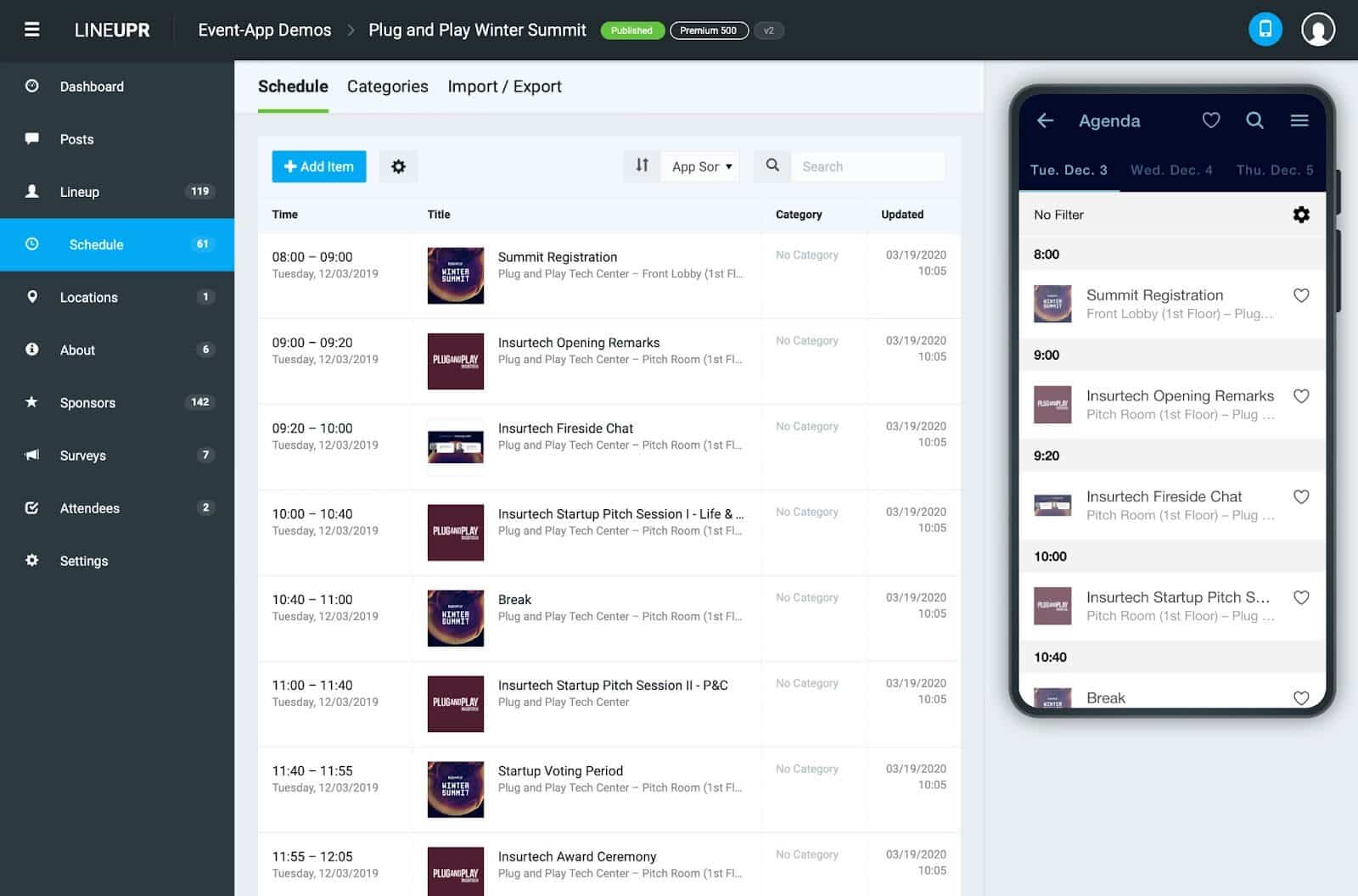
Below, we break down how LineUpr works and why we chose it among the top-rated Whova alternatives for small businesses.
Why We Chose LineUpr
LineUpr is the only Whova alternative for small event teams that lets you build a professional event app in hours, get more attendees engaged from the moment they arrive, and run multiple events per year without paying enterprise rates.
Here's how it works.
Get professional event apps live in hours without overspending
When you're coordinating speakers, managing venue logistics, and handling attendee communications at the same time, spending days configuring a platform is time you simply don't have.
But instead of:
Handing the build to an agency and absorbing a cost that dwarfs the platform fee, or
Configuring a complex system yourself and arriving at the event with something half-built that doesn't reflect the program you actually have
LineUpr makes it easy for you to get professional event apps live in hours without coding in 6 quick steps:
1. Structure your full agenda in minutes: Add sessions, assign speakers, set room locations, and update schedule as the program evolves, without re-exporting or reformatting anything
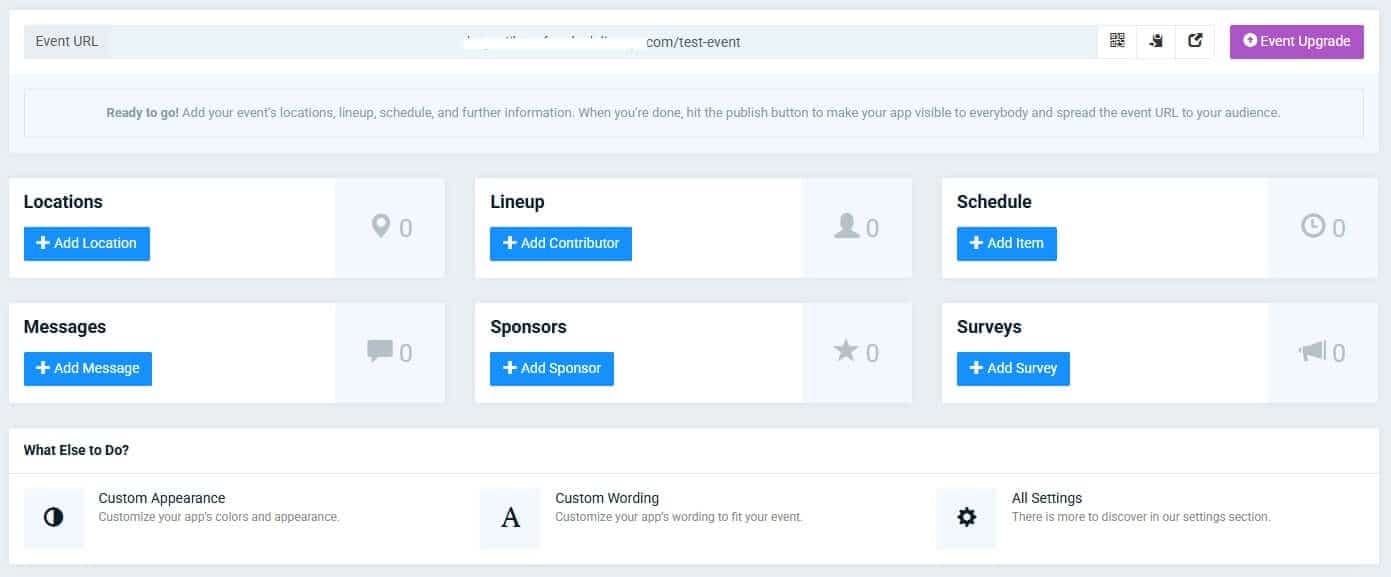
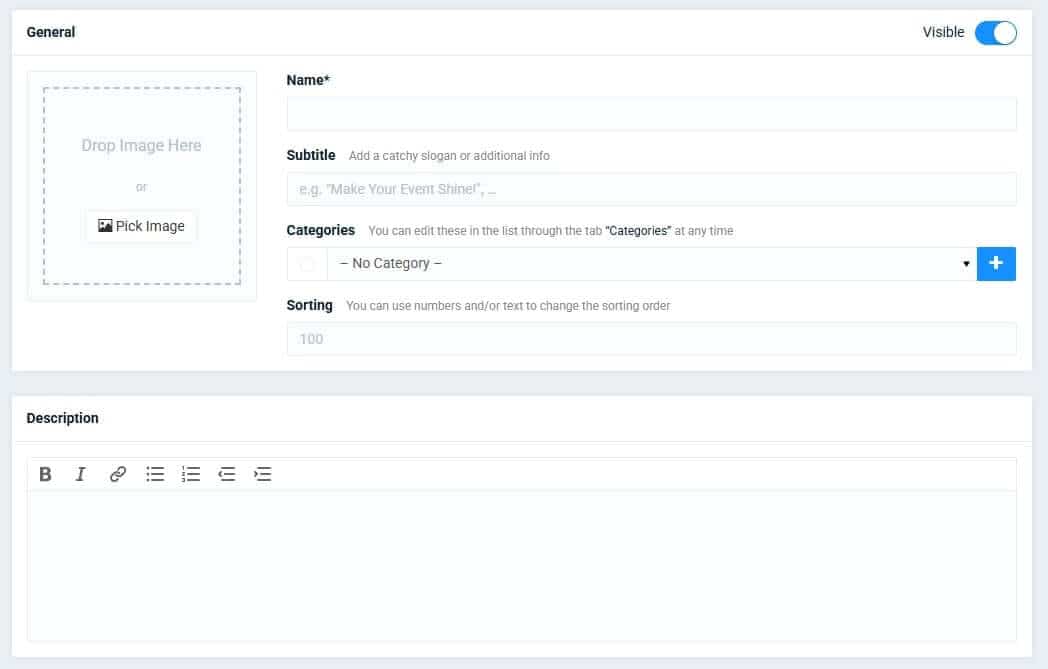
2. Build speaker and sponsor profiles that look professionally designed: Upload photos, bios, and links directly from the dashboard, with no design work or external tools required.
3. Set up venue maps and wayfinding in a few clicks. Upload custom floor plans or connect Google Maps so attendees can find sessions, rooms, and facilities without asking at the desk
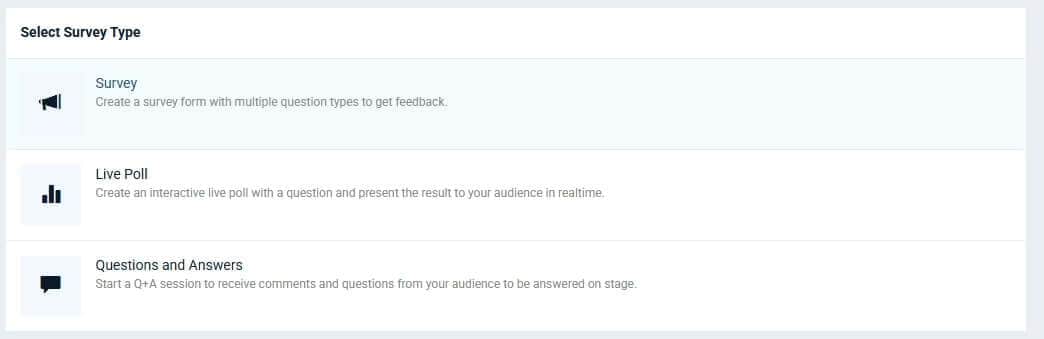
4. Configure live polls, Q&A, and session surveys without touching a line of code: Activate engagement features per session, set them live during the event, and see results in real time from the same dashboard
5. Import your attendee list from a spreadsheet: Upload a CSV or Excel file and populate the full attendee directory in one step, without manual data entry
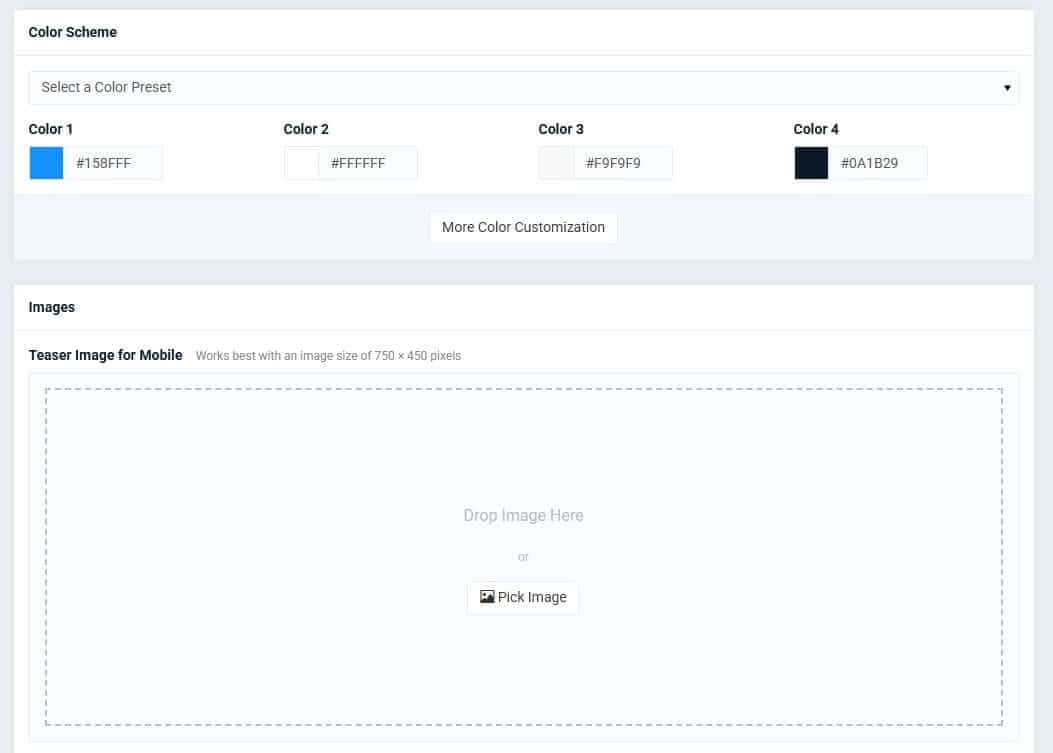
6. Brand the entire app to match your organisation: Set your colours, logo, and layout so the app looks like yours, not a generic template, on every attendee's screen
That way, you're able to launch a complete, professional event app before your next planning meeting ends — without a developer, a vendor demo, or a build that arrives the night before the event.
In fact, Marketing Club Dresden built a complete app — agenda, participant profiles, and surveys — in approximately four hours without a developer. Nicole Schiertz started late and still had everything ready before guests arrived.
Here’s one organiser describing LineUpr's ease of use on G2:
"Lineupr is far more superior to other, more expensive conference apps. It is web-based, so your attendees do not have to download anything or create yet another login for an app they may use only once."
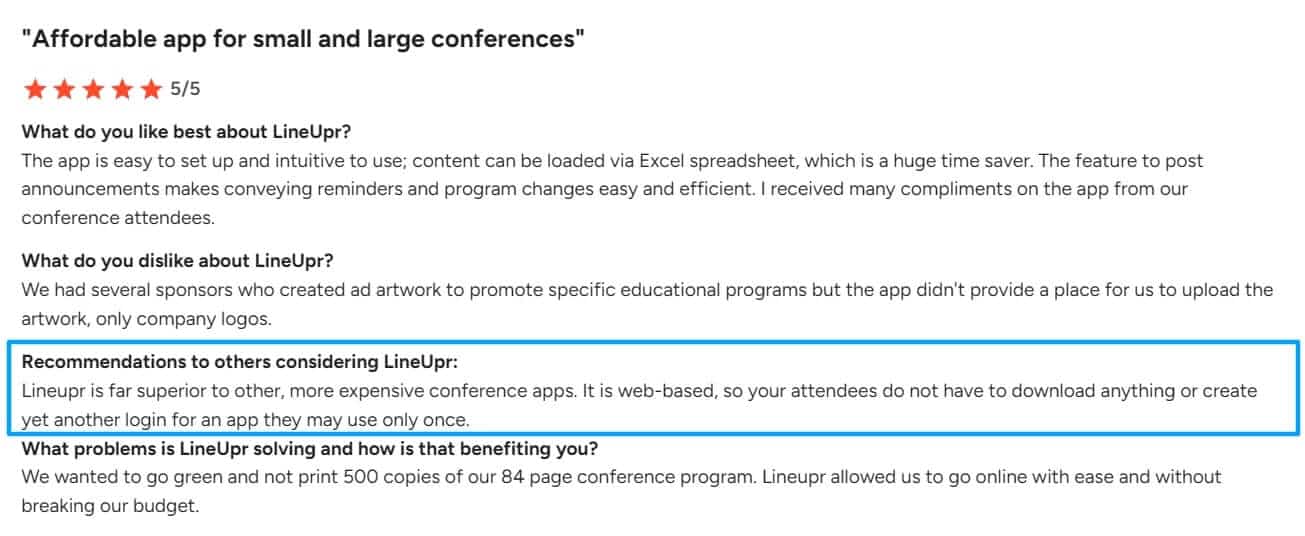
Image: LineUpr G2 review on setup
Ready to see how LineUpr helps small event teams deliver a professional attendee experience faster without overspending on enterprise tools? Start Free Today. You can build the entire app free and preview it with your team before paying anything.
Increase attendee engagement by giving attendees access to event details without app download
For many event teams, attendees hear about the event apps like Whova for the first time at check-in. A download step at that point loses you a significant portion of the room before the first session starts. And the ones who do download it often never open it again.
If you don't have a dedicated budget and strategy for pre-event app promotion, you're often left watching adoption drop off because attendees don't want to create another account for an app they'll use once.
With LineUpr, you simply have to publish your app on the dashboard and it generates a URL that is immediately operational and can be opened on any smartphone or laptop. There is also the option of a preview URL which allows you to test the app without publishing it.
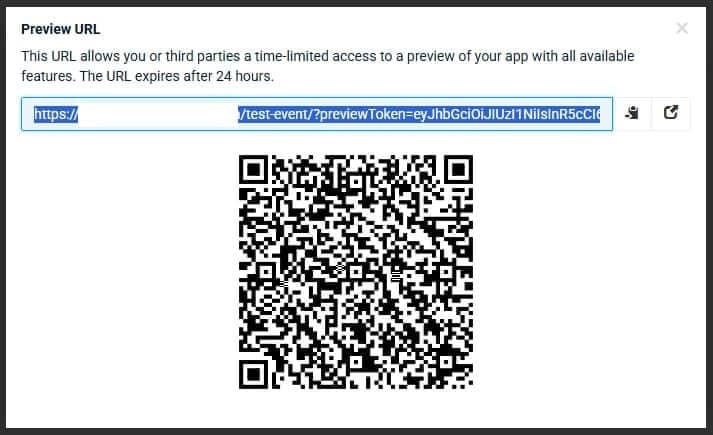
From that URL, attendees can:
Access the full event program instantly by scanning a QR code or opening a link that loads your event in their browser, no app store, no account, no storage permission to grant
Navigate the agenda and find their sessions faster. They can browse the full schedule, filter by track or speaker, and build a personal agenda from their phone without printing anything or asking at the desk
Follow real-time updates as the day unfolds. Room changes, session updates, and announcements appear on their screen the moment you push them
Participate in live polls and Q&A during sessions. They can submit questions, upvote others, and respond to polls from the same app they're already using for the agenda
Connect with other attendees between sessions — browse attendee profiles, send direct messages, and schedule meetings without a printed directory or a separate networking platform
Access content offline if Wi-Fi drops — agenda, speaker bios, and venue maps cache on first load and stay accessible throughout the event regardless of venue connectivity
That way, teams like you're able to get more attendees using the app from the first session to the last — without chasing downloads at check-in, managing a separate communication channel, or hoping the venue Wi-Fi holds.
Run more events per year by paying for exactly the features you need
For many small event teams, the cost of running a complex event app isn't just the platform fee, it's also the time it takes to set up and manage the platform; which ultimately limits your ability to scale and host more events.
With LineUpr, you're able to run more events, stay within budget, and scale your event program without renegotiating your contract every time something changes.
You can:
See exactly what you'll pay before you talk to anyone — pricing is published by tier and attendee count, so you can calculate your cost, compare options, and make a decision without a sales call
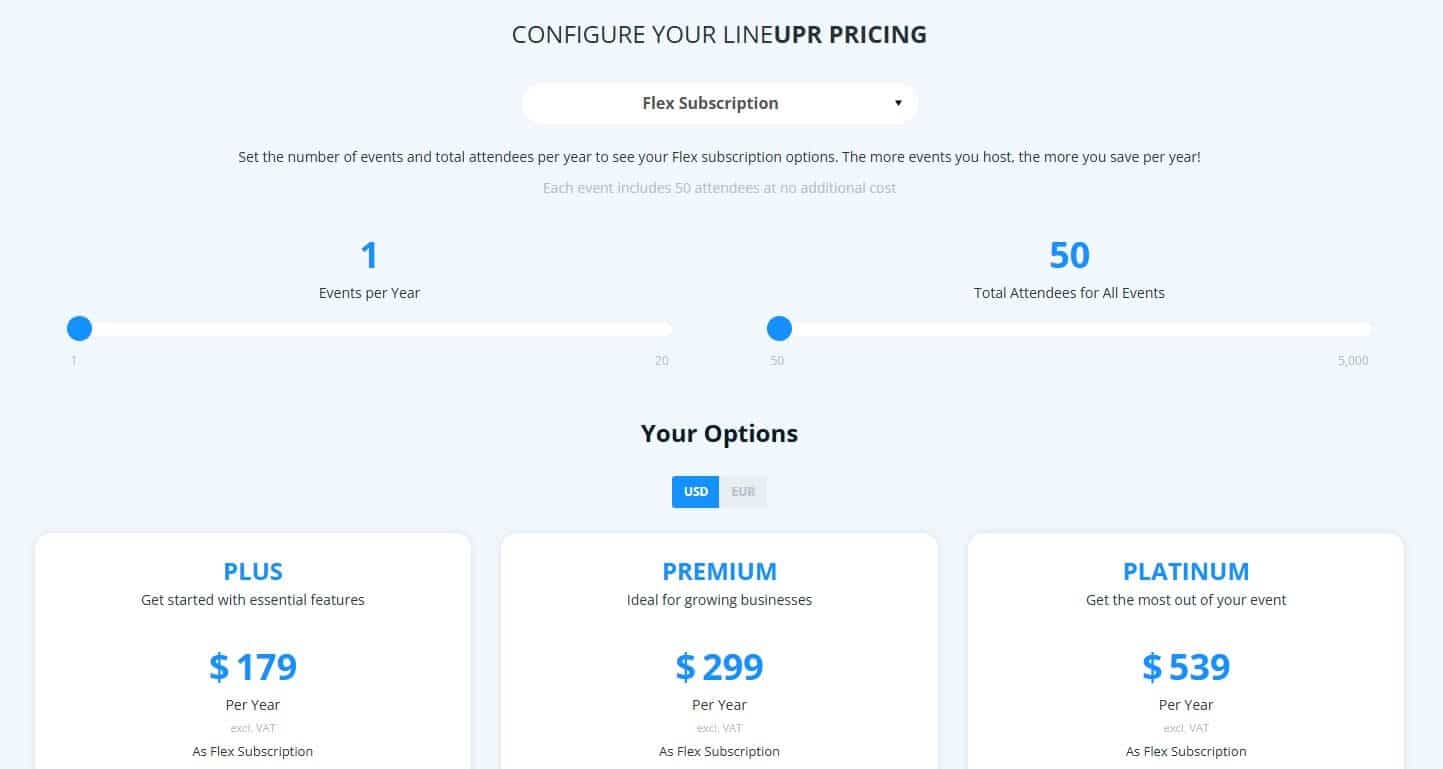
Pay only for the features your event actually needs — choose the tier that matches your program, upgrade for a specific event when you need engagement features, and step back down when you don't
Distribute your annual attendee quota flexibly across events — the Flex Subscription absorbs headcount shifts and additional events without a new purchase order or a revised invoice
Start building for free and pay only when you're ready to go live — build the entire app, preview every feature with your team, and activate only when you're confident it's right
That way, you're able to run a professional event program across multiple events per year — without a contract negotiation every time your headcount shifts or a new event gets added to the calendar.
Michael Kimmig, VP of Business Development at GRENKE AG, described being astounded by the cost difference when he compared LineUpr against agency quotes for their 130-person executive conference. The winning argument: they could get started immediately, see the price upfront, and make the decision without waiting on anyone.
Ready to see how LineUpr helps small event teams deliver a professional attendee experience faster, without overspending on enterprise tools? Start free today! You can build your enterprise app and preview it for free with your team before paying anything
Key Features
- Event scheduling & real-time updates: Push schedule changes, speaker updates, and room assignments to every attendee's device instantly—no reprinting programmes, no mass emails, no confusion at the registration desk.
Interactive engagement tools: Run live polls, collect Q&A questions with attendee upvoting, and launch surveys without switching between platforms or asking attendees to download separate apps.
Attendee networking: Let attendees create profiles, message each other directly, and schedule 1:1 video calls—so networking happens before, during, and after your event.
Offline access: Attendees can view agendas, speaker bios, and venue maps without Wi-Fi. Conference center internet shouldn't determine whether people know where to go next.
Multi-language support: Serve international attendees with 20+ language options built in—one app, multiple languages, no separate versions to maintain
Multi-language support: 20+ languages built in; one app, multiple audiences, no separate versions to maintain
Pros
Flex Subscription pricing drops per-event cost by up to 60% for teams running multiple events annually
A suitable for internal events
Attendee quota is distributed flexibly across the year. No locked-in headcount per event
Works alongside existing registration tools, no platform migration required
Browser-based PWA access removes attendee download friction and drives adoption
Build and preview the full app for free; payment applies only at activation
No IT team or developer required during setup
Cons
Does not handle registration, ticketing, or on-site check-in, not a full event management suite
Live polls, Q&A, and session feedback require Premium or above
Pricing
LineUpr's Flex pricing (pay-per-event) ranges from $179 to $539 per event, depending on your needs. The more events you host per year, the lower your cost per event.
Plus: From $179/event — agenda, speaker profiles, sponsor listings, notifications, custom branding
Premium: From $299/event — adds live polls, Q&A, feedback tools, and analytics
Platinum: From $539/event — adds multi-language support, PDF attachments, attendee networking, and private/public chats
For pay-per-registration pricing (around 50 attendees), tiers run from $215 to $647 per event.
Want to see if LineUpr can actually help you drive your event attendance, save costs, and launch events faster? Start for free today! Build your entire event app for free before paying anything.
Best For
LineUpr works best for mid-sized organisations (50–500 employees) running one to four professional events annually who need attendee engagement tools without replacing existing registration systems. It's a strong fit for event coordinators, marketing managers, and associations operating without dedicated IT teams.
2. Sched: Affordable Whova Alternative for Complex Multi-Track Programs
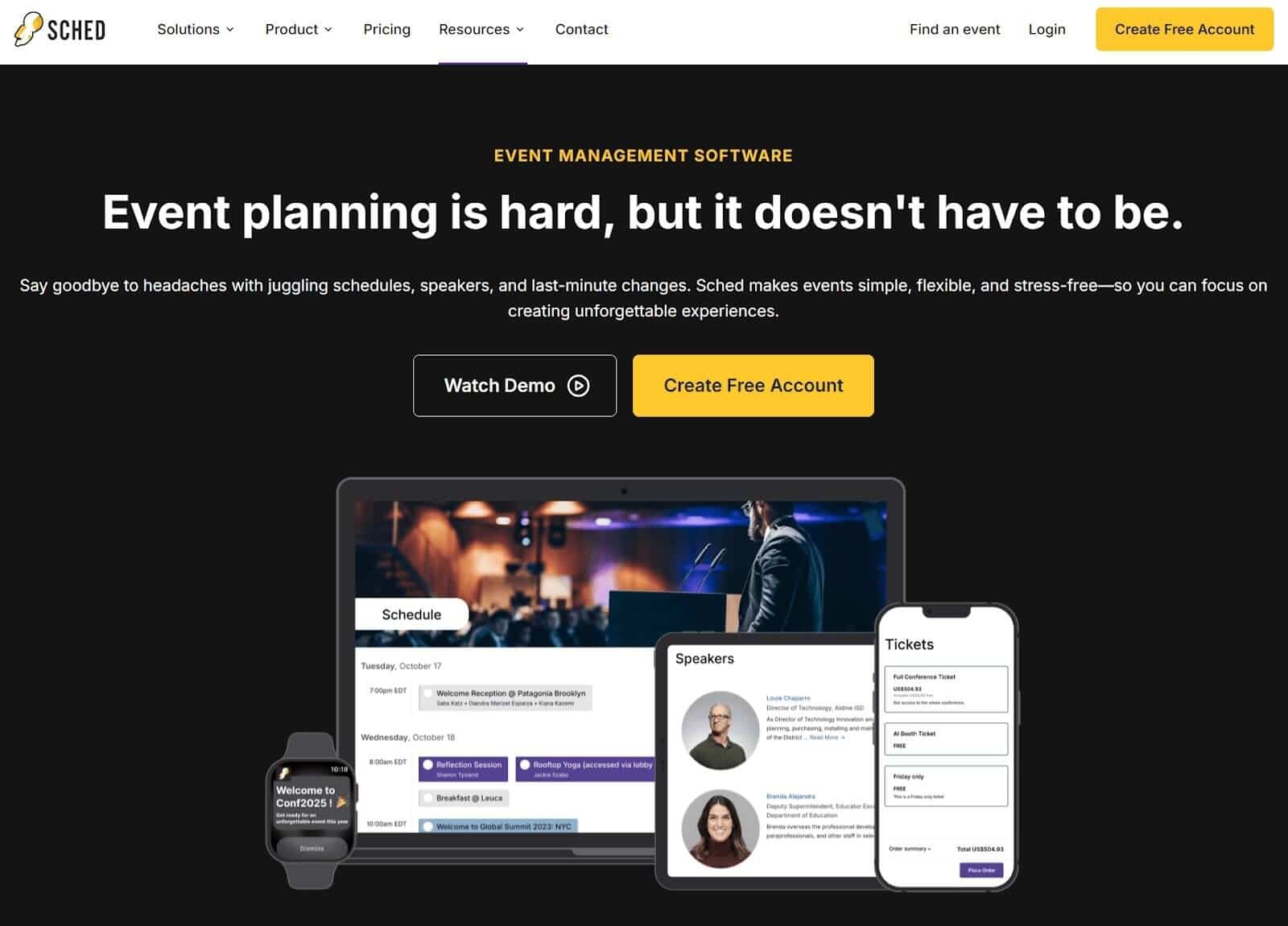
Sched is a scheduling-focused event platform designed for conferences and academic events where navigating a complex programme matters more than attendee engagement features. It is best understood as a session management tool rather than a full event app.
If your event runs multiple concurrent tracks and attendees need to build their own schedule from dozens of sessions, that is the problem Sched was built to solve.
Why We Chose Sched
Sched focuses on scheduling rather than engagement. The platform covers multi-track programme management, attendee schedule building, speaker self-service tools, and exportable session feedback, but it does not include live polls or Q&A. Push notifications also require a branded native mobile app add-on starting around $1,499.
Sched works best when the main challenge is helping attendees navigate a complex programme. If your event requires deeper engagement during sessions, another platform in this list will be a better fit.
Key Features
Multi-track session scheduling: Concurrent sessions organised by track, time, or speaker.
Personalized attendee schedules: Attendees build their own agenda with session reminders.
Speaker self-service: Profiles, presentation uploads, and session updates.
Session feedback: Ratings and exportable reporting.
Mobile-responsive web interface: Access via browser without requiring a download.
Pros
Monthly subscription from approximately $50/month
Speaker self-service reduces coordinator workload
Strong support for multi-track event programmes
Personalized schedules improve session attendance
Cons
No live polls or Q&A on any plan
Push notifications require a $1,499 branded app add-on
Per-event pricing ranges from $299 to $499
Pricing page was inaccessible during research; figures sourced from third-party listings
Multi-language support is not clearly documented
Pricing
Sched offers per-event pricing based on the number of attendees, starting from 250+ attendees. Plans include:
Launch: Starting at $600 per event
Boost: Starting at $1,500 per event
Ultra: Starting at $2,250 per event
Best For
Academic conferences, associations, and multi-track events are where navigating a complex schedule is the primary challenge. Sched is particularly suitable for teams that want a subscription-based scheduling platform rather than a full event app with engagement features. But not every event has the schedule complexity that justifies a dedicated scheduling tool.
3. Yapp: Best Whova Alternative for Budget-Conscious Teams– Flat Fee, Zero Attendee Caps
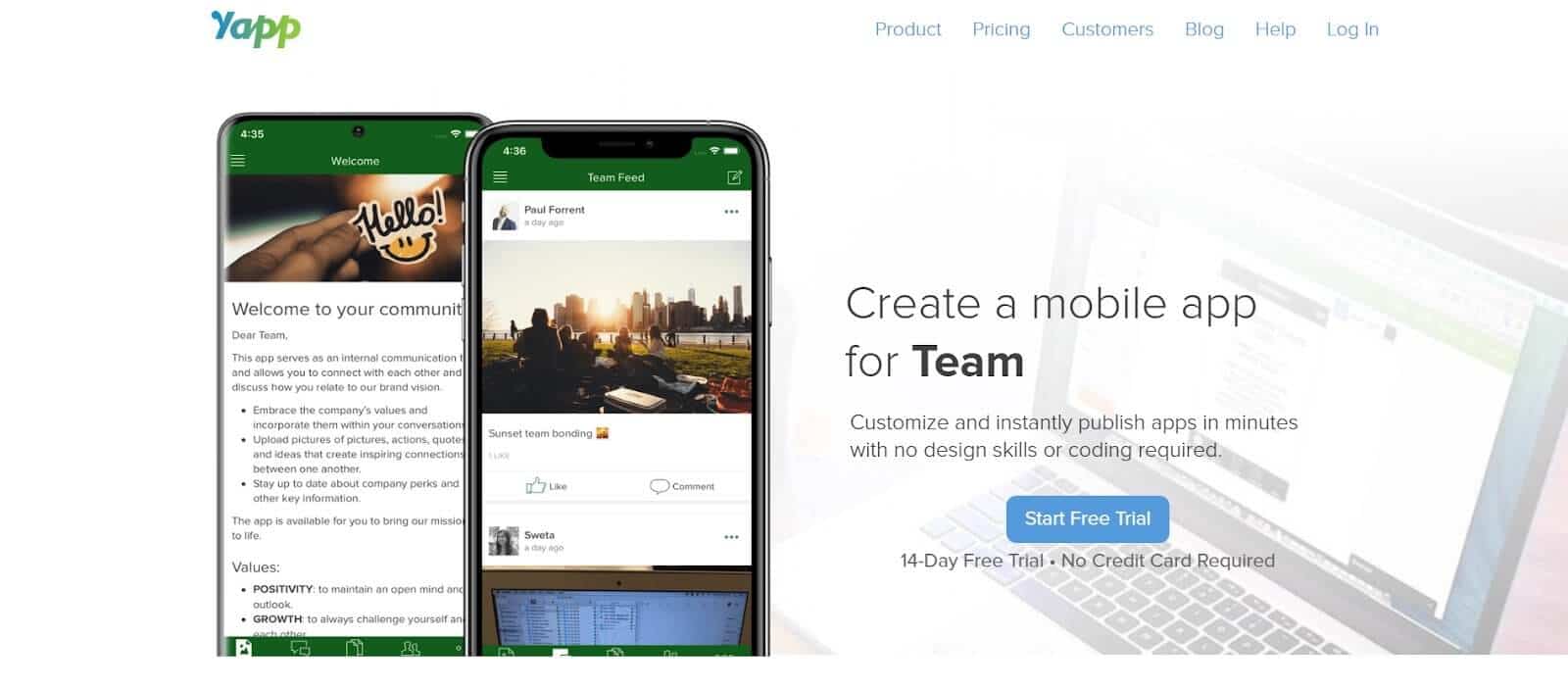
Yapp is a self-service event app builder used mainly by associations, nonprofits, and internal corporate teams that need a simple digital programme rather than a full event platform. It provides schedules, announcements, speaker listings, and maps through a native container app (app store download required) that can also be accessed via web browser.
For many organisations, the requirement is straightforward: publish the agenda, send announcements, and give attendees one place to find event information.
Why We Chose Yapp
Yapp answers the budget question directly. For teams reconsidering platforms like Whova, cost is often the first concern. Yapp uses a flat annual fee with no attendee caps, making budgeting predictable even when attendance varies across events.
The platform focuses on the core event programme rather than attendee engagement. Every paid plan includes the agenda, speaker listings, maps, announcements, push notifications, and simple polls.
What it does not include are deeper engagement features such as live Q&A, attendee messaging, gamification, or advanced polling. For events where networking or session interaction is central, other platforms in this list provide stronger tools.
Yapp is also intentionally simple to set up. Teams create an account, build the event app, and publish it without demos, onboarding calls, or implementation work. For associations and internal teams running events as a secondary responsibility, that simplicity is often the main advantage.
Key Features
Schedule and agenda: Simple and multi-track programmeme display.
Push notifications: Unlimited on all paid plans.
Simple Polls: One-question multiple-choice polls.
Speaker listings: Photos, bios, and titles.
Offline access: Content available after download.
Pros
Flat annual fee with no attendee caps
Push notifications included on all plans
Simple Polls included without add-ons
Self-service setup with no vendor involvement
Cons
No Q&A, attendee messaging, gamification, or advanced polling
Requires an app store download (web access also available)
Analytics and CSV import gated to higher tiers
Fewer engagement features than some alternatives in this list
Pricing
Pricing starts at $399 per year for one app (Basic plan), with higher tiers such as Core ($649/year) and Team ($799/year) that include advanced features like analytics, content imports, scheduling tools, and multiple administrators. All plans include unlimited app installs and push notifications, along with a 14-day free trial with no credit card required.
Best For
Associations, nonprofits, and internal teams that need a simple digital event programmeme — agenda, announcements, and speaker listings — without advanced engagement features.
The predictable annual pricing also works well when attendance fluctuates between events. All three tools covered so far assume your registration system already exists elsewhere.
4. Eventleaf: Whova Alternative Best for Check-In, Badge Printing, and a Mobile App In One Place
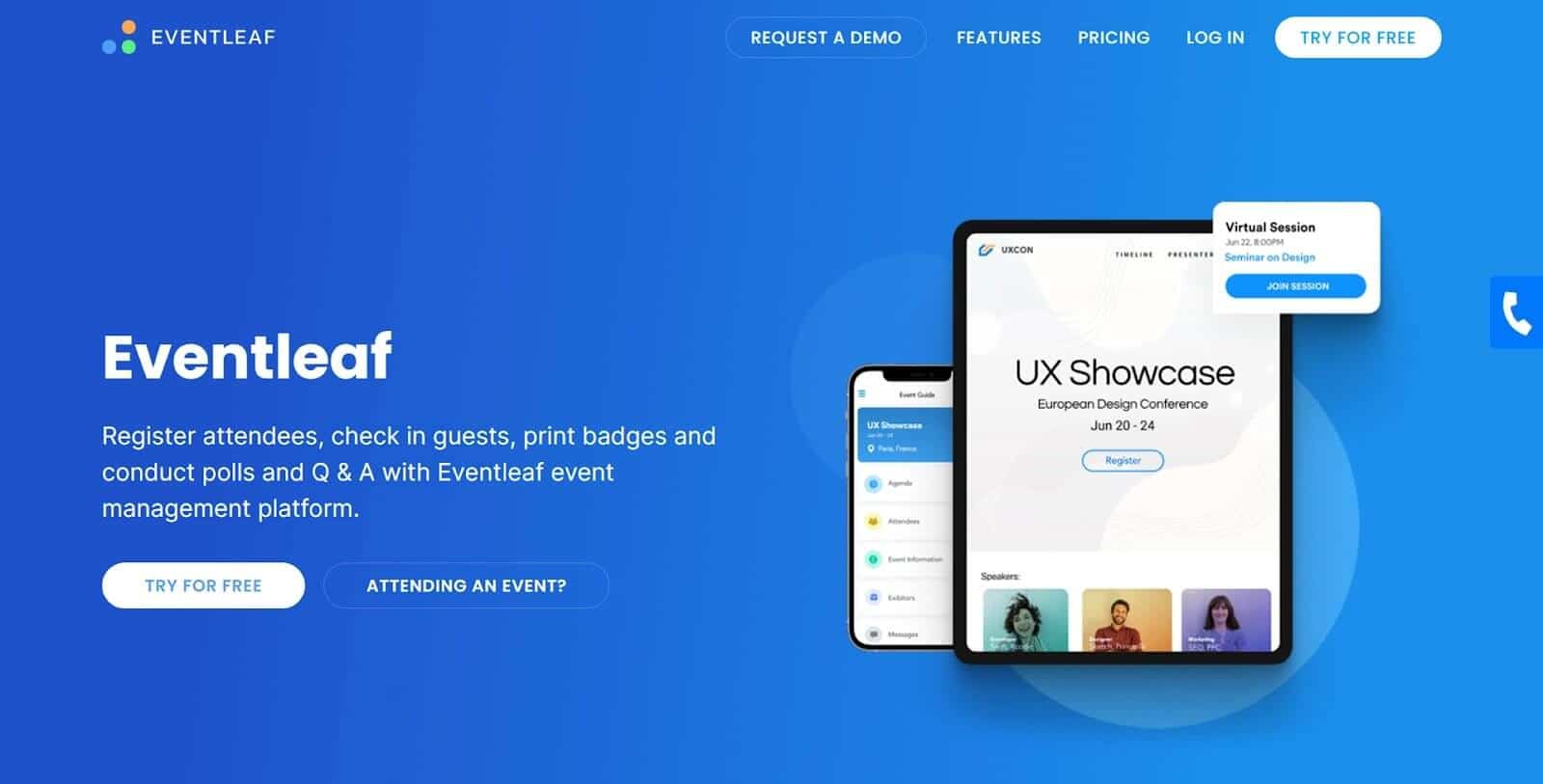
Eventleaf is a registration-first event platform that includes a mobile event app, designed for teams that want registration, check-in, and on-site operations handled in one system.
Instead of licensing the platform per event, Eventleaf prices the product per attendee, starting at $1 per attendee. For organisers evaluating event software, the biggest question often comes before features: what will this cost?
Why We Chose Eventleaf
Eventleaf is built around registration and event-day operations rather than attendee engagement. The platform integrates registration, payment processing, QR code check-in, badge printing, and the attendee event app into a single system. For teams managing event logistics, that structure reduces the need to coordinate multiple tools.
Eventleaf uses a per-attendee pricing model, which makes the cost structure straightforward to estimate. The trade-off is that the model includes annual minimums, so it works best for organisations running multiple events each year.
Eventleaf fits teams whose main challenge is registration logistics and event-day coordination, not interactive session engagement.
Key Features
Registration and check-in: Custom forms, QR code check-in, and badge printing.
Mobile event app: Agenda access, surveys, and exhibitor profiles.
Live polls and Q&A: Included at Professional tier.
Multi-language support: 22+ languages available.
Operational apps: Separate apps for attendees, staff check-in, and exhibitors.
Pros
Per-attendee pricing makes costs predictable
Registration, check-in, badges, and event app handled in one system
Multi-language support for international events
Accessible setup for non-technical teams
Cons
Mobile app and engagement features require the Professional tier
Annual minimums: $500 Basic, $2,000 Professional
Smaller events below the threshold pay above the per-attendee math
Limited event page customization
Pricing
Eventleaf offers tiered pricing based on the number of attendees.
The Starter plan is free, while the Basic plan costs about $1 per attendee.
The Professional plan costs about $2 per attendee, including unlimited events and users, as well as core event management features.
The Ultimate plan has custom pricing (call for price) and includes advanced capabilities such as integrations, lead retrieval, SSO, and enterprise-level event management tools.
Best For
Events where registration logistics are the primary challenge. Eventleaf works well for organisations that want registration forms, check-in, badge printing, and an event app handled on a single platform, particularly when total annual attendance reaches the Professional tier threshold.
5. Eventify: Great Whova Alternative for Small B2B Teams That Need Networking for Conferences
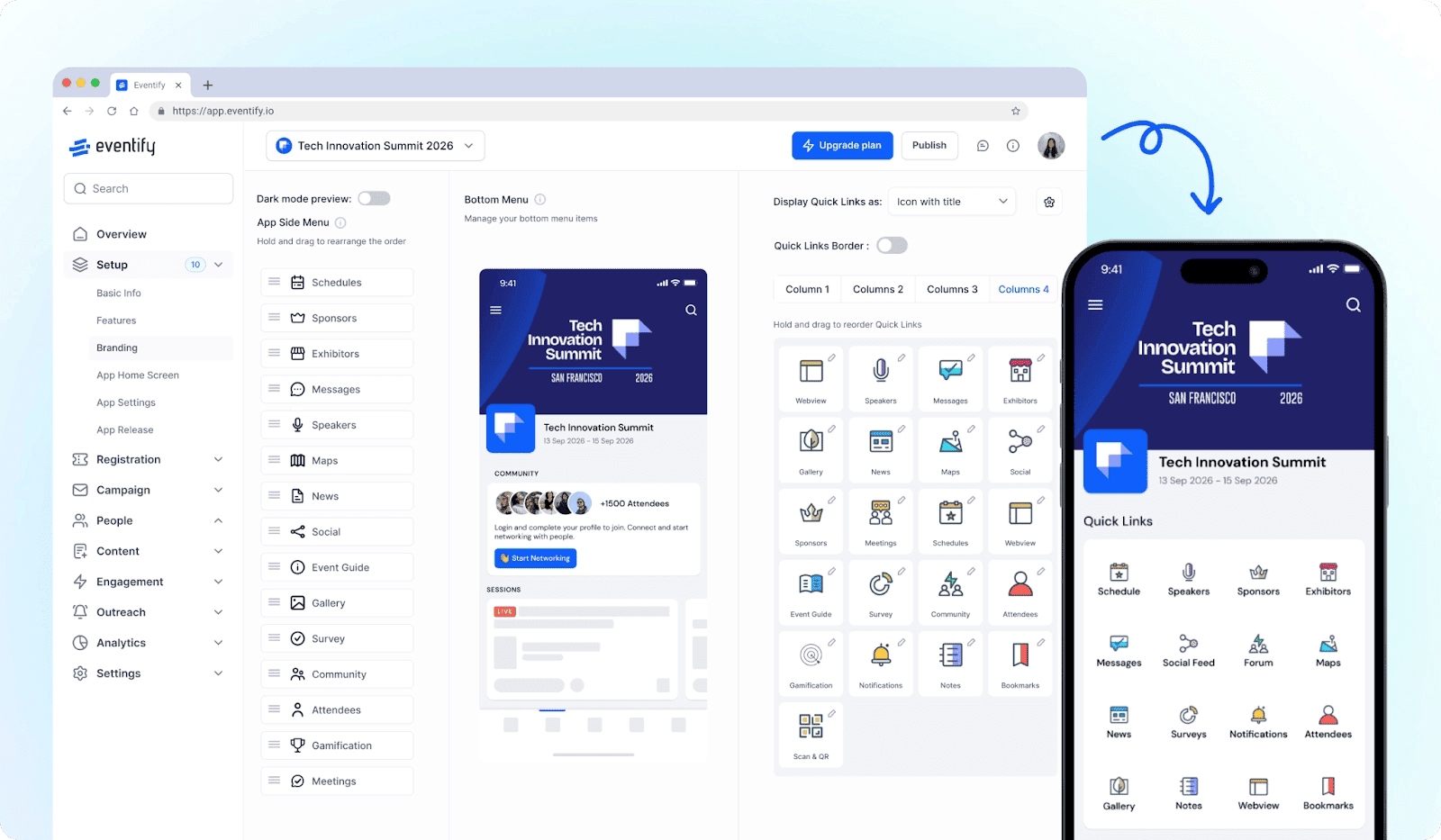
Eventify is a conference event app designed for professional events where attendee networking is a primary outcome. It combines registration, session management, and matchmaking tools within a single platform.
Why We Chose Eventify
Eventify targets the same type of event that platforms like Whova are often evaluated for: professional conferences where networking, sessions, and attendee coordination all matter.
Unlike many conference platforms, Eventify publishes its pricing upfront, allowing teams to evaluate the platform without a sales process.
Eventify’s strongest capability is attendee networking. Attendees create profiles, discover others with similar interests, and request meetings directly through the platform. Messaging and community spaces help extend conversations beyond individual sessions.
The trade-off is that the networking capabilities that define the platform are not available on the entry tier. The full conference experience: matchmaking, messaging, and structured networking sits in the Engage tier.
For conferences where connections between attendees are the primary outcome, Eventify provides the networking infrastructure to support that goal.
Key Features
Registration and check-in: Available from the $249 Register tier.
Live Q&A and polling: Included across all tiers.
Networking and matchmaking: Tag-based profiles, AI similarity scores, 1:1 meetings, Engage tier.
Multi-track agenda: Real-time updates and personalized schedules across all tiers.
Pros
Q&A and polling are available even on the entry tier
Published pricing with no sales call required
60-day money-back guarantee
Annual subscription options for recurring events
Cons
Networking features require the Engage tier ($799)
Stripe is the primary payment processor
Full offline access not clearly documented
Some returning customers report price increases over time
Pricing
Eventify offers four plans: Register, Engage, Advance, and Ultimate. Exact pricing is not listed publicly, so the amount you would pay is unknown and must be obtained by contacting Eventify for a custom quote based on your event size and requirements.
Best For
Eventify is best for hosting professional conferences of roughly 150–500 attendees, where structured networking is a primary goal. Eventify works well for teams that want conference-level networking features and access matchmaking and attendee messaging.
6. Eventee: Reliable Whova Alternative for Registration, Engagement, and Reporting in One Place
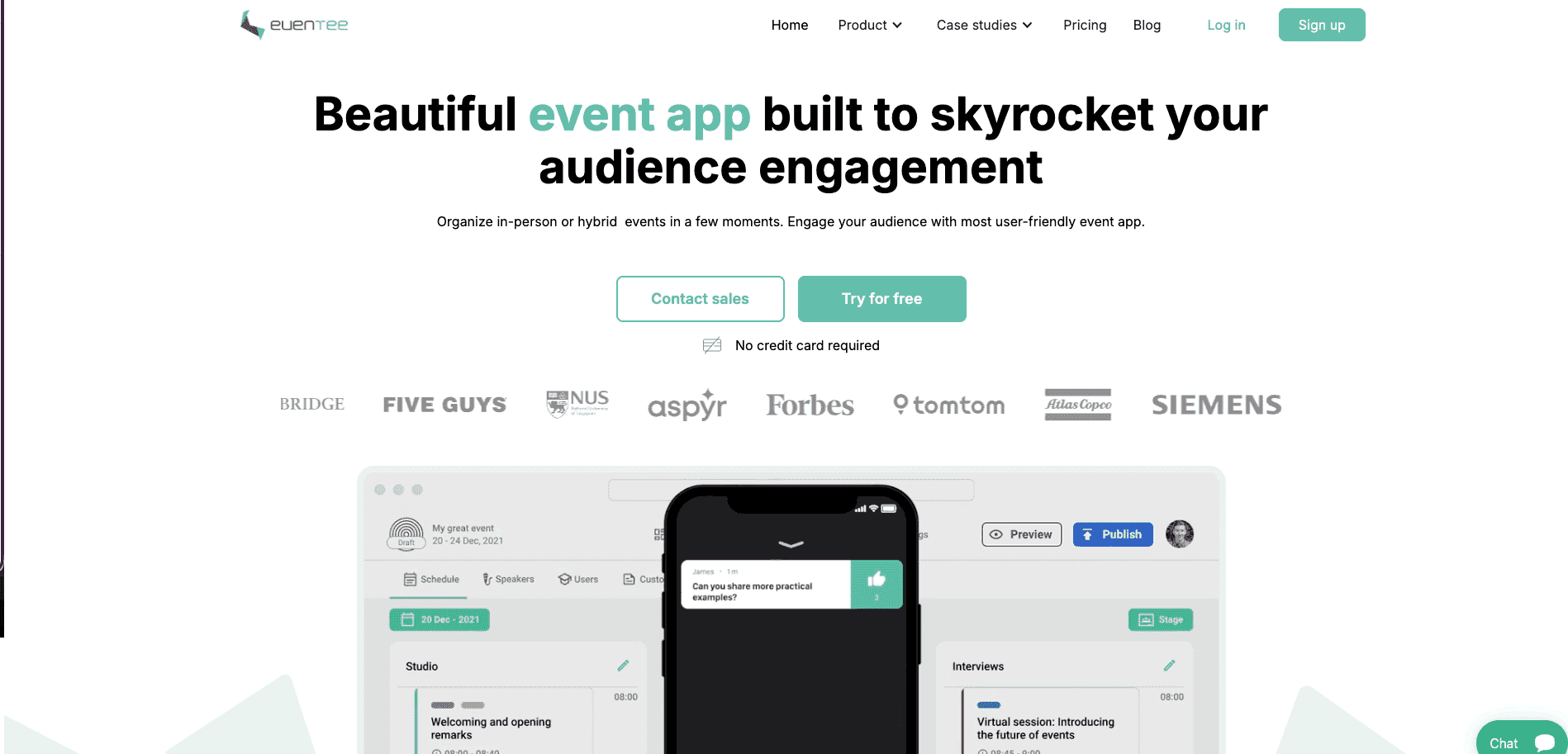 Image Caption
Eventee is a consolidated event management platform that combines registration, check-in, native mobile apps, and analytics into a single system. The entry price is $1,499 per event for up to 500 attendees — higher than every other tool on this list. The scope is broader to match. Pricing is published on the site, so the number is visible before any sales conversation.
Why We Chose Eventee
Eventee appears on this list for teams that want registration, the event app, and post-event reporting handled in one system.
Instead of running registration in one tool and the event app in another, attendee data flows from registration through check-in and analytics in the same dataset. The platform includes registration, native mobile apps, polls, Q&A, networking, sponsor profiles, and reporting within that single workflow.
The trade-off is that some operational features are missing or tier-gated. Badge printing is not included, livestreaming relies on third-party integrations, and some capabilities require higher plans.
For teams currently coordinating multiple event tools, Eventee offers a consolidated alternative.
Key Features
Registration and native mobile apps: One system, iOS and Android plus web — all plans.
Live polls and Q&A: Unlimited session polls, moderated questions — all plans.
Attendee matchmaking: Swipe-based matching, 1:1 meeting scheduling — all plans.
Check-in and gamification: Add-ons on Solo/Business; included in Enterprise.
12 verified languages: Arabic, Chinese, Czech, English, French, German, Italian, Spanish.
Pros
Registration, check-in, app, and analytics consolidated
Polls, Q&A, and matchmaking on every plan
Published pricing, no sales call
Unlimited free trial, full features, no credit card
GDPR and ISO compliant
Cons
No badge printing
No built-in livestreaming
Check-in and gamification are add-ons below Enterprise
Annual plan required for multi-event pricing
Custom branding add-on at Solo; white label requires a separate sales contact
Pricing
Eventee offers three pricing plans for hosting in-person or hybrid events:
Solo ($1,499 per event, 500 attendees)
Business ($2,999 for 6 events, 1,000 attendees per event)
Enterprise ($4,999 for 12 events, 3,000 attendees per event).
All plans include an event homepage, mobile and web apps, engagement features, networking, a social wall, live polls, and a news feed, with optional add-ons such as gamification, white labeling, and custom domains.
Best For
Eventify is best for teams who found Whova's quote process too slow and want one system for registration, check-in, and engagement, prioritizing consolidated data over the lowest entry price.
Here's the full replacement section:
Which Whova Alternative Is Right for You?
Every platform in this guide solves a real problem for a specific type of event team. The right choice depends on what your event actually needs — not which platform has the longest feature list.
Here’s our recommendation:
Choose LineUpr if your registration already works and you need a better attendee experience on top of it. Browser-based access, published pricing, and a Flex Subscription that reduces per-event cost by up to 60% for teams running multiple events annually.
If your event runs multiple concurrent tracks and attendees need to navigate a complex programmeme, Sched is purpose-built for that problem. The monthly subscription model suits recurring events, but verify current pricing at sched.com before committing.
If you need a simple digital programmeme with predictable annual costs and no attendee caps , Yapp at $399 per year covers agenda, announcements, push notifications, and speaker listings without engagement complexity.
If structured networking between attendees is the primary outcome of your conference, Eventify provides the matchmaking and messaging infrastructure for that goal. Budget for the Engage tier ($799/event); the Register tier ($249/event) doesn't include networking.
If registration logistics are the core challenge — check-in, badge printing, and a mobile app in one system, Eventleaf handles that workflow from $1 per attendee, with the full feature set at Professional ($2/attendee, $2,000 annual minimum).
If you want registration, engagement, and post-event reporting consolidated into one attendee dataset, Eventee does that from $1,499 per event. Higher entry price, broader scope to match.
For most teams running two to four professional events per year with 100–500 attendees, LineUpr is the default choice. It costs less than every other platform at equivalent scope, requires no download from attendees, works alongside your existing registration system, and you can build and preview the entire app before paying anything.
FAQs
Is there a free Whova alternative?
LineUpr lets you build and preview a complete event app for free. You pay only at activation. Sched offers a free tier for events under 50 attendees. Eventee provides an unlimited free trial with full features. No platform here is fully free ongoing.
What is the difference between Whova and Eventify?
Whova is a full-suite enterprise platform with quote-based pricing. Eventify is a self-service B2B conference app from $249/event with published pricing. Critical distinction: networking is gated to Engage ($799), not Register ($249). For a browser-based engagement layer only, LineUpr is simpler and lower cost.
What is the difference between Whova and EventMobi?
Both are full-suite platforms, but they differ in delivery model and price. EventMobi starts at $3,000 or more per event and delivers a standalone white-label branded app. Your event gets its own app identity. Whova uses a quote-based container model where all events share a universal shell.
The practical difference: EventMobi gives you a branded experience, Whova gives you a shared one. For teams whose primary need is a lightweight engagement layer rather than a full event management suite, LineUpr fits at a fraction of either price.
Which Whova alternative has the most transparent pricing?
Every tool on this list publishes pricing on its website. No sales call required to see what you will pay. RingCentral Events publishes an annual license price. Whova discloses nothing without a quote request. The caveat across all platforms: advanced features are gated to higher tiers on most tools, so verify that what your event requires is included at the tier you are evaluating.
Can I use a Whova alternative without replacing my registration?
Yes. LineUpr, Sched, Yapp, and Eventify layer on top of existing registration. Eventleaf, Eventee, and RingCentral Events include registration and are built to replace it.
What is the most affordable option for a 200-person professional event?
LineUpr Plus: approximately €179/event. Yapp: $399/year, no attendee caps. Eventleaf Basic: $1/attendee but $500 minimum applies. Eventify Register: $249/event. Sched: $50/month (500 attendees included). The cheapest option missing a required feature is not the most affordable.